User Manual – FELIX Pro 1
Rev 3
www.FELIXprinters.com
support@FELIXprinters.com
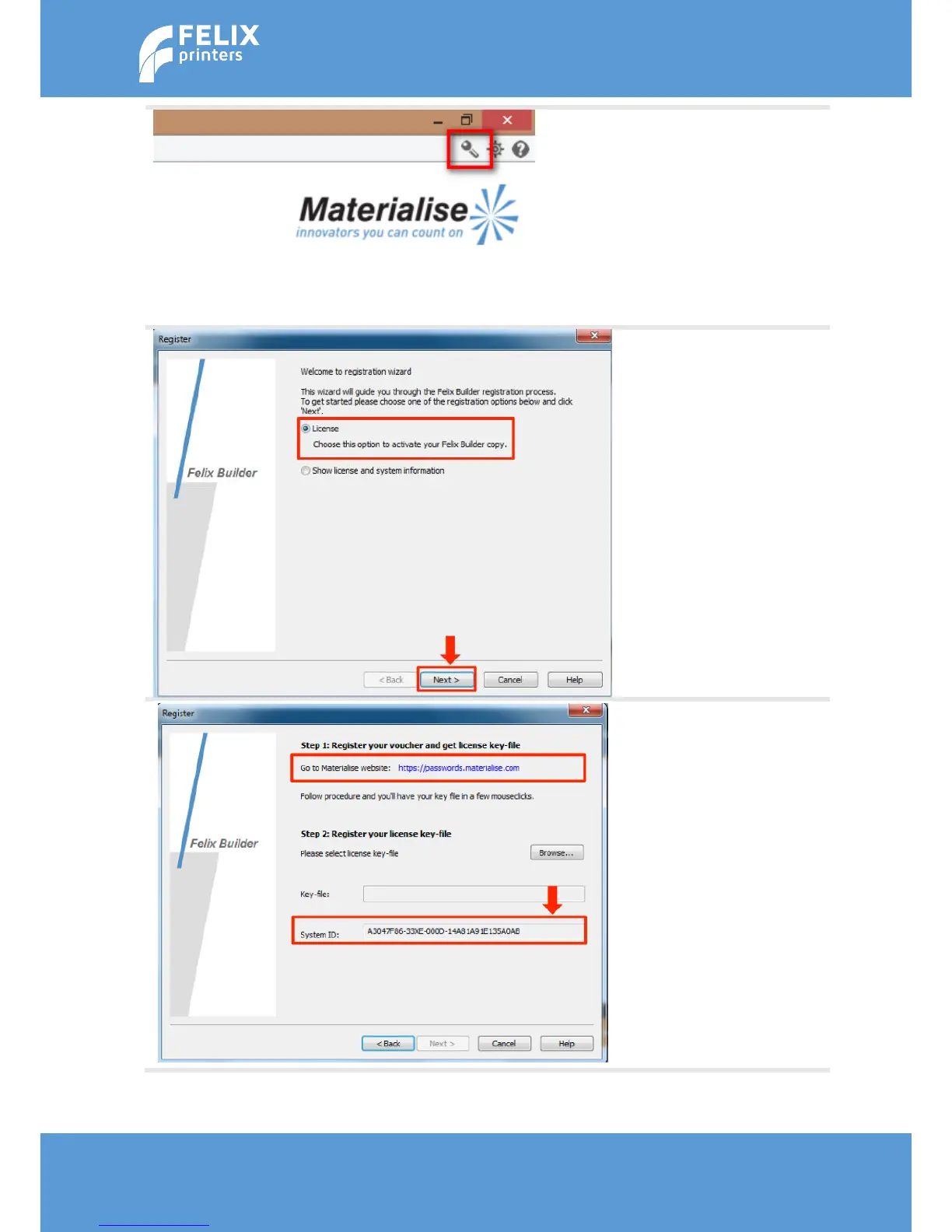
Start the FELIXbuilder software
and open the Registration
Wizard by clicking on the tool
icon.
When installing the software
for the first time this will
happen automatically when
you start the
FELIXbuilder software.
Select the License Option and
click next
Copy the system ID from the
registration wizard and go to
the Materialise password
website by clicking the link.
Make sure you have your
voucher code ready.
Follow the instructions on the
materialise website. You will
finally obtain a license key
which you should use here.



 To Next Page