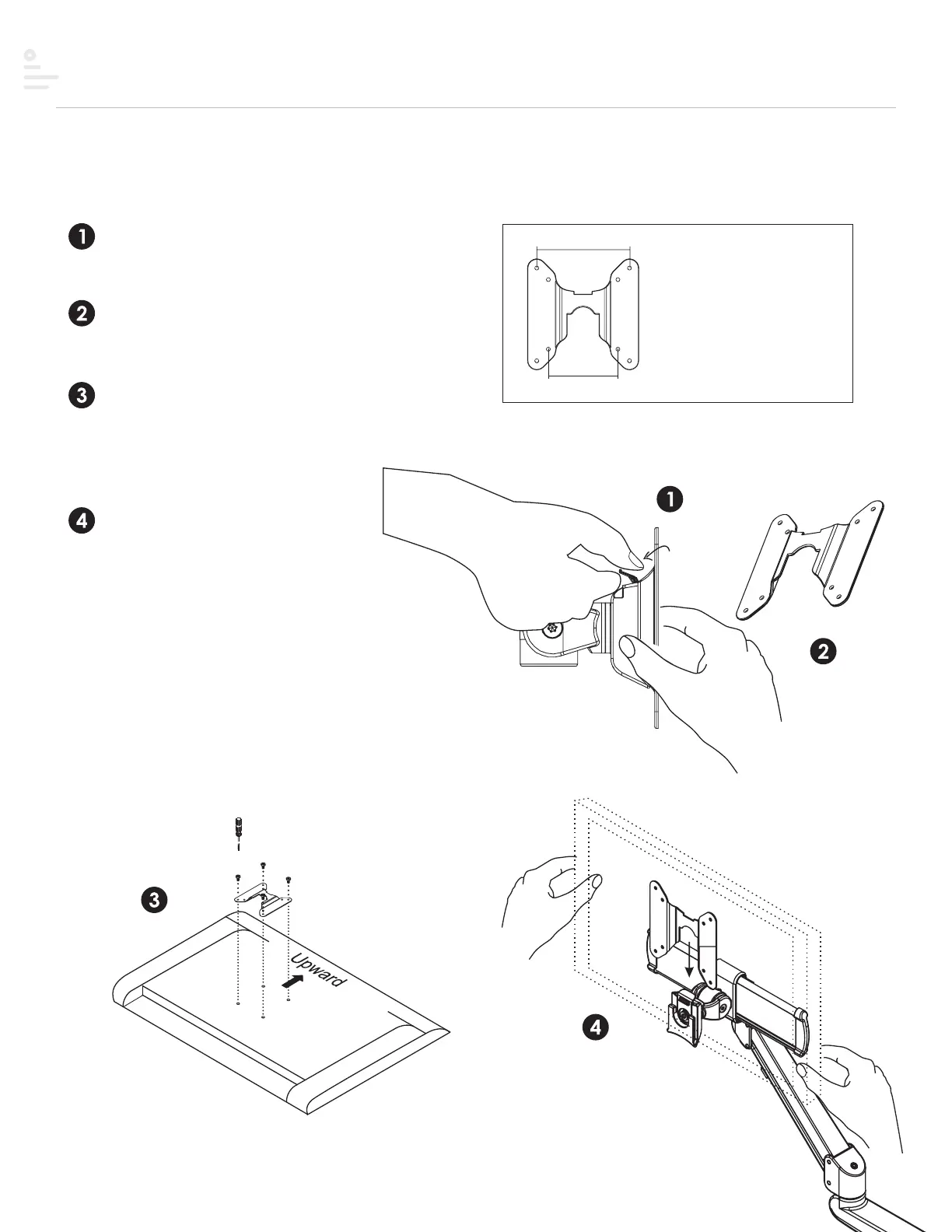
Step #5 Attach display
VESA plate is pre-drilled to accommodate varying monitor standards.
Step 3
Place the monitor face down on a flat
surface. Align the VESA plate holes
with the back of the monitor and
attach using the screws provided.
Step 4
With the monitor attached, reinsert
the quick release VESA plate. Ensure
the monitor “clicks” securely in place.
Step 2
Pull the quick release VESA plate
upward to detach.
Step 1
Pull the tab to release the quick
release VESA plate.
100mm
75mm
Two options of pre-drilled holes
to accommodate varying monitor
standards
monitor
(face down)
18


 To Next Page