Step #6 Adjust tension
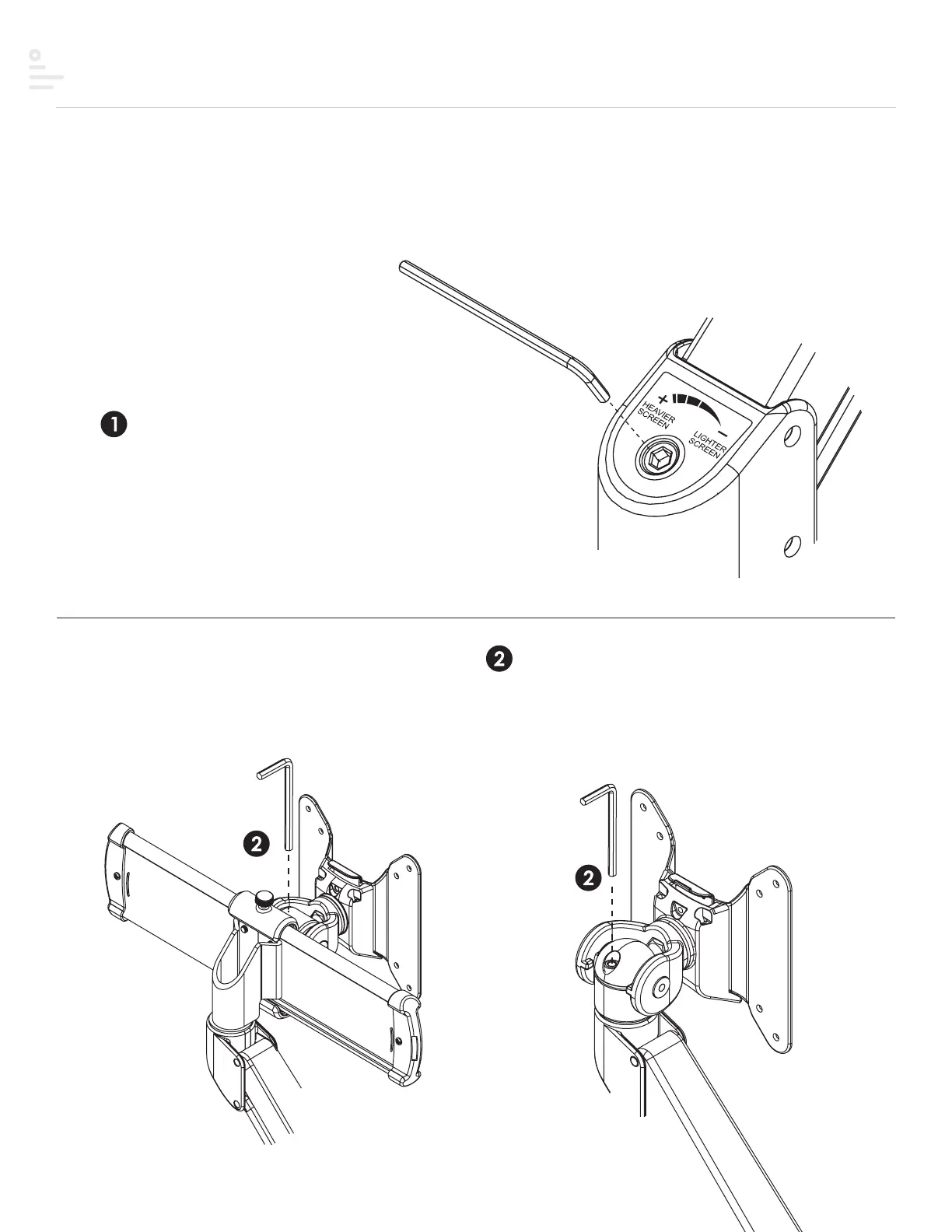
Adjusting the tension on your motion arm allows for smooth adjustments.
Tension adjustment supports monitors weighing 6.6 - 17.6 lbs.
Step 2
Use the 4mmAllenkey to adjust the tension to correspond
to the weight of the monitor. Twist the Allen key in a
clockwise direction for heavier monitors; counterclockwise
for lighter monitors.
Adjust mount tilt tension
Adjust motion arm tension
Step 1
Use the 5mmAllenkey
to adjust the tension to
correspond to the weight
of the monitor.
19


 To Next Page