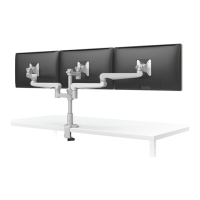
Evolve1-FM Evolve2-FM Evolve3-FM Evolve1-FMS Evolve2-FMS Evolve3-FMS
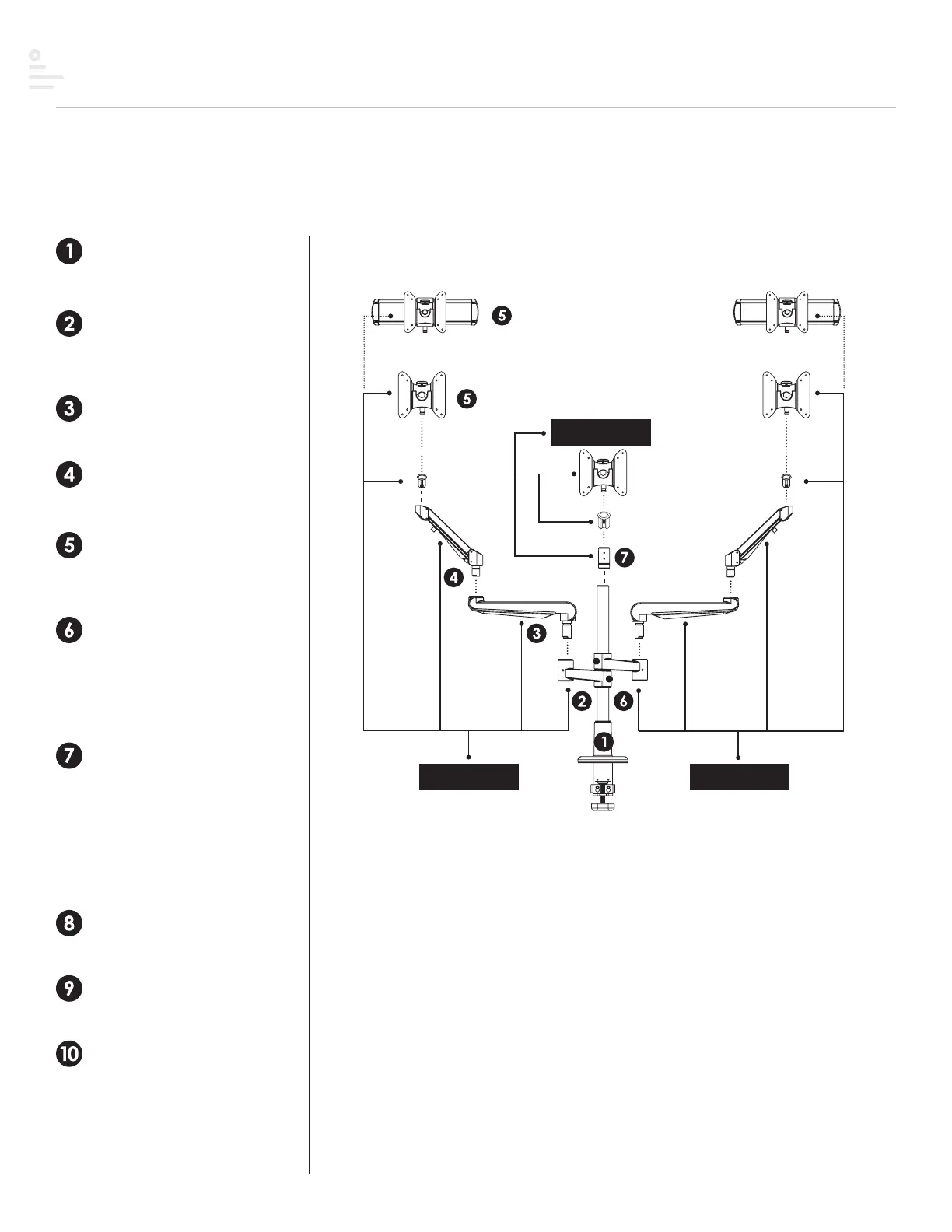
Stem arm (PG. 13)
Slide stem arm over pole
and secure in place with the
5mmAllenkey.
Fixed arm (PG. 14)
Insert fixed arm to stem arm.
Pole mount (PG. 10)
Secure pole mount to
worksurface.
Motion arm (PG. 15)
Insert motion arm to fixedarm.
Vesa or Slider (PG. 17)
ttach small bushing to VESA or
slider. Insert VESA or slider to
motion arm.
Dual (PG. 13)
or dual display configurations,
reverse the second stem
armon the pole. Then, repeat
configuration on second stem
arm.
Triple (PG. 13)
or triple display configurations,
reverse the second stem arm on
the pole, then add a third stem
arm.
(PG. 16) Attach reducer bushing
to VESA and insert VESA to third
stem arm.
VESA plate (PG. 18)
Attach VESA plate to back of
monitor.
Quick release (PG. 18)
Attach displays using the quick
release feature.
Tension (PG. 17)
djust tension on motionarm.
Adjust tension on VESA and/or
slider.
motion arm
fixed arm
stem
motion arm
fixed arm
stem
BUILD 1ST BUILD 2ND
VESA
BUILD 3RD
reducer
bushing
small
bushing
small
bushing
More complete instructions for part assembly can be found on the page numbers listed below.
This may include, but is not limited to, screws, adjustment knobs, bushings and surface protection.
slider or VESA
slider or VESA
Completes Evolve1-FM assembly
or
Completes Evolve1-FMS assembly
Completes Evolve2-FM assembly
or
Completes Evolve2-FMS assembly
Completes Evolve3-FMS assembly
or
Completes Evolve3-FM assembly
9


 To Next Page