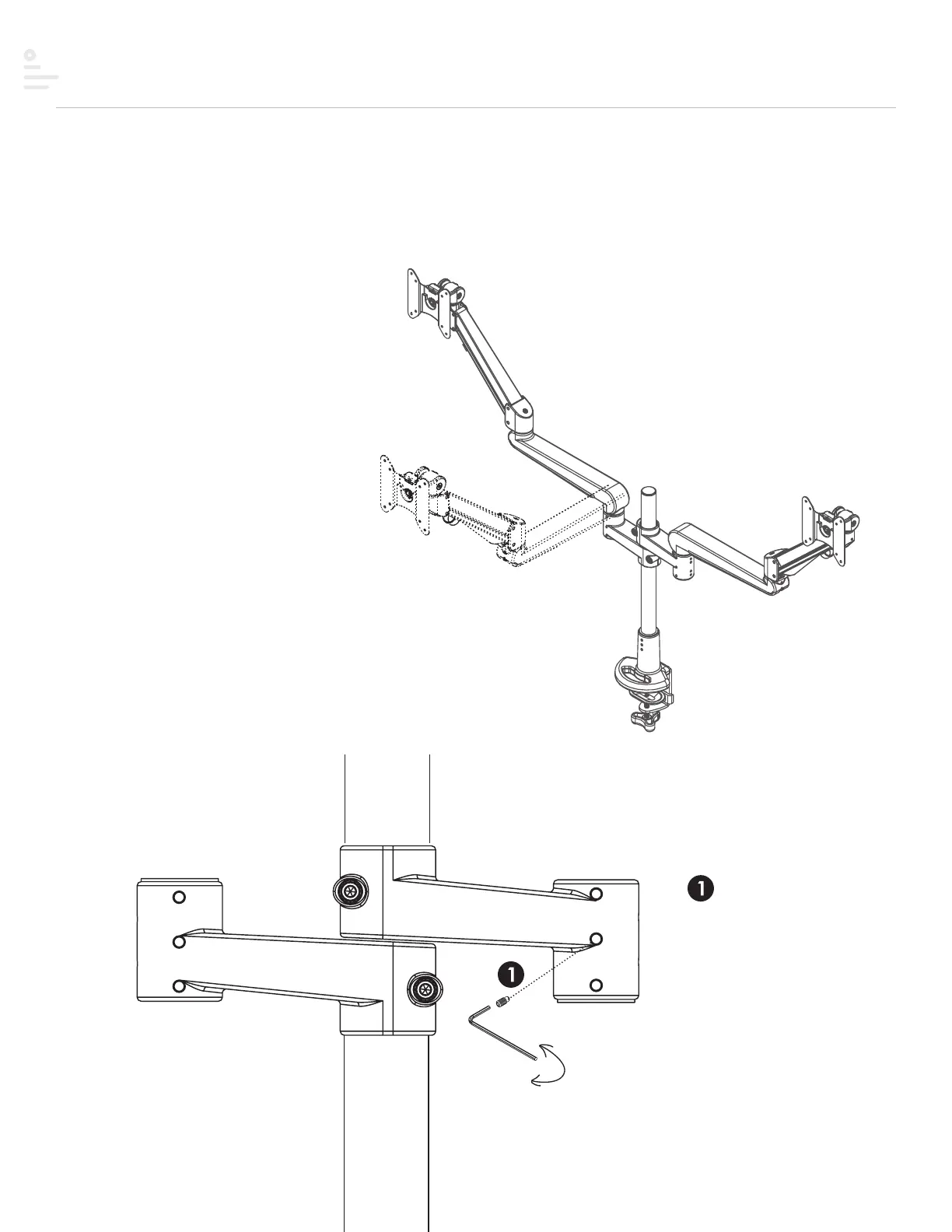
Step #7 Lock features
Optional features
The 180º lock-out feature allows 90º rotation
towards the user, but prevents 90º rotation
away from the user.
Step 1
Fasten the screw with the
2mmAllenkey on the armstem
and then move the Allen key
backward one circle motion to
limit arm rotation.
180° lock monitor arm
loosen
tighten
20


 To Next Page