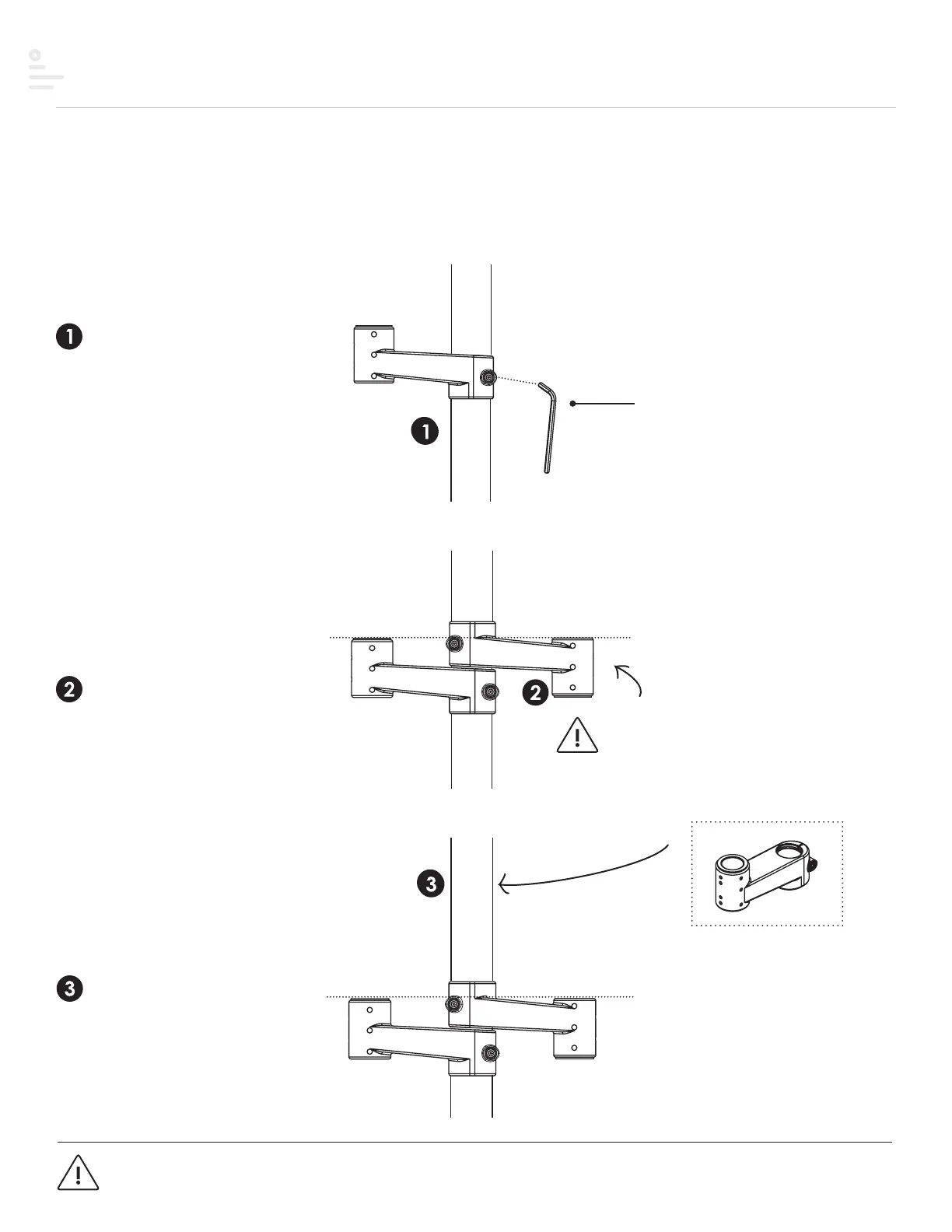
Step #2 Stem arm
NOTE
Stem arm is reversed
for even alignment
Step 1
Slide stem arm over pole and
secure with the 5mmAllenkey.
Step 2
Reverse the second stem arm
over pole as shown and secure
with the 5mmAllenkey.
Step 3
Slide VESA stem arm over
pole and secure with the
5mmAllenkey.
Stem arm is stacked on top to hold
center monitor.
Each diagram/step may not applicable to your product configuration.
Single display configuration
Dual display configuration
Triple display configuration
5 mm Allen key
(Included)
NOTE: armStems must be secured to pole before attaching additional components
13


 To Next Page