EasyManua.ls Logo

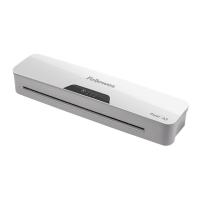
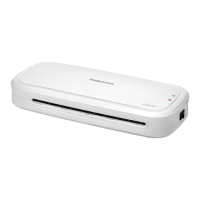
Fellowes Pixel A4 - User Manual

Fellowes Pixel A4
58 pages
Print Icon
To Next Page IconTo Next Page
Loading...
Personal Laminator
Please read these instructions before use.
Lire ces instructions avant utilisation.
Lea estas instrucciones antes de usar la máquina.
Diese Anleitungen vor Gebrauch genau durchlesen.
Primo dell’uso, si raccomanda di leggere questo manuale di
istruzioni.
Lees deze instructies zorgvuldig door voordat u de machine in
gebruik neemt.
Läs dessa anvisningar innan du använder apparaten.
Læs venligst denne vejledning før anvendelse.
Lue nämä ohjeet ennen käyttöä.
Vennligst les nøye igjennom denne bruksanvisningen før bruk.
Przed użyciem proszę zapoznać się z niniejszą instrukcją.
Перед эксплуатацией устройства ознакомьтесь с
содержанием данной инструкции.
Διαβάστε τις παρακάτω οδηγίες πριν από τη χρήση.
Kullanmadan önce lutfen bu talimatlari okuyen.
Pred použitím si pročtěte tyto pokyny.
Pred poużitím si prečítajte tieto pokyny.
Kérjük, hogy használat elött olvassa el az utasításokat.
Leia estas instruções antes da utilização.
Моля, прочетете инструкциите преди употреба.
Vă rugăm să citiţi instrucţiunile înainte de utilizare.
Pažljivo pročitajte ove upute prije korištenja.
Pred uporabo izdelka preberite ta navodila za uporabo.
Pročitajte ova uputstva pre upotrebe.
FR
GB
HB
DE
IT
ES
NL
SE
DK
FI
N0
PL
RU
GR
TR
CZ
HU
PT
BG
RO
HR
SI
SR
AR
ȲƾƵƯƄŴǽȚǚƃŻȝȚȢƾŵȤȁȚǟƴŸȬǾŶǽȚǟűǍƁ
ĴĠĩĤĴğĤīįħğħěĵĠěijĠğěĠijIJħěī
ĞĤĵĭĜĨĦīĠĤĭħĠijĩĴĥĤħĴğħĪĤě
SK

Questions and Answers

  • R
    Robert HendrixAug 9, 2025
    Why is my Fellowes Pixel A4 jamming?
    • S
      Samantha PaulAug 9, 2025
      Your Fellowes Laminator might be jamming because a pouch was used ‘open end’ first, the pouch was not centered on entry, the pouch was not straight upon entry, or an empty pouch was used.
  • E
    Eric McknightAug 15, 2025
    How to fix Fellowes Pixel A4 Laminator pouch with waves or bubbles?
    • J
      Jacqueline MillerAug 15, 2025
      If your Fellowes Laminator pouch has waves or bubbles, the temperature setting may be incorrect. Check that the pouch thickness is correctly selected and pass it through the laminator again.
  • C
    charlesyoungAug 21, 2025
    What to do if my Fellowes Laminator pouch is lost in the machine?
    • A
      Anthony RodriguezAug 21, 2025
      If the pouch is jammed inside the Fellowes Laminator, operate the release lever and gently pull the item out by hand.
  • W
    William WilsonAug 27, 2025
    What to do if Fellowes Pixel A4 pouch does not completely seal?
    • K
      Kevin PettyAug 28, 2025
      If the Fellowes Laminator pouch does not completely seal the item, it could be because the item is too thick to laminate or the temperature setting is incorrect. Check that the pass through thickness and pouch thickness are correctly selected, then pass it through again.
  • P
    peter50Sep 2, 2025
    Why does my Fellowes Pixel A4 Laminator have no control panel illumination?
    • C
      Claire StevensSep 2, 2025
      If your Fellowes Laminator has no control panel illumination, it could be because the machine is not switched on. Switch on the machine at the rear next to the plug inlet and at the wall socket. Alternatively, the laminator may have gone into Auto Shut Off mode; press any button or cycle the power switch to restart the machine.

Summary

Laminator Controls Overview

On;Off Switch

The main power switch for the laminator.

Pouch Selection Buttons

Buttons to select pouch thickness (e.g., 80 or 125 microns).

Pouch;Document Entry Slot

The opening where the pouch and document are inserted.

Pouch;Document Exit

The opening where the laminated document emerges.

Release Lever

Lever used to release jammed pouches or documents.

Laminator Capabilities

Performance Specifications

Details on format, entry width, and lamination speed.

Technical Data

Specifications including wattage, voltage, dimensions, and weight.

Important Safety Instructions

Features and Tips

Setting Up the Laminator

How to Laminate

Need Help?

Troubleshooting

Storage and Cleaning

Product Registration and Worldwide Warranty

Customer Service and Support

Declaration of Conformity

Fellowes Pixel A4 Specifications

General IconGeneral
Laminator pouch includedYes
Number of laminator pouches10
TypeCold/hot laminator
FormatA4
Warm-up time3 min
Product colorWhite
Preheating time- min
Built-in displayNo
Housing materialPlastic
Lamination speed- mm/min
Lamination systemPouch
Auto power off after30 min
Maximum pouch thickness125 µm
Minimum pouch thickness80 µm
Maximum lamination width240 mm
Maximum document thickness- mm
Number of temperature settings2
Weight and Dimensions IconWeight and Dimensions
Depth109.5 mm
Width342.9 mm
Height74.6 mm
Weight1360 g

Related product manuals