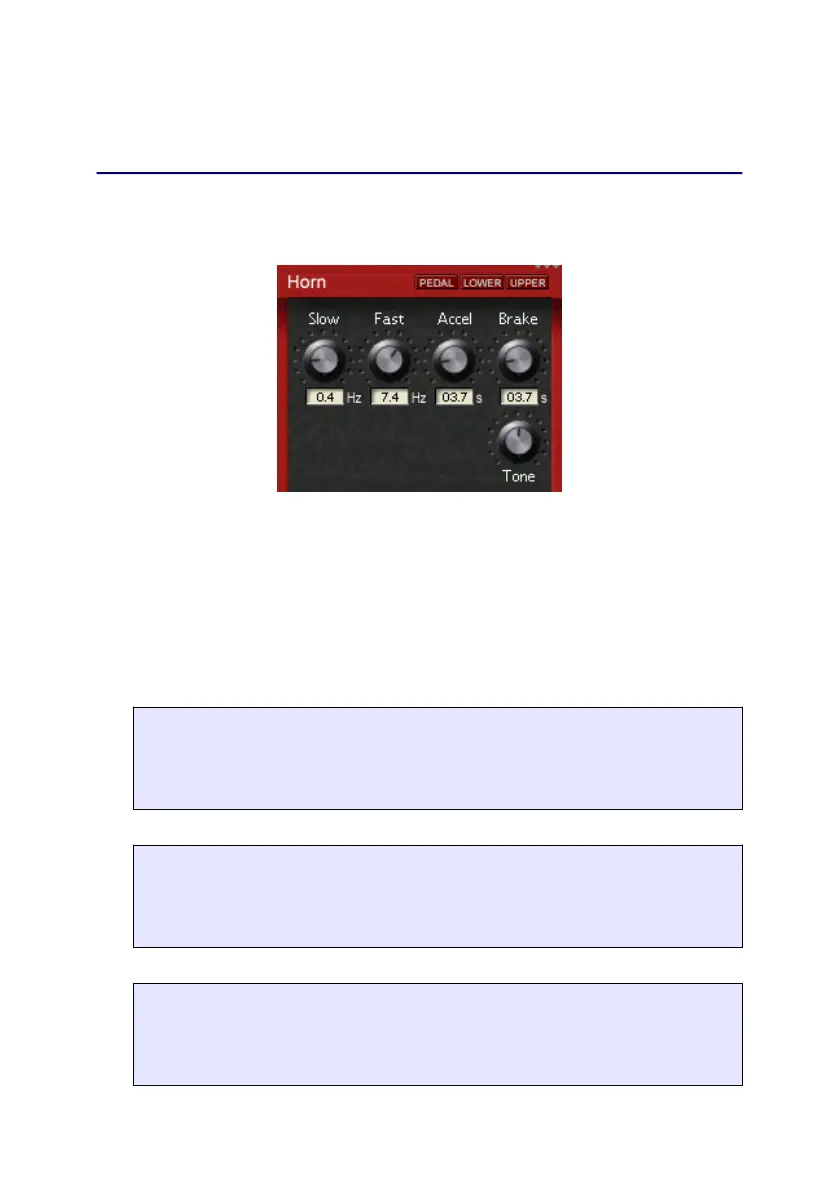
Horn / Bass
Horn / Bass
After pressing Rotor again, the Horn- and then the Bass-
screen is shown.
These controls are used to adjust various rotor settings. Many
rotary speaker systems used a speaker for bass frequencies and
a horn for treble signals, which rotated at different speeds. This
rich, complex sound is faithfully reproduced and fully
programmable in the B4000+.
EMULATION FEATURE
Slow
Controls the rotary speakers’ slow rotation speed when the
’ROTOR’ switch is set to the ’Slow’ position.
EMULATION FEATURE
Fast
Controls the rotary speakers’ fast rotation speed when the
’ROTOR’ switch is set to the ’Fast’ position.
EMULATION FEATURE
Accel
Controls the acceleration when switching from ’Slow’ to
’Fast’.
13


 To Next Page