Operation
Operation
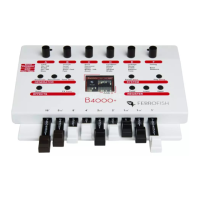
Operating the B4000+ is very easy thanks to the TFT display.
However, all functions of the B4000+ can be controlled
directly at the device. More than 80 parameters influence the
sound. Have fun playing with them!
To keep track of things, we grouped the functions as follows:
GENERATOR
Here the sound is generated and mixed. Adjust the global
sound parameters by pressing Sound and Percussion. By
selecting Tone you mix the registers and also the external
input.
EFFECTS
After the generator the effects are added to the sound. Rotor
adjusts the Rotor effect (simulation of rotating speakers similar
to the Leslie
TM
). Under FX you find more effects:
chorus/vibrato, reverb and compressor.
SYSTEM
Here you can call up presets (Preset key) and also save them
(press the Store key long), and also display the overview
screen (Play key). In addition, configure the B4000+ by
pressing the Setup key long.
3


 To Next Page