11
CLOCK
CLOCK
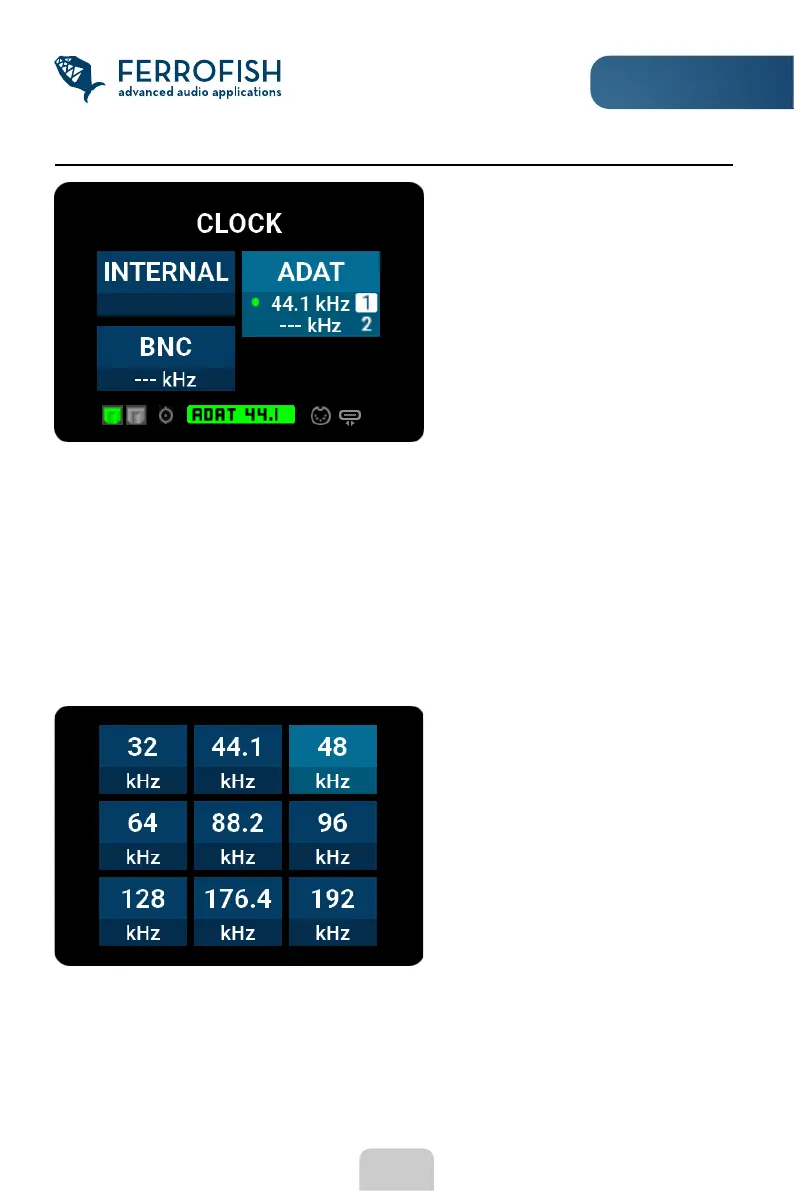
In the CLOCK display you can set the
clock source and sample rate.
The measured sample rate is
displayed in the lower eld of the
respective button. If there is no
readable frequency "-" is shown.
If the dot is grey, no signal was detected. If it shows yellow, a signal has been detected,
but cannot be synchronized. If it is green, it has been synchronized to this signal and the
corresponding source can be used.
The "INTERNAL" eld displays the current frequency of the word clock generator of the
PULSE8 AE.
At left of the displayed sample rate is a colored dot indicating the status of the attached
signal:
Pressing the MENU button again will
bring you to the view in which you
can select the internal sampling
rate during INTERNAL operation.



 To Next Page