7
INSTALLATION
PACKING AND STORAGE
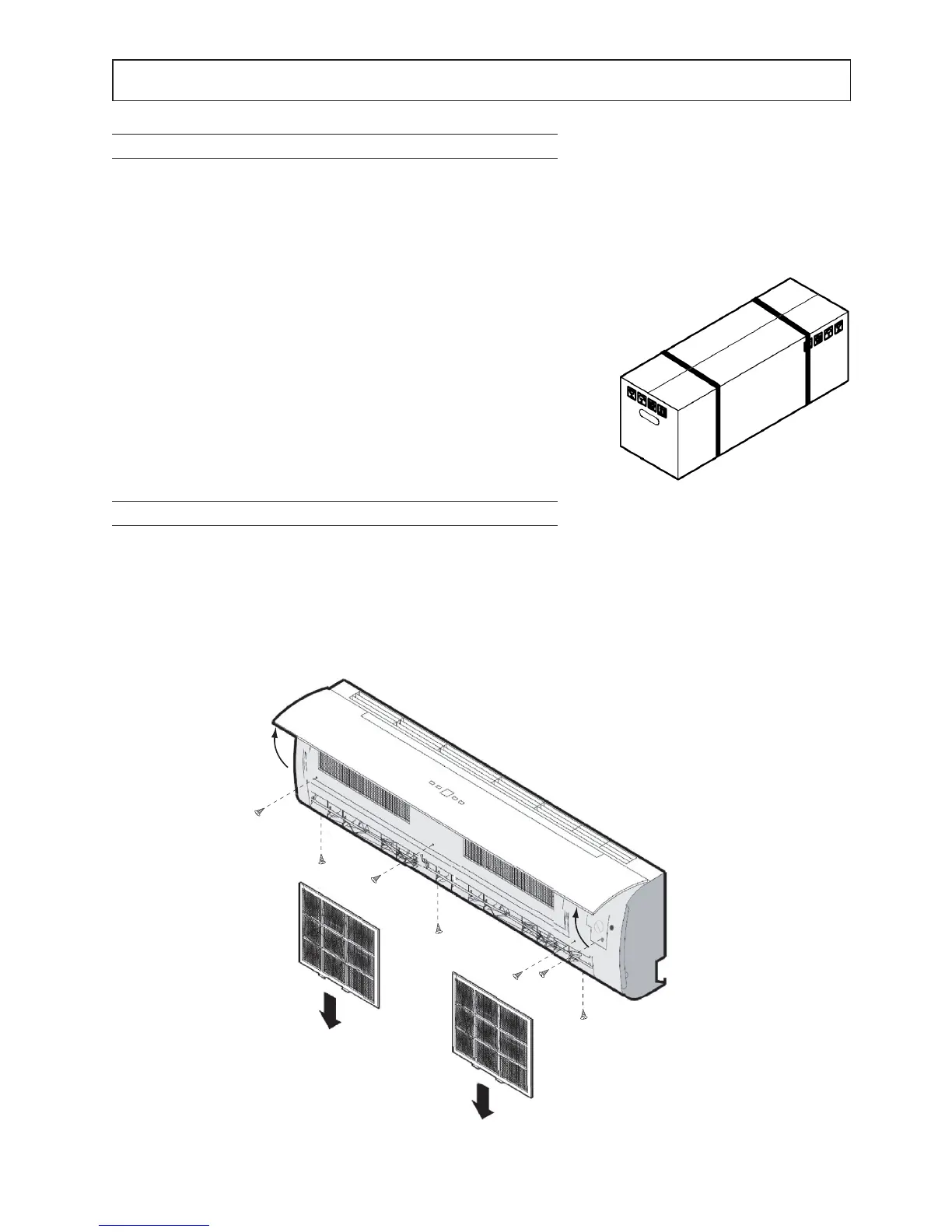
UNIT OPENING
1 Lift the cover of the unit
2 Disconnect the display connector
3 Remove the filters
4 Remove the panel
5 Carry out the various installation steps
All models are provided with special cardboard packing specific for each unit The units must be handled manually
All the information necessary for proper handling during storage and installation is given on the packing
The storage temperature must be between -25°C and 55°C
NB: Do not disperse the packing in the environment
Fig 1
After deciding on the place of installation (see the relevant sections below),
to unpack the two units proceed as follows:
Internal unit (Fig 1):
1 Cut the two nylon straps
2 Open the top part of the packing
3 Grip the unit and lift it completely out of the packing
4 Remove the side protectors and the nylon enclosure
Fig 2



 To Next Page