13
user’s manual
HYPSOS by Ferrum
2.4. Display Auto O
Allows you to select the time after which the display will be switched o. You can select from: disabled, 3s, 5s, 10s,
15s, 30s, 45s, 60s, 90s.
2.5. Auto Return
Allows you to select the return time after which the display will go back to the main screen. You can select from:
disabled, 3s, 5s, 10s, 15s, 30s, 45s, 60s, 90s. The defoult is 60s.
3. Trigger
3.1. Input
When selected, the Trigger input wakes up HYPSOS. This option might be selected when you want to turn on
your system by external device like amplifier.
3.2. Output
When this option is selected, the Trigger output wakes up the external device. This option can be used when you
want to wake up an external device, such as DAC, by turning on the HYPSOS.
4. Remote Pairing
Pairing procedure - Apple remote
Procedure can be done in two ways:
1. The Apple remote can be paired exclusively with HYPSOS.
2. The Apple remote can be paired with currently paired devices and with HYPSOS.
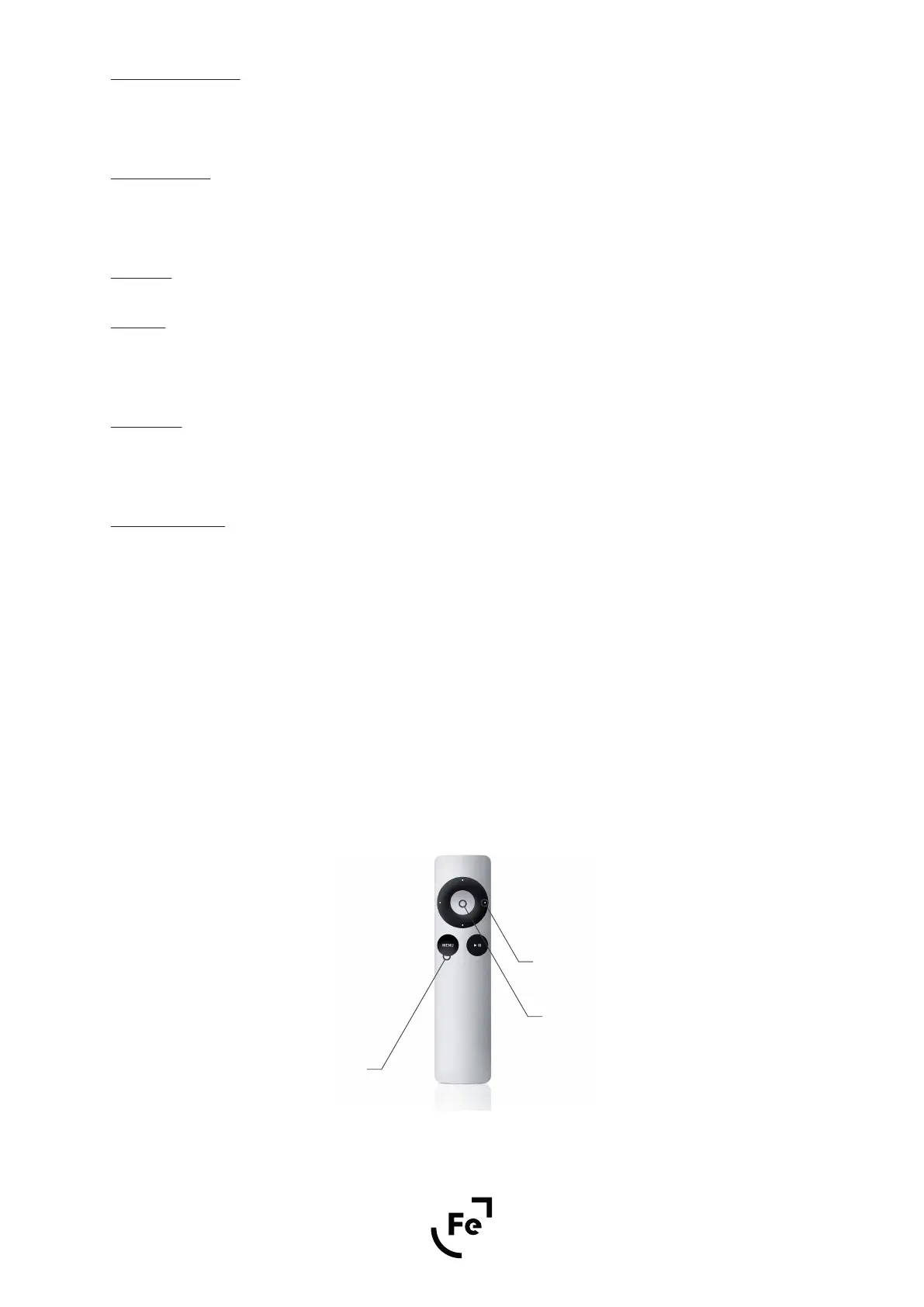
If you want to pair the Apple remote exclusively with HYPSOS - Enter the “Remote pairing” procedure, then press
and hold Menu and Select buttons over 5 seconds while pointing the remote control towards HYPSOS.
If you simply want to pair your Apple HYPSOS remote control, but want it to remember another device you've
paired earlier - Enter the “Remote pairing” procedure, then press and hold the Menu and Next buttons over 5
seconds while pointing the remote control towards the HYPSOS.
If you want to interrupt the remote pairing process, press the knob.
Select
Next
Menu
Figure 11.


 To Next Page