10
SOUND MODULE OPERATION GUIDE
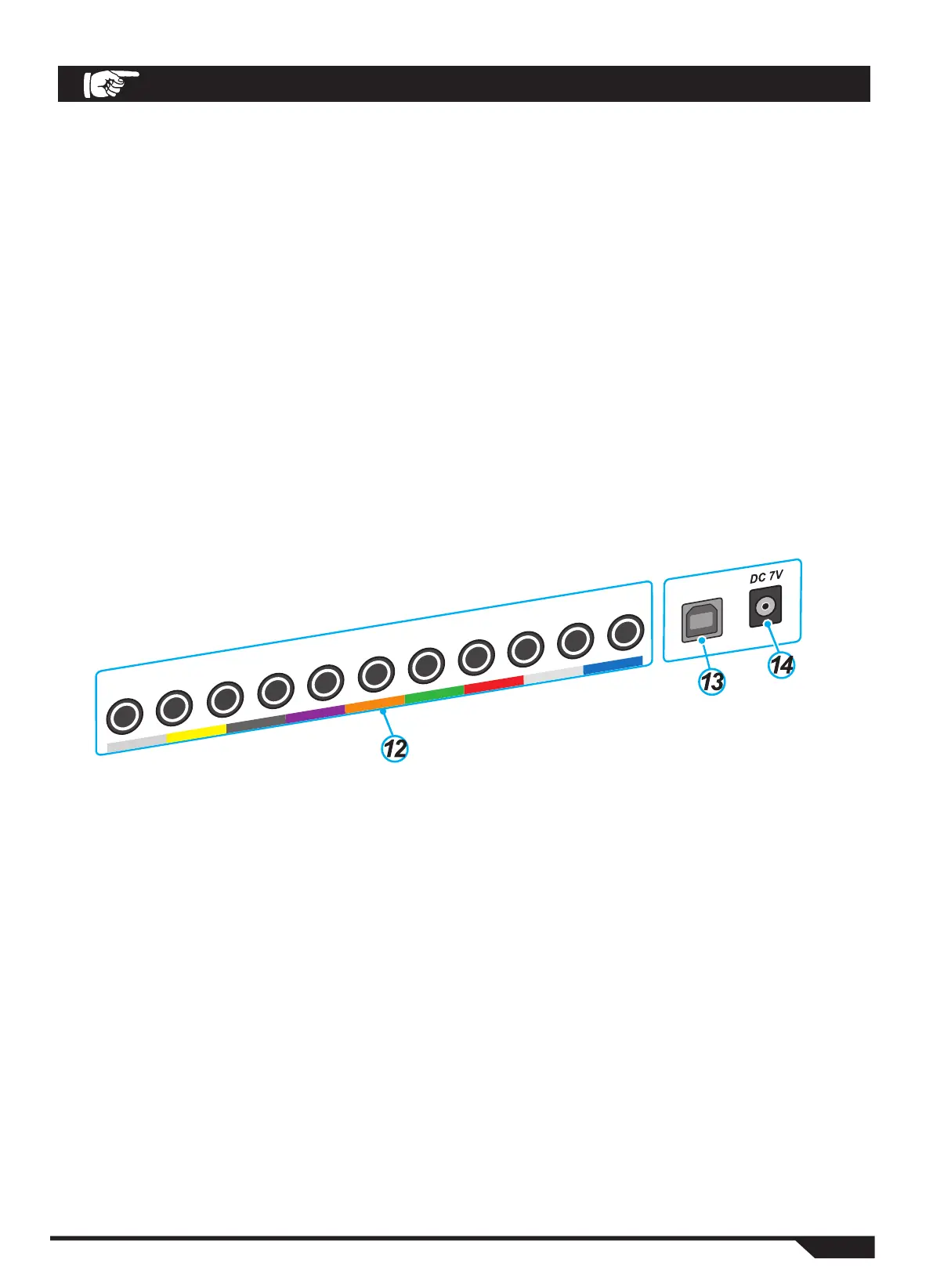
12. Drum/Cymbal Pads Trigger Input and Output Jacks
BD: Bass Drum SD: Snare Drum T3: Tom 3
T2: Tom 2 T1: Tom 1 RD: Ride Cymbal
CR: Crash Cymbal 1 HH: Hi-Hat Cymbal HHC: Hi-Hat Control
T4: Tom 4 CR2: Crash Cymbal 2
13.USB Jack
MIDI IN: Receives data from an external instrument command digitizing device.
MIDI OUT: Transmits data to an external instrument command digitizer device.
14.DC, 7V IN Jack
Connects the power adapter
8. HEADPHONE Jack
Headphone jack
9. AUDIO OUTPUT Jack
Connect an audio output device.
10. In/Out volume
MP3 Adjustment: Adjust the input volume of MP3.
MASTE R Adjustment: Adjust the output volume of the audio mixer connected to the output
device interface.
11. Setup/EDIT control area
KITS KEY: Enter the mode of the drum kit.
RESET/SETUP KEY: Enter the system setup mode.
CLICK KEY: Enter metronome mode.
EDIT KEY: Enter the edit mode for the selected function.
BD SD T3 T2 T1 RD CR HH HHC T4 CR2
USB


 To Next Page