HOW TO RECORD YOUR PERFORMANCE
18
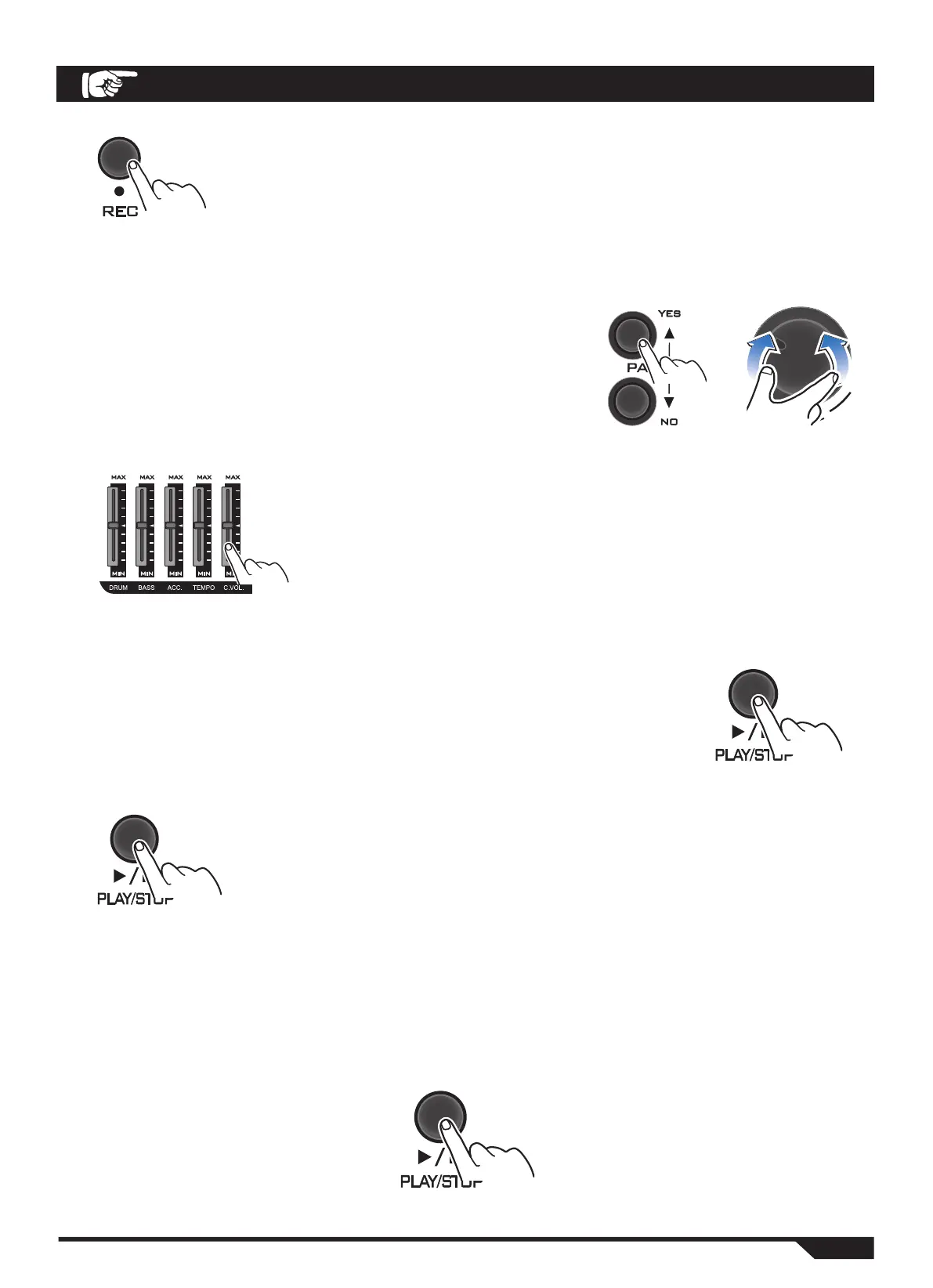
1. Press the REC button (Record) to enter the recording mode.
The current rhyme information will be shown on the display, and
the FADER (volume control) zone indicator will light up.
2. Press the PAGE key or the VALUE key to select your piece of music.
You can select one of the following rhythm forms:
R00: The user's rhythm style;
R01 ~ R43: The pre-set rhythm style.
3. You can slide the volume control buttons in the FADER
(volume controller) area to adjust the volume and tempo
of the content being played.
DRUM: Adjusts the drum volume;
BASS: Adjusts the bass volume;
ACC.: Adjusts the accompaniment volume;
TEMPO: Adjusts the tempo of the song.
4. Strike the drum surface at any time, or press the
PLAY/STOP button to start recording.
When the song is played back, information about the
song is shown on the display screen.
5. When the recording is finished and needs to be terminated,
press PLAY or STOP to terminate the recording.
Your performance data is saved as "R00" (User Rhythm Style
Number).
Your performance data can be reset to the recorded data.
Playback of your recorded performances
If you need to play back a performance track that you have already recorded,
you can do so by pressing the PLAY/STOP button again.
If you need to terminate playback, press the PLAY or STOP button to do so.


 To Next Page