9
SOUND MODULE OPERATION GUIDE
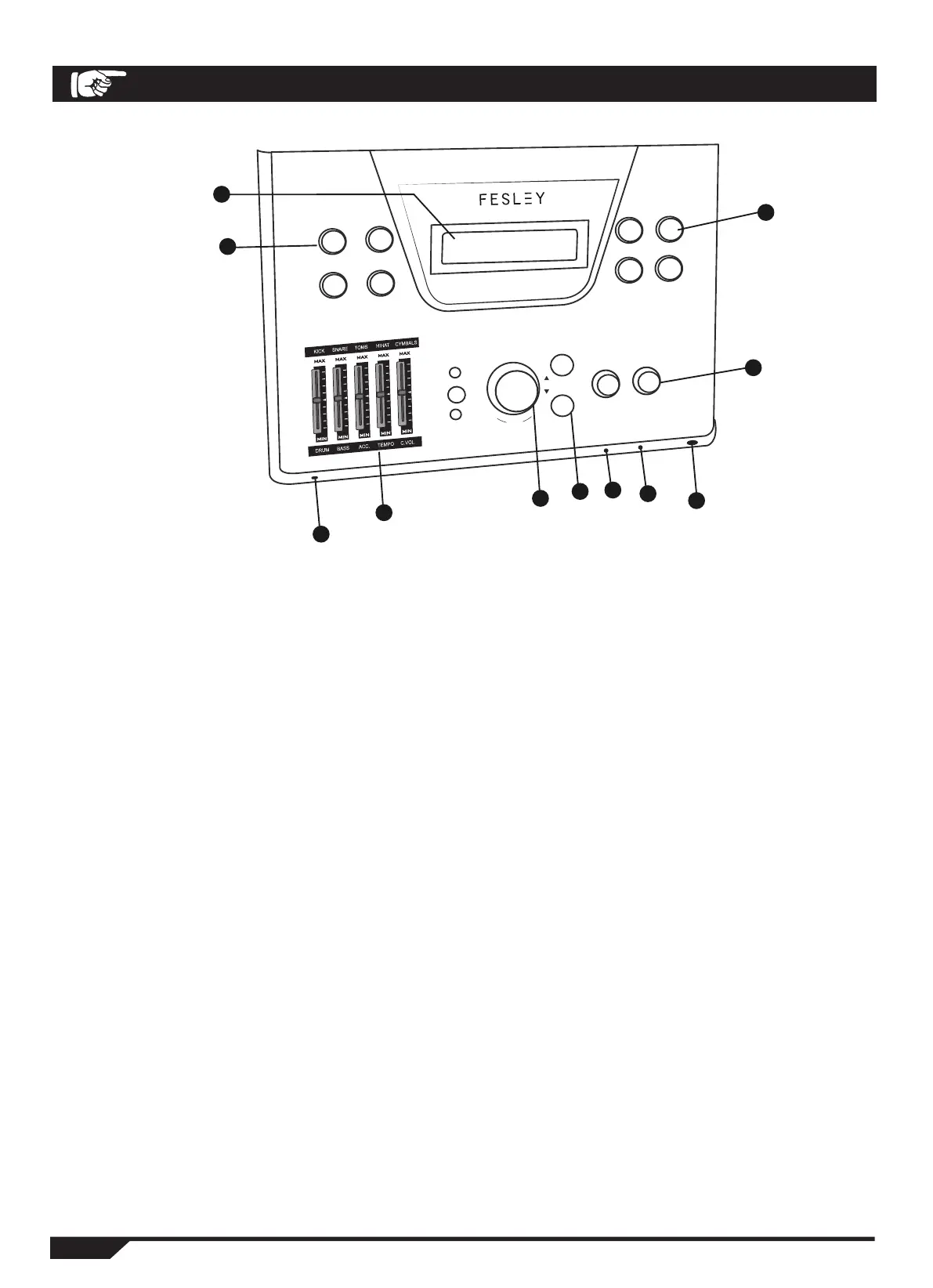
1. Display Window
Displays the operation information and data
2. Record/Playback
REC KEY : Record the drum performance.
PLAY/ STOP KEY : Play or pause the performance.
SONG KEY : Inputs the song
PLAY/ STOP KEY : Plays or pauses the song.
3. POWER ON/OFF Switch
Push to right : Turn on the device
Push to left : Turn off the device
4. Volume Balence/Tempo
FADER WITH LIGHT: Volume selection area.
HIGH ZONE: Kick Drum, Snare, Toms, Cymbal, adjust the volume of each drum or cymbal.
SONG ZONE: Volume control for drums, bass, center controller, metronome, etc.
5. VALUE Knob
Convert the drum sound quality, sets the program, and adjusts the volume.
6. PAGE Key
Convert the settings item, and confirm or deselect the item.
7.MP3/AUX INPUT Jack
Connect a removable audio device.
FED1100W
ISLAND SERIES
1
2
3
4
5
6
7
8
9
10
11
REC
PLAY/STOP
SONG
PLAY/STOP
KITS
PESET/SETUP
CLICK
MP3
YES
PAGE
POWER
NO
MIN MAX MIN MAX
UNE N HEADPHONE LINE OUT
MASTER
EDIT
F
A
D
E
R
S
V
A
L
U
E


 To Next Page