THE USAGE GUIDELINES
11
Turning the device on or off
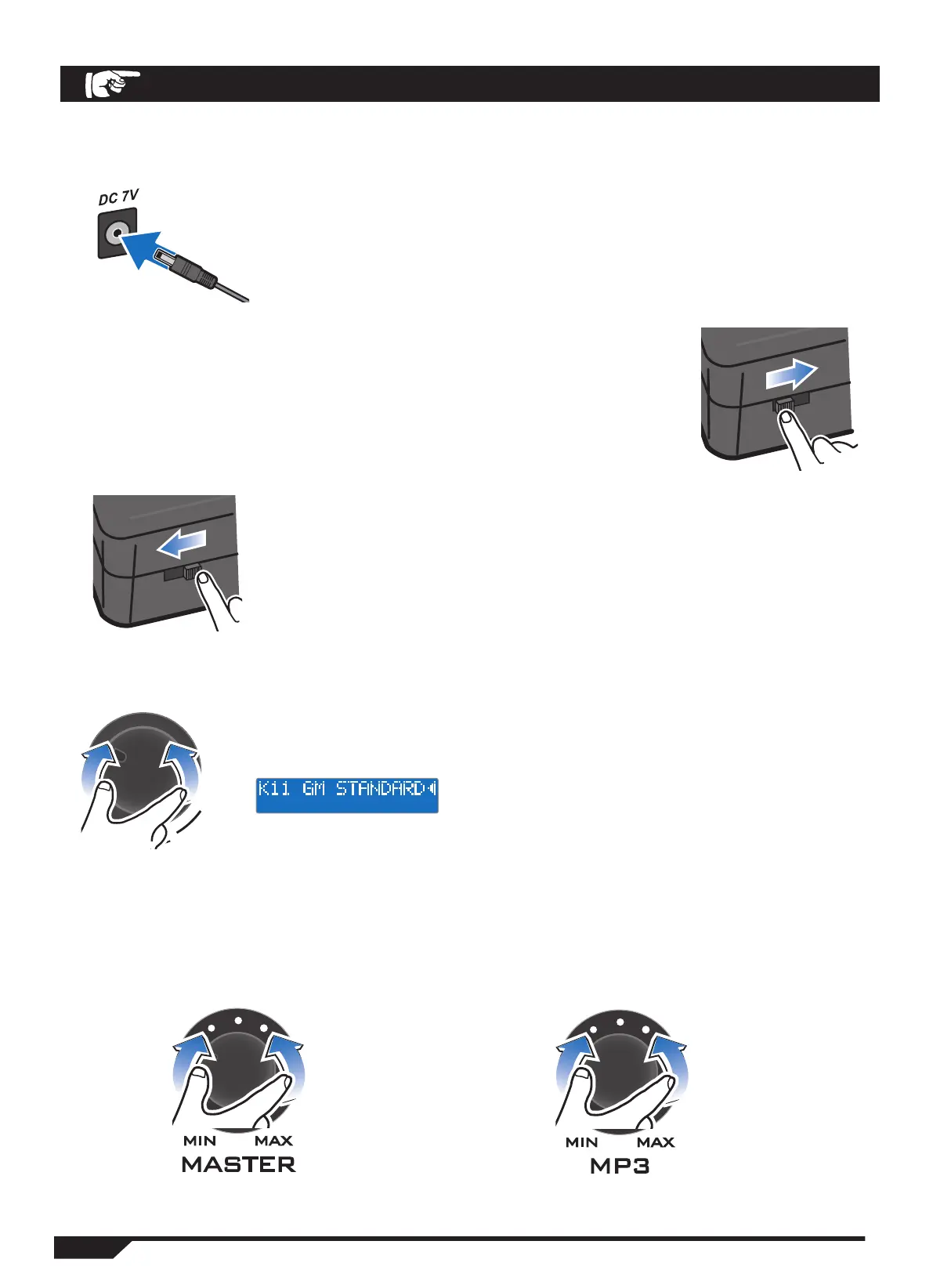
1. Plug the DC 7V jack on the top of the control panel with the
AC power adapter connection cable, and plug the other end of
the AC power adapter cord into an AC power outlet. Plug the
other end of the AC power adapter cable into an AC outlet.
2. Turn on the device by pushing the power switch to the
right in the power-on position.
Information such as the device name and model number
will appear on the display, then the selected drum kit infor-
mation will appear as well.
3. Push the POWER button to the left in the POWER OFF
position to turn off the unit.
Direct conversion of drum kit tones
The unit is in drum set mode, and using the VALUE knob directly,
the user-friendly drum kit tones can be selected.
You can choose from 16 pre-set drum kits or 5 user-defined kits.
Adjust volume directly
Use the MASTER knob to adjust the drum kit volume.
Use the MP3 knob to adjust the volume of your MP3 or external auxiliary device.


 To Next Page