SDE5−...
Festo SDE5−... 0609a English
35
Setting the SDE5−...−FP−... :
a) Mode selection (change from mode 1 to 3):
1. Switch on the operating voltage.
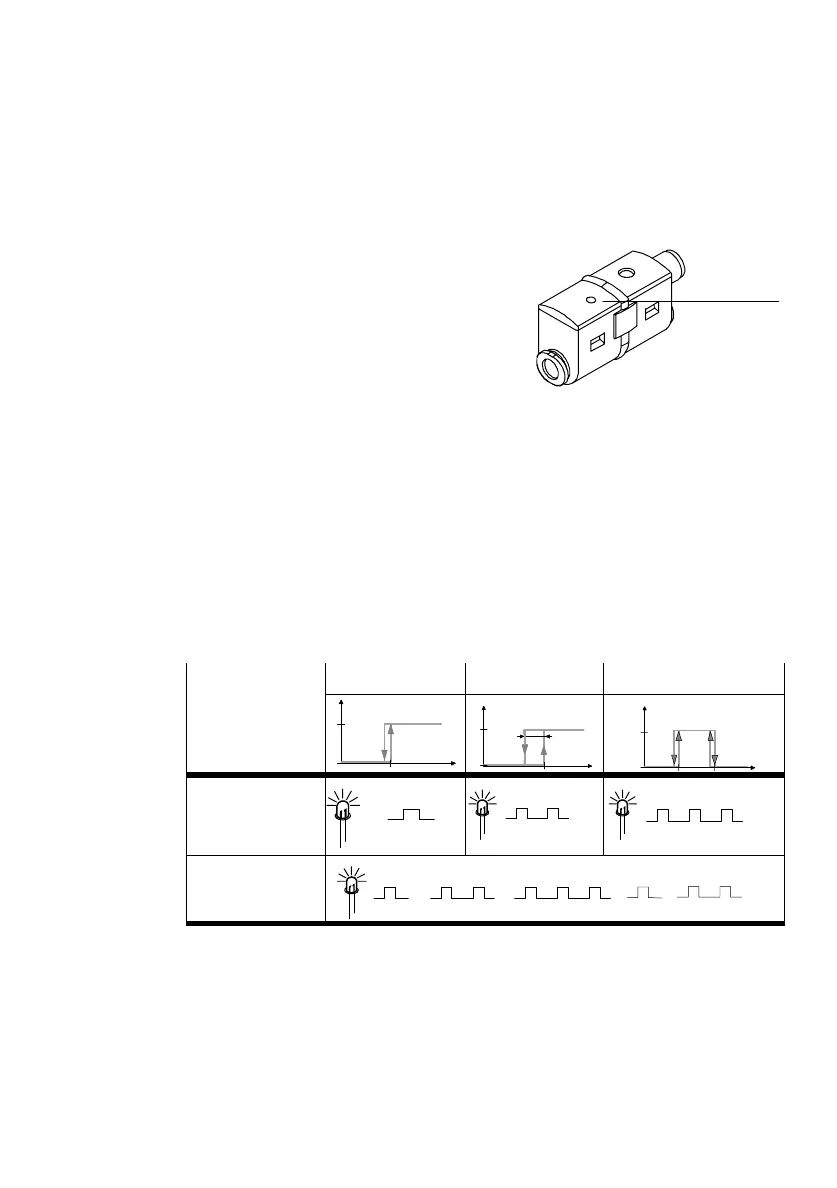
2. Press the EDIT button 1 at first once
briefly (less than 2 s).
When the button is released, the LED
shows the set mode five times one after
the other (e.g. 3 flashes for mode 3,
see second line in Fig. 19).
During the mode display (item 2):
3. Press the EDIT button 1 until the desired operating mode is shown.
The LED flashes an appropriate number of times to indicate the operating
modes 1 to 3 one after the other (see third line in Fig. 19).
When the EDIT
button 1 is released, the SDE5−... programs itself to the last
displayed mode.
The following settings on the SDE5−...−FP−... are possible:
Mode selection
Mode 1 Mode 2 Mode 3
1
0
P
Hy
1
0
P
1
0
LED flashing
sequence (item 2)
5x
5x
5x
LED flashing
sequence (item 3)
...
Fig.19
Fig.18
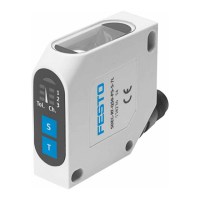
SDE5−...−FP−...
1



 To Next Page