15
Set the number of episodes you want to keep
You can choose the number of recorded episodes of a show you want to keep on the hard drive. If it’s the
evening news you may just want to keep 1 at a time (record today’s and delete yesterday’s), or you can
choose to keep 2, 5 or All (Managed), or All (Protected). Managed means it will be kept unless the box
needs space for more recordings. Protected means it will never be deleted unless you manually delete it.
When setting a Series Tag from the TV Guide press twice. Then press . Select Modify Series Tag,
and adjust the Storage Settings using the arrow keys.
1
Things you can do with Series Tags
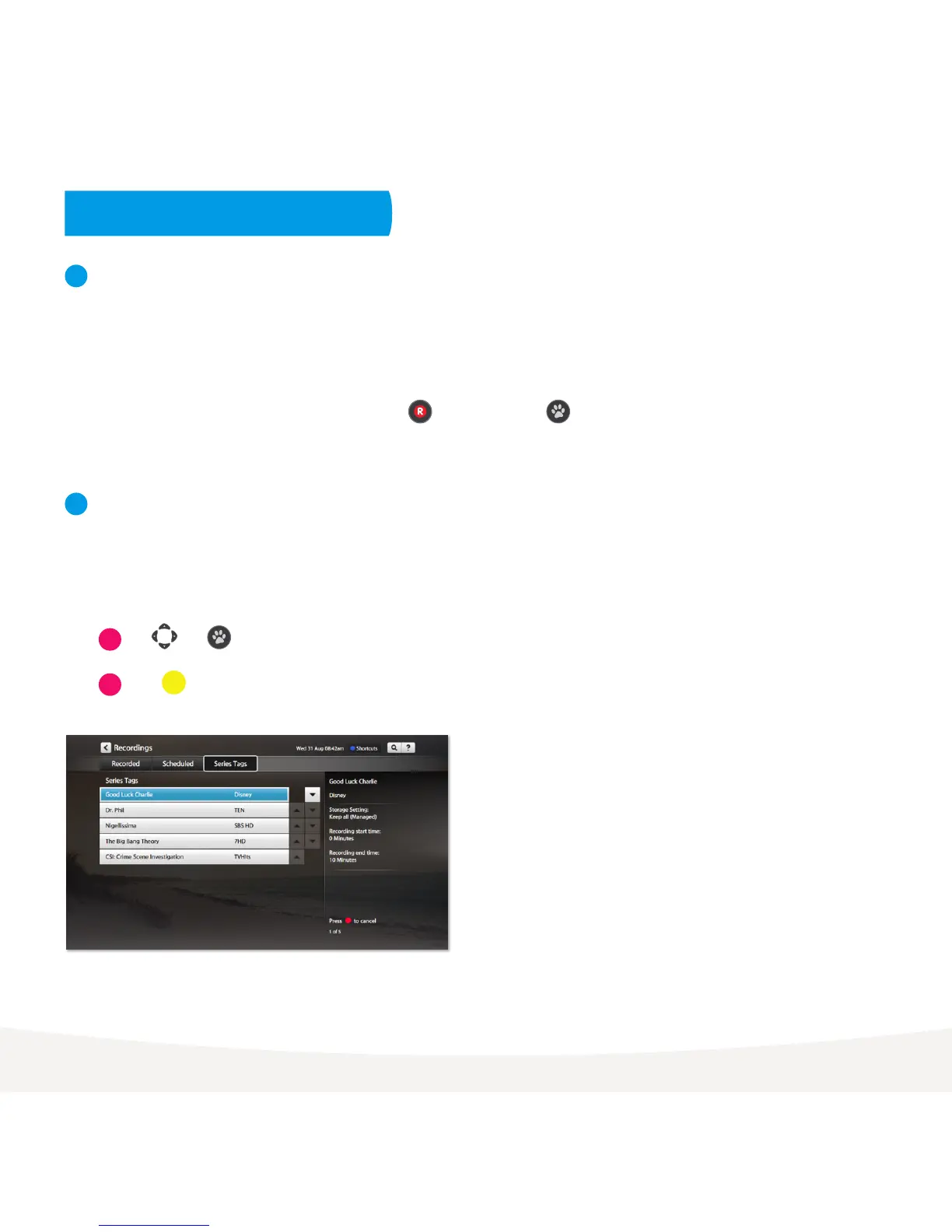
Set priorities of series tags
Sometimes you might schedule more than the allowed number of recordings to occur at the same time.
You can prioritise your Series Tags so if this happens, the higher preference shows get recorded.
To do this go to Menu > My Stuff> Recordings > Series Tags.
2
Use and to move series up and down the list so your favourites are at the top.
1
2
Press to reschedule today’s recordings.
Menu > My Stuff > Recordings > Series Tags



 To Next Page