16
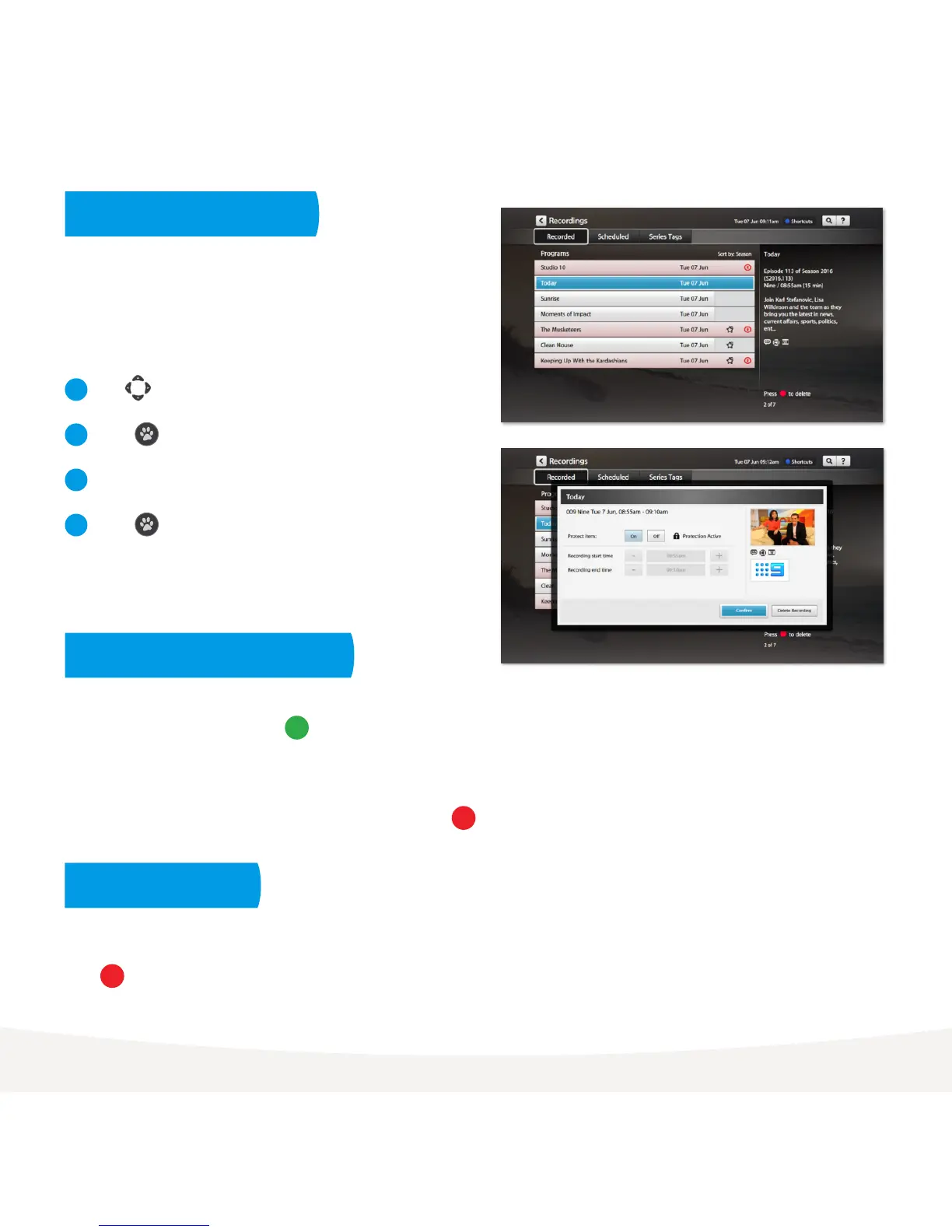
You can protect important recordings from being deleted by using
the Protect item feature. Simply go to your recordings, select
recording options and protect item.
To make recordings easy to find, you can sort your recordings into Seasons and Episodes. To do this go to
Menu > My Stuff > Recordings. Press then select Season.
If you set up a Series Tag for a show, the box will record every episode of the show that airs, whatever season it
is from. If you are only interested in the most recent seasons you can simply highlight the seasons you don’t
want to keep in your recordings list and delete them by pressing .
You don’t need to worry about your Fetch TV box filling up. It will automatically delete old recordings that are
not protected if it needs more space. However, if you’d like to delete a recording or folder just highlight it and
press .
Use to select a recording.
Press to activate the Options pop-up menu.
Use arrows to navigate the options.
Press to confirm your selection.
1
2
3
4
Protecting your recordings
Deleting recordings
Sorting by season and episode



 To Next Page