15
Remote Control
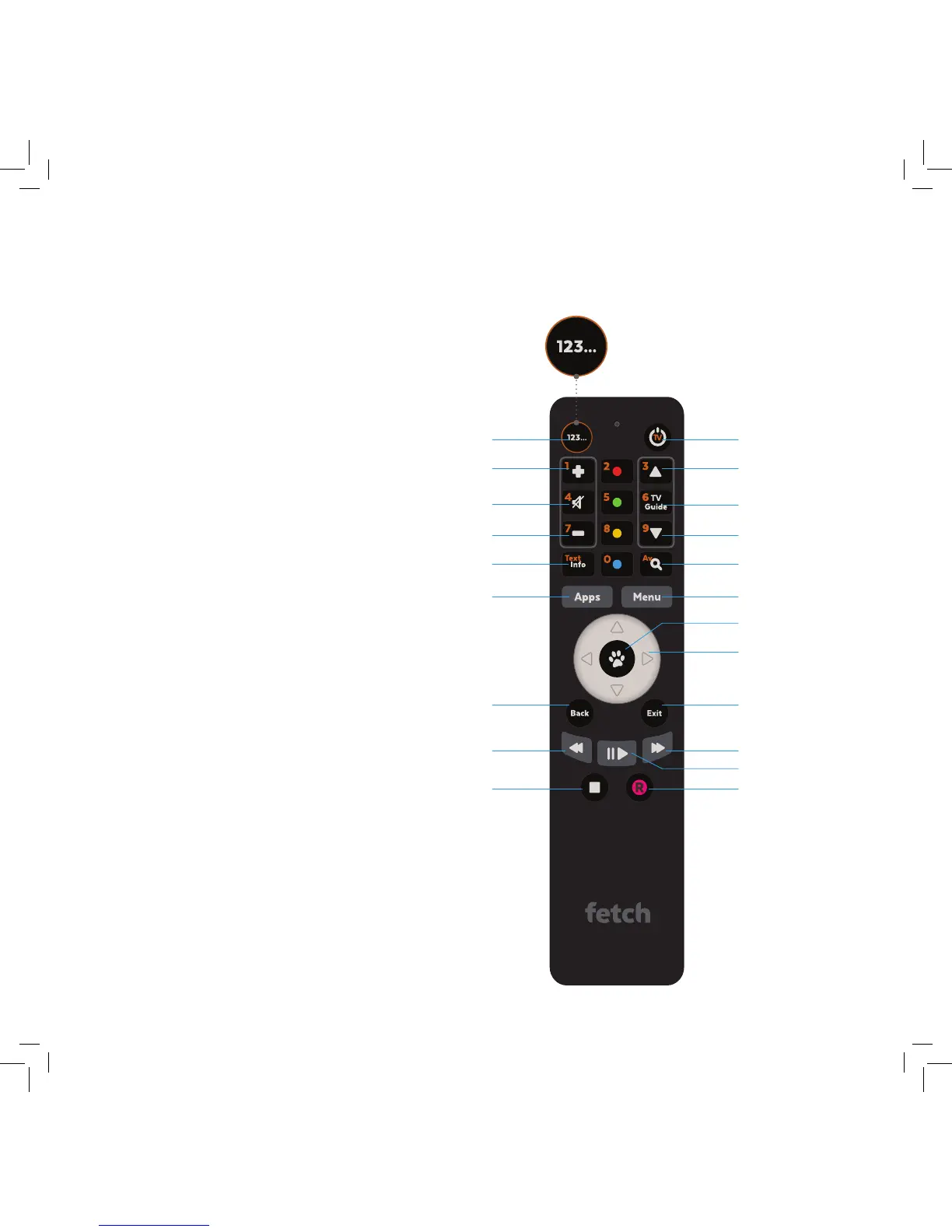
The remote control brings Fetch to
life every time you use it. It has all
the functions you need for quick
and easy viewing. To make your
remote control work, remove the
battery cover, insert the two batteries
supplied, and replace the cover.
You can use the Fetch remote to operate your TV
as well as your Fetch Mighty. Your Fetch Mighty will
try to set up your remote for you when you first set
up your box but if that didn’t work, you can set it
up by going to Menu > Manage > Settings > Remote
Control.
For more information go to www.fetchtv.com.au and
download the Universal Remote Instructions.
Set Up Universal Remote
Press this button to turn the function keys into
numbers. Orange numbers will appear for you to
make your selection.
Set top box power on/off
Channels Up
Channels Down
TV Guide
Search
Main Menu
Fast Forward
Pause/Play
Record
Directional Arrow keys
Enter/Select
Exit
Exit from screen
Numeric Mode
Volume Up
Volume Down
Mute
Information Bar
Rewind
Stop
Back
Takes you up a level
Opens Apps
e.g Netflix



 To Next Page