10
Connect to your TV Antenna
You get your Free-to-Air Digital TV channels using your normal TV antenna. They
are not delivered over broadband Internet.
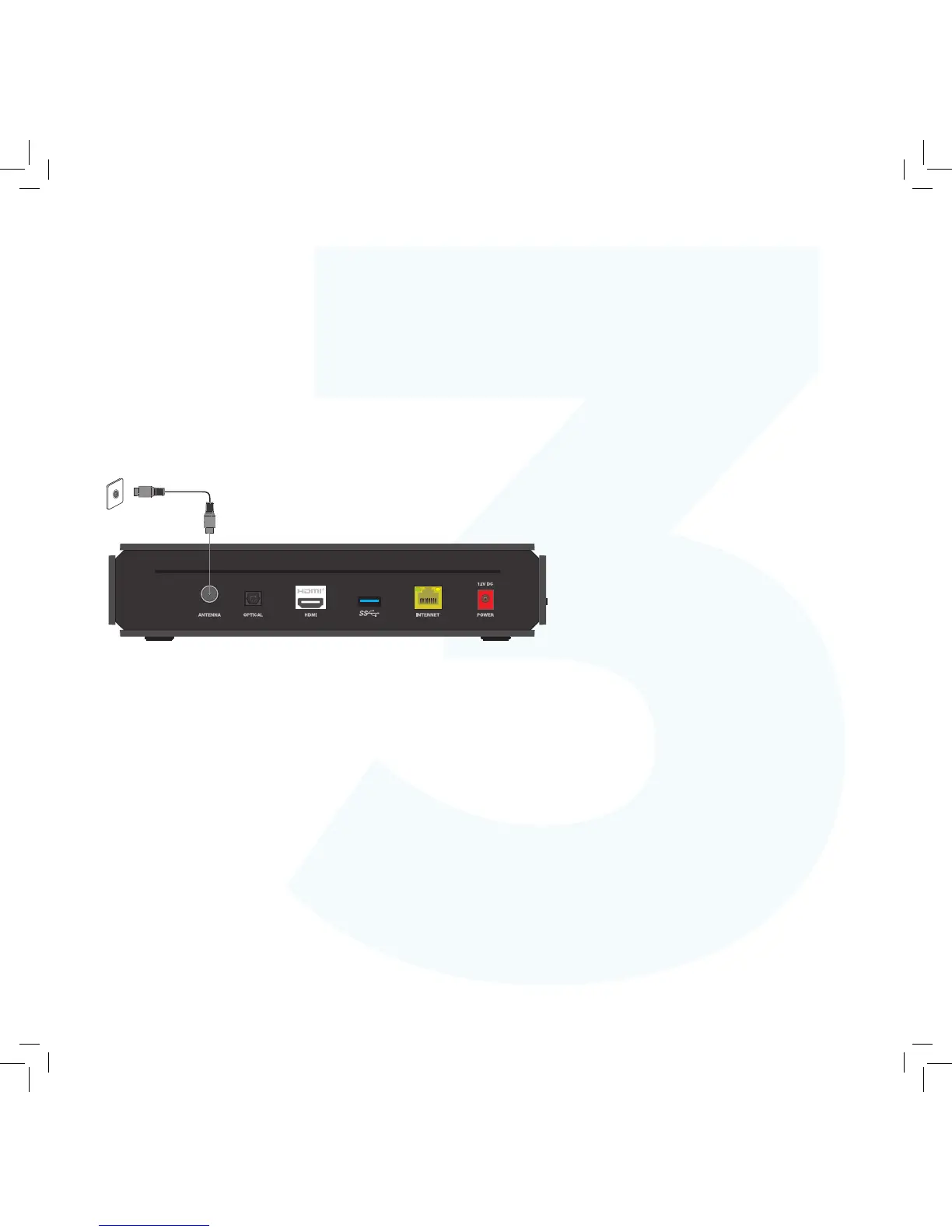
You’ll need your existing TV antenna cable, so unplug it from the back of your TV.
1. Plug one end of the existing antenna cable into the
antenna wall socket, or leave if already connected to
the wall.
2. Plug the other end of the antenna cable into the socket
labelled ANTENNA on the back of your Fetch Mighty.



 To Next Page