9
Option 5
To connect, follow these steps:
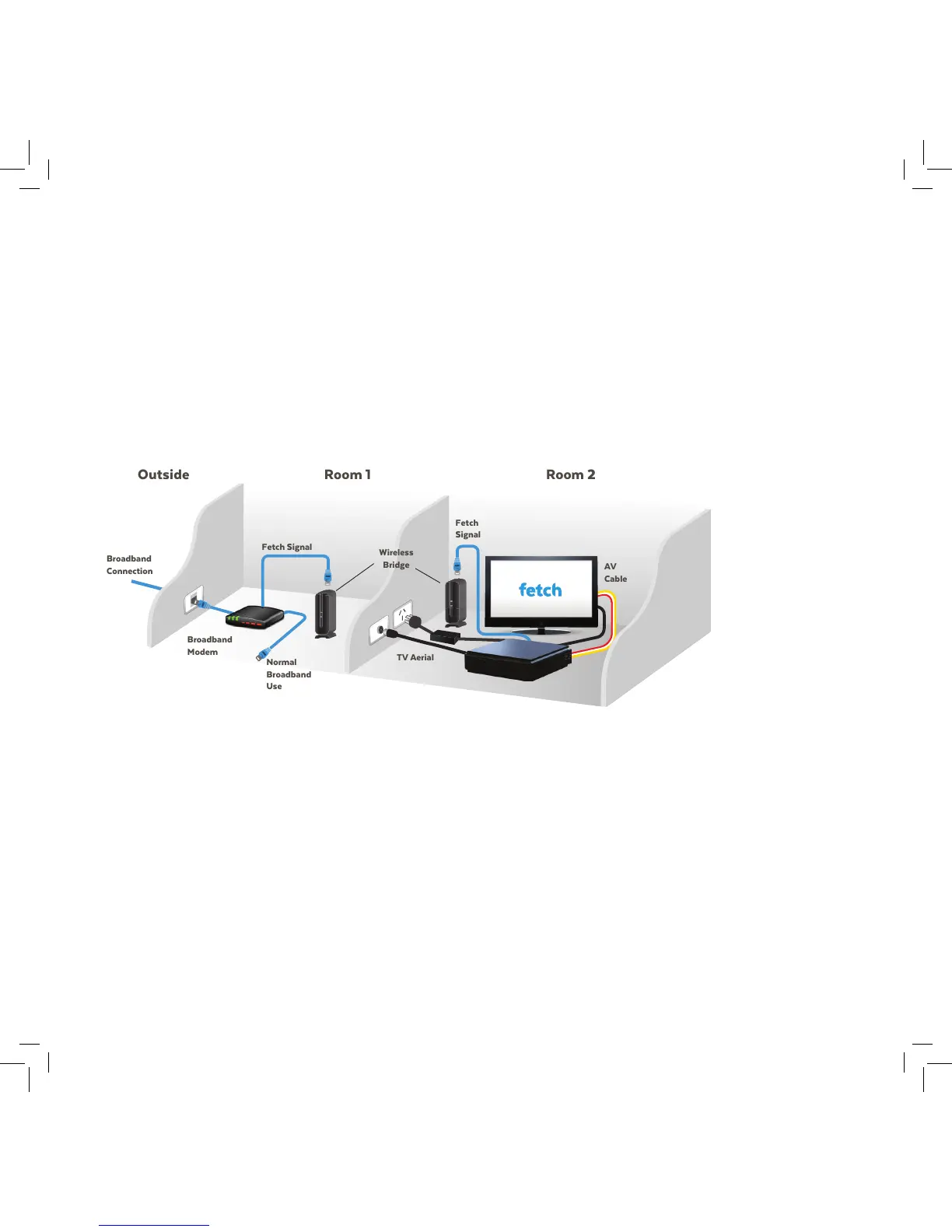
1. Plug one end of an Internet Ethernet cable into the port on the Wireless Bridge near your broadband modem.
2. Plug the other end into a free port on your broadband modem.
3. Plug one end of an Internet Ethernet cable into the port on the Wireless Bridge located near your Fetch Mighty.
4. Plug the other end into the port labelled INTERNET on the back of your Fetch Mighty.
Connect your Modem to Fetch Mighty by Wireless Bridge
Use this option if you prefer to use a Wireless Bridge. Install the Wireless
Bridge using the instructions supplied with it. Put one device near your
broadband modem and the other near your Fetch Mighty.



 To Next Page