5
You can watch videos about key features to get the most from your service at Menu > > How To.
How To videos
Use to select and press .
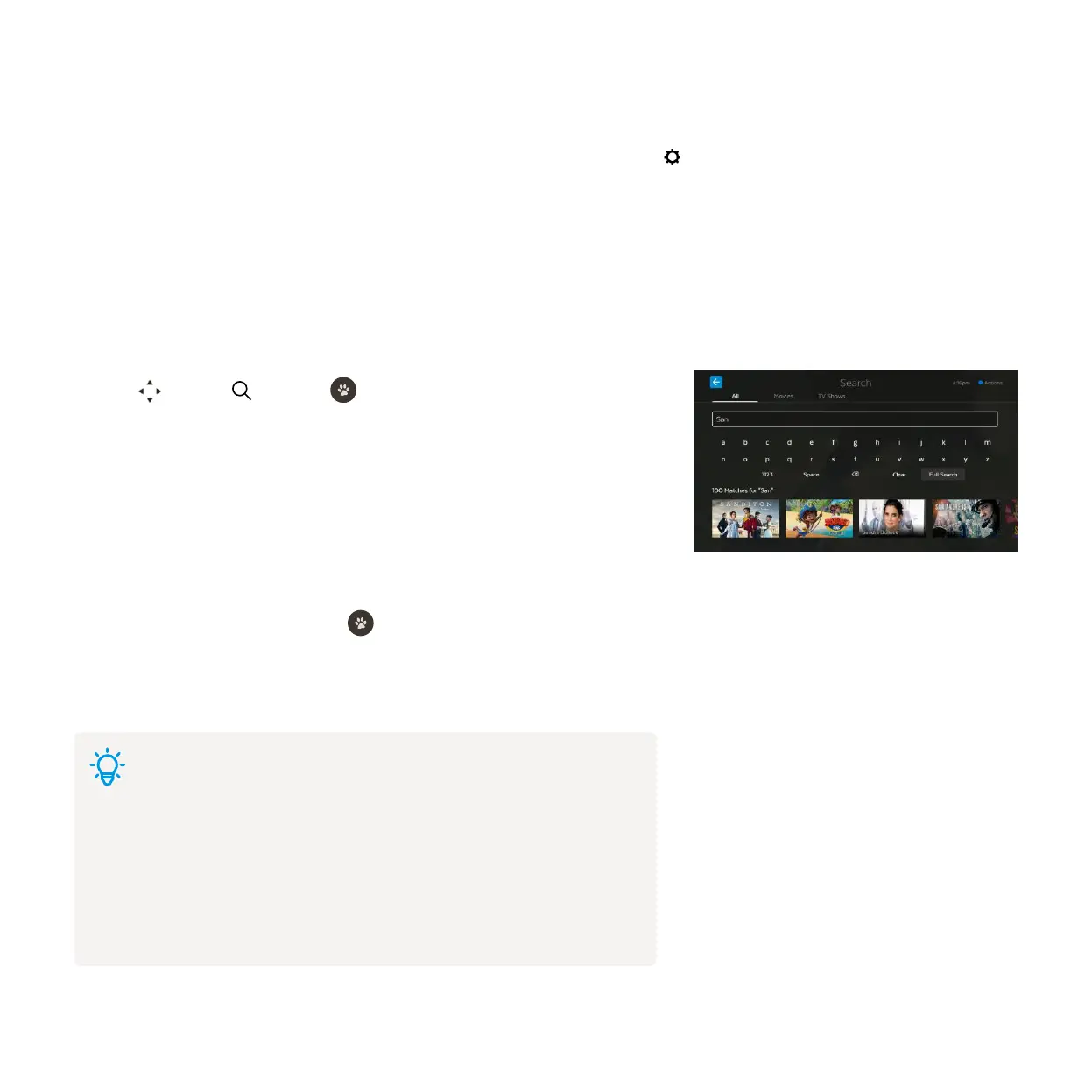
Use the on screen keyboard to type.
Search starts automatically when you type one or more character.
To see all results, select Full Search or scroll to the end of the results carousel
and choose View More.
Highlight a search result and press
to view the info.
If there are a few ways to watch, we’ll let you know so you can pick what’s best
for you.
You can easily search for things to watch by keyword from the program name, synopsis, or cast and crew. Search covers
Free-to-Air and subscription channels, TV Apps, TV Store, Movie Store, Movie Box, recordings, and streaming apps like
Prime Video, Netflix, YouTube, Stan and Paramount+. Search currently doesn’t cover the Optus Sport, Eros Now, YuppTV,
Acorn TV, iwonder, Vimeo or Kidoodle.TV apps. To search these you will need to do this within the individual apps.
1
2
3
4
5
6
Search
Tips
Extend your search
If you don’t see the results you want, you can widen your search. Scroll down
to the end of the search results. Select Extended Search to search by the
program description, or YouTube to continue your search on YouTube content.



 To Next Page