52
Pair a Bluetooth Device14
You can pair your own devices, such as headphones, speakers, or mobile devices via Bluetooth to your Fetch Mighty. So,
you can listen to Fetch without disturbing anyone else in the room via headphones, or play music from your phone on
your Fetch Mighty and TV.
To pair a Bluetooth device
Power on your headphones, speakers, or mobile device and make sure the device is ready to pair. For mobile phones,
remember to turn on Bluetooth in the device settings.
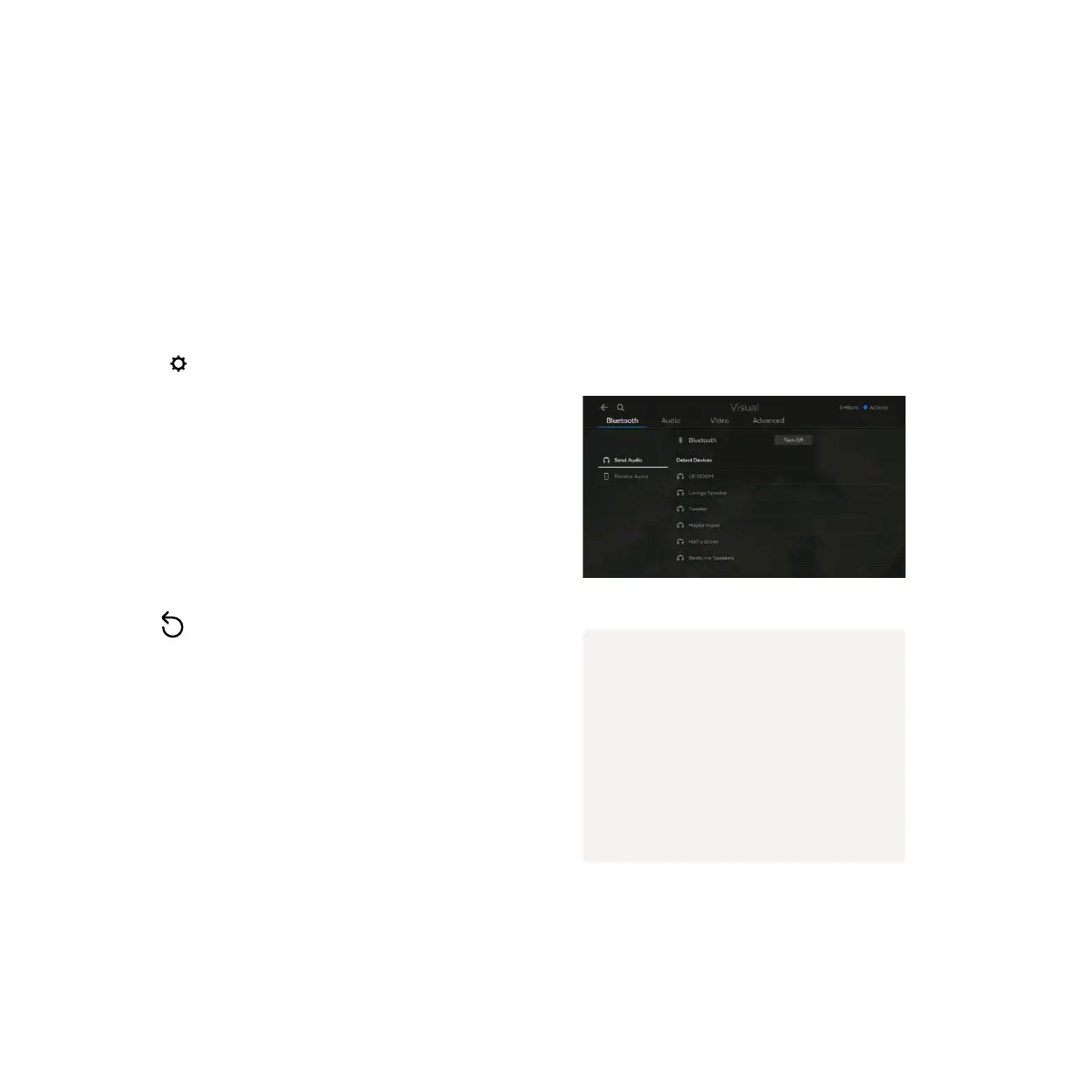
Go to Menu > > Audio & Visual > Bluetooth.
If needed, Turn On Bluetooth. Bluetooth will be on
automatically if using a Bluetooth Remote to control
your box (Page 56).
To pair a Bluetooth headset, choose Send Audio.
To pair your mobile device, choose Receive Audio.
Select
to scan for your device then choose the
device name on the screen to pair.
1
2
3
4
Note
• Bluetooth pairing is only supported
on the Fetch Mighty and Fetch Mini.
It’s not supported on Gen 2 boxes.
• You can’t currently pair an
Apple iPad to the Fetch box via
Bluetooth.



 To Next Page