25
Watching Shows6
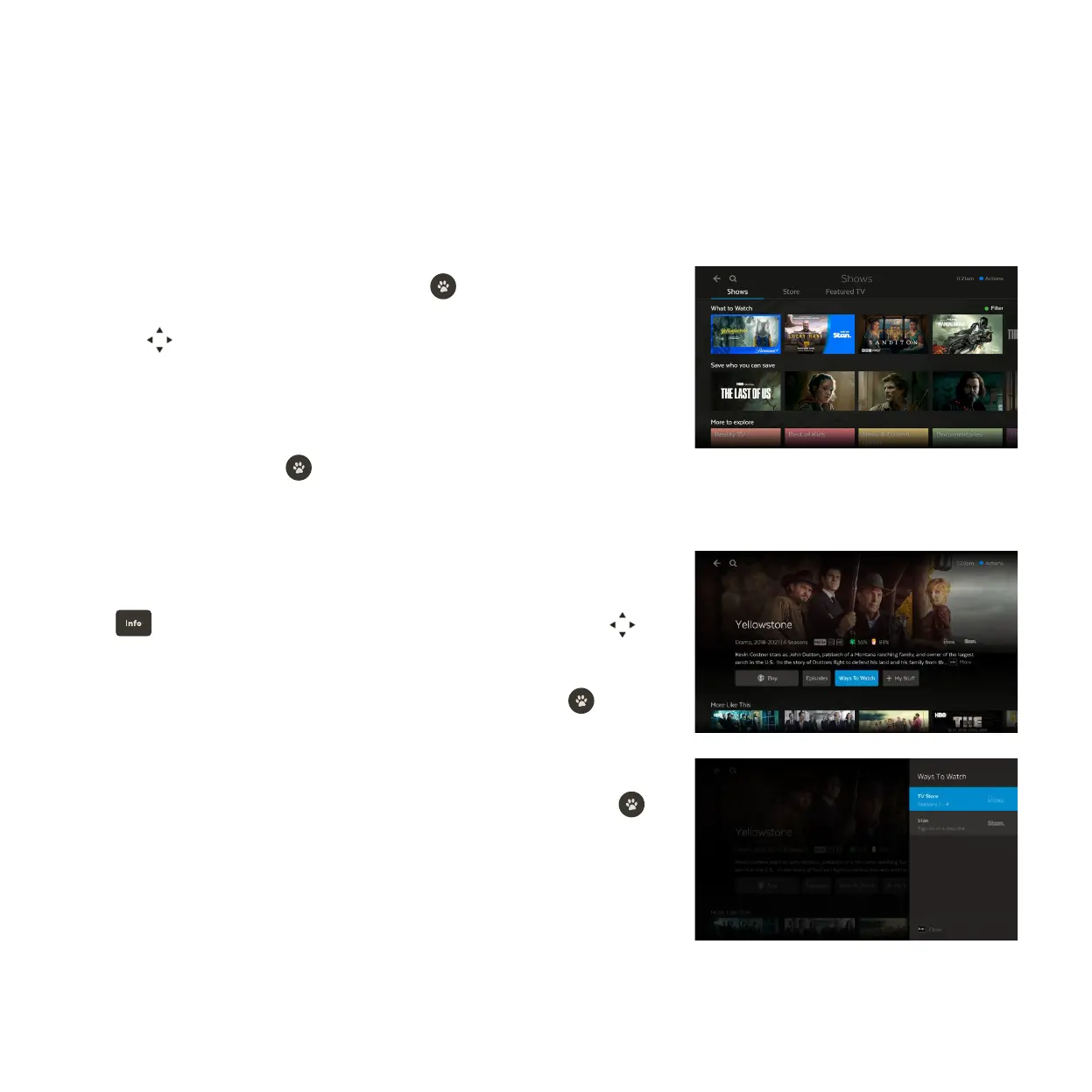
You can browse all shows available on Fetch in one place. When you find a show you like, you can see all ways to
get the show on Fetch – including on streaming services, TV apps, or via the Store.
Go to Menu > Shows.
Press to read the full synopsis. To see cast and crew info or reviews, use to
scroll down the screen.
To add the show to My Stuff > My Shows highlight + My Stuff and press .
We’ll show you the main way to watch the show by default. Playback options vary
based on content availability. You can buy a season or episode or record the show
on TV, if available. For more ways to watch, highlight Ways To Watch and press .
You need a subscription to watch on apps like Netflix or Stan.
What you can do from the show details
Select Shows from the main menu and press .
Use to browse shows in carousels. To see more items, scroll to the end of
the carousel and select the View All option.
Use the Shows, Store, and Featured TV tabs to help you find shows.
Select a show and press to view the info and options available.
1
2
3
4



 To Next Page