Go to fetco.com for the latest versions of all information Page 8 CBS-7000 Series Brewers & Dispensers P186 JANUARY 2020
Programming
Turn the power switch on.
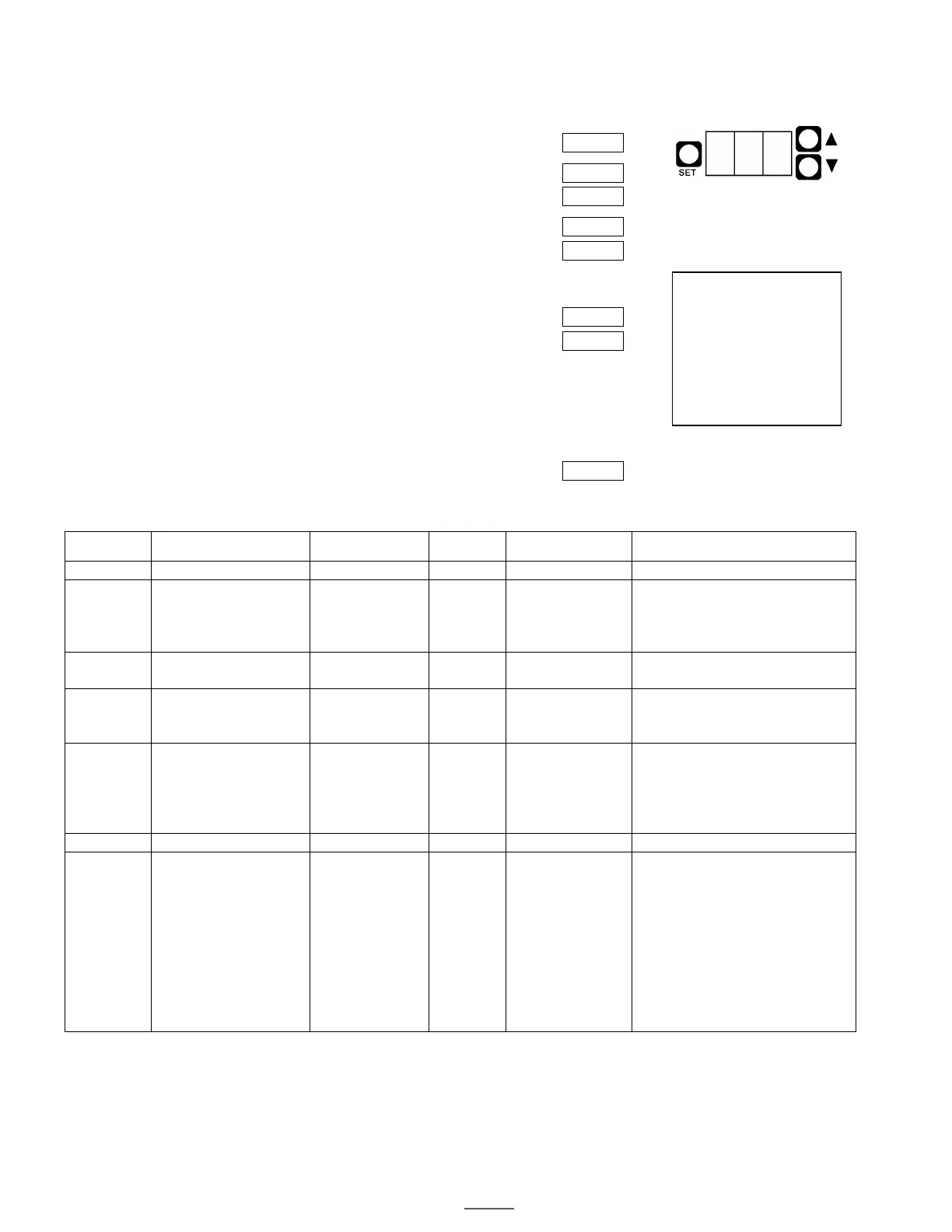
Hold the SET button for 3 seconds, until the display reads SET.
The display will show 0.0 briefly,
followed by the software version. Example: 10.A
actual water temperature
when not in Programming
mode.
Press SET. The first parameter number will be displayed briefly,
followed by the current setting.
Example: 1.0 = Brew orifice, .312”
Use the UP and DOWN buttons to adjust the setting.
Press SET again. The next parameter will be displayed briefly,
followed by the current setting.
Example: Bypass percent, 0%
Use the UP and DOWN buttons to adjust the setting.
Continue this way until all parameters are programmed.
See the chart below for an explanation of each parameter.
Important! To save your changes and return to operating mode,
you must hold SET for 3 seconds until the display reads STo.
The unit will automatically return to normal operating mode after 30
seconds without programming activity, and changes will not be saved.
Parameter Name Range Increment
1
Comment
Displays current version.
sizes: .250,
.281, .312,
This is the size of the hole in
the brew orifice, which
controls how fast water is
2
Percentage of total brew
volume.
(Min:Sec)
Time between the end of the
brew cycle and the brew light
This is the amount of time the
transfer pump runs after a
brew cycle when the “Auto
OFF = Brewer must be at set
temperature (READY light on)
to start a brew cycle.
ON = If the BREW button is
pressed when the unit is not
at the set temperature, the
brewer will wait until it heats
up, and then begin brewing.
The READY and BREW lights
flash during the waiting time.
1
Standard factory settings apply unless custom settings were requested at the time of order.
2
Non-standard size brew orifices must be ordered from FETCO.
050 - Shorted Temp Probe
051 - Open Temp Probe
070 - Stuck switch
(Switch stuck or held in for
more than 45 seconds.)
Error codes are displayed
on the control board.
To reset, turn the power
switch off and on.


 To Next Page