• Please refer to the GM sounds chart.
Pre-set sounds
NO.
P1
P2
P3
P4
P5
P6
P7
P8
P9
Pre-Set
Piano1
Piano2
E.Piano1
E.Piano2
E.Piano3
Vibraphone
Celesta
TinkleBell
Harpsichord
NO.
P10
P11
P12
P13
P14
P15
P16
P17
Pre-Set
SoundTrack
Strings
PanFlute
PipeOrgan
ChruchOrgan
Organ3
TubularBell
Drum
English
How to try out various contained sounds on FEURICH BASIC
A. Sound select
You can select one of 17 Pre-set sounds and 128 GM Sounds.
Pre-set sounds can be changed only by the manufacturer (The user(s) cannot change these sounds).
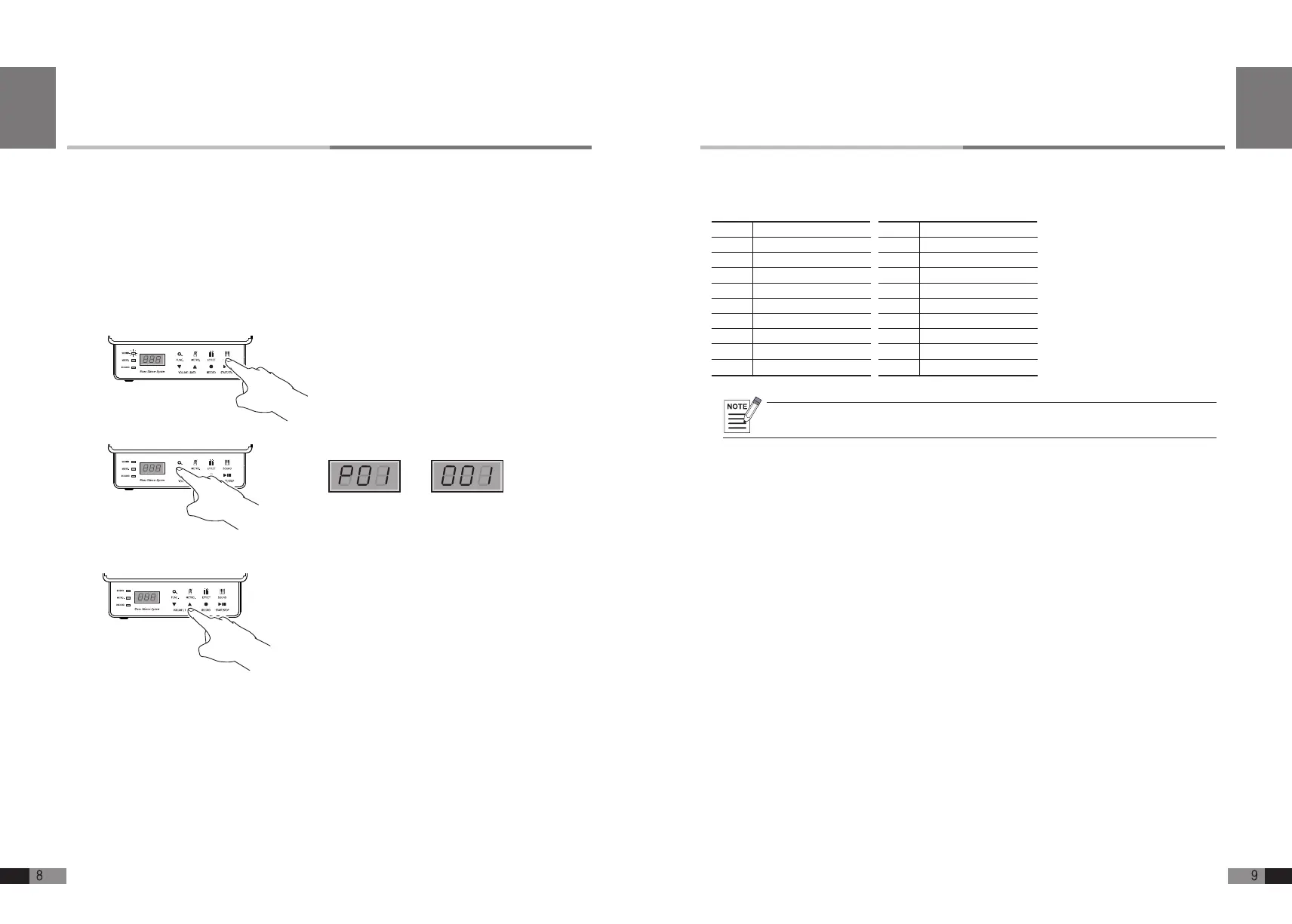
1) Press [SOUND] button for the sound mode, and the upper left [SOUND] lamp and upper right
[SOUND] button will highlight the button icon.
2) Press [FUNC.] buttons to select from Pre-set sounds or GM sounds.
3) Press either [
▼
] or [
▲
] button of [VOLUME/DATA] to select one from 17 Pre-set sounds,
or 128 GM sounds.
4) GM Sounds need just one channel at a time (Other channels are off mode).
•
Press [
▲
] button to move from a low numbers to a high number.
•
Press [
▼
] button to move from a high number to a low number.
•
Press either [
▼
] or [
▲
] button and hold it longer to move through the sounds faster.
5) Press [SOUND] button after selecting the desired sound and the setting will then be saved. The
display will return to the home mode automatically.
You can enjoy FEURICH BASIC as a digital piano with various sounds and effects, and also as a
sound module with GM sounds contained.
Pre-Set1 GM1
English


 To Next Page