- 20 -
- 21 -
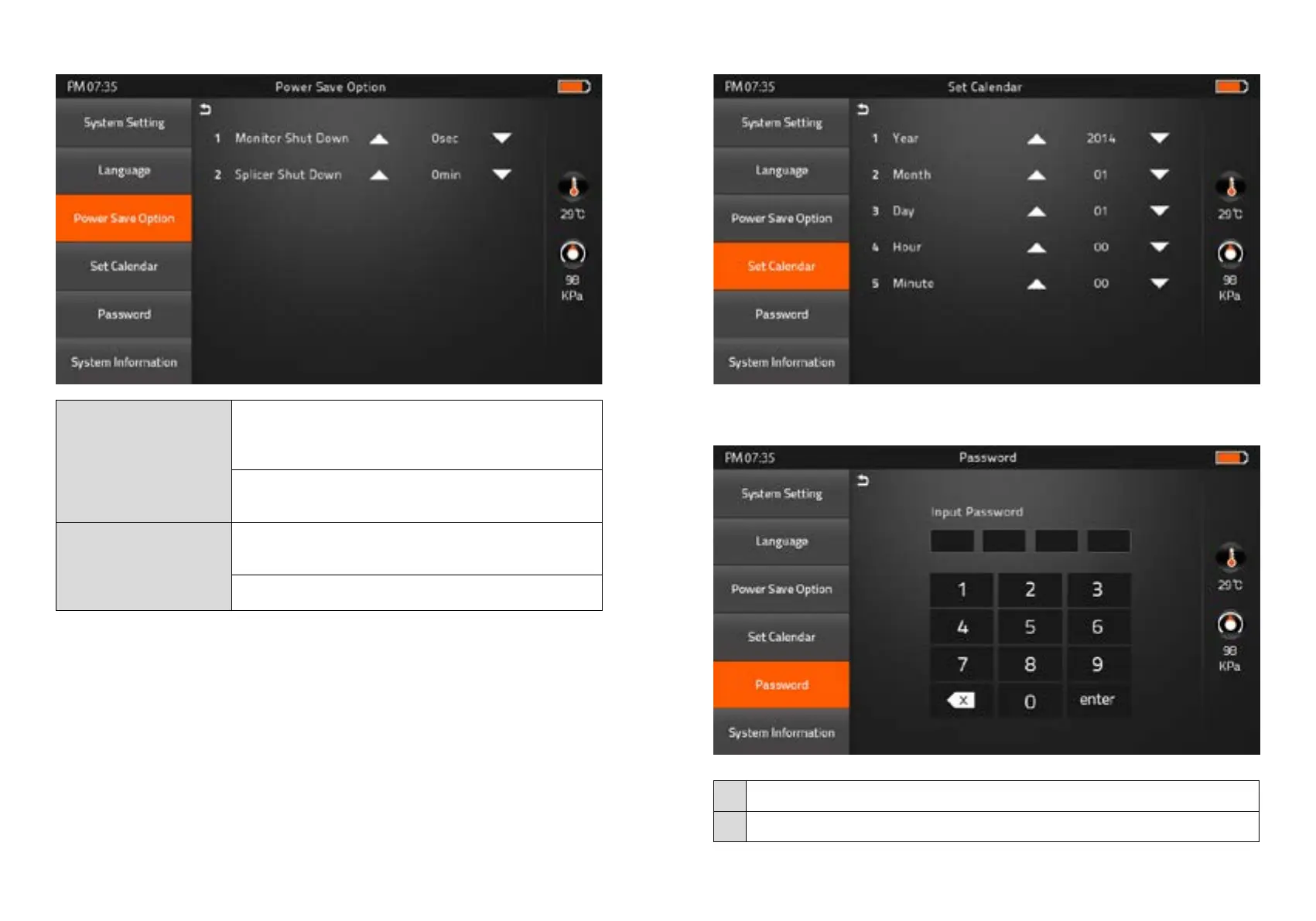
3) Power Save Option
Monitor Shut Down
1) No input during the time you set, the splicer will block
the power supply toward LCD
2) System will be switched over to standby mode.
Press the power button to resume
(Screen will be back on)
Splicer Shut Down
No input during the time you set,
the splicer will be shut down to save the power
Pressing the power cutton for 2sec, to reboot the splicer
4) Set Calendar
5) Password
Change your password.
Procedure
1 Input 4-digit old password number
2 Input new 4-digit number for new password



 To Next Page