- 6 -
- 7 -
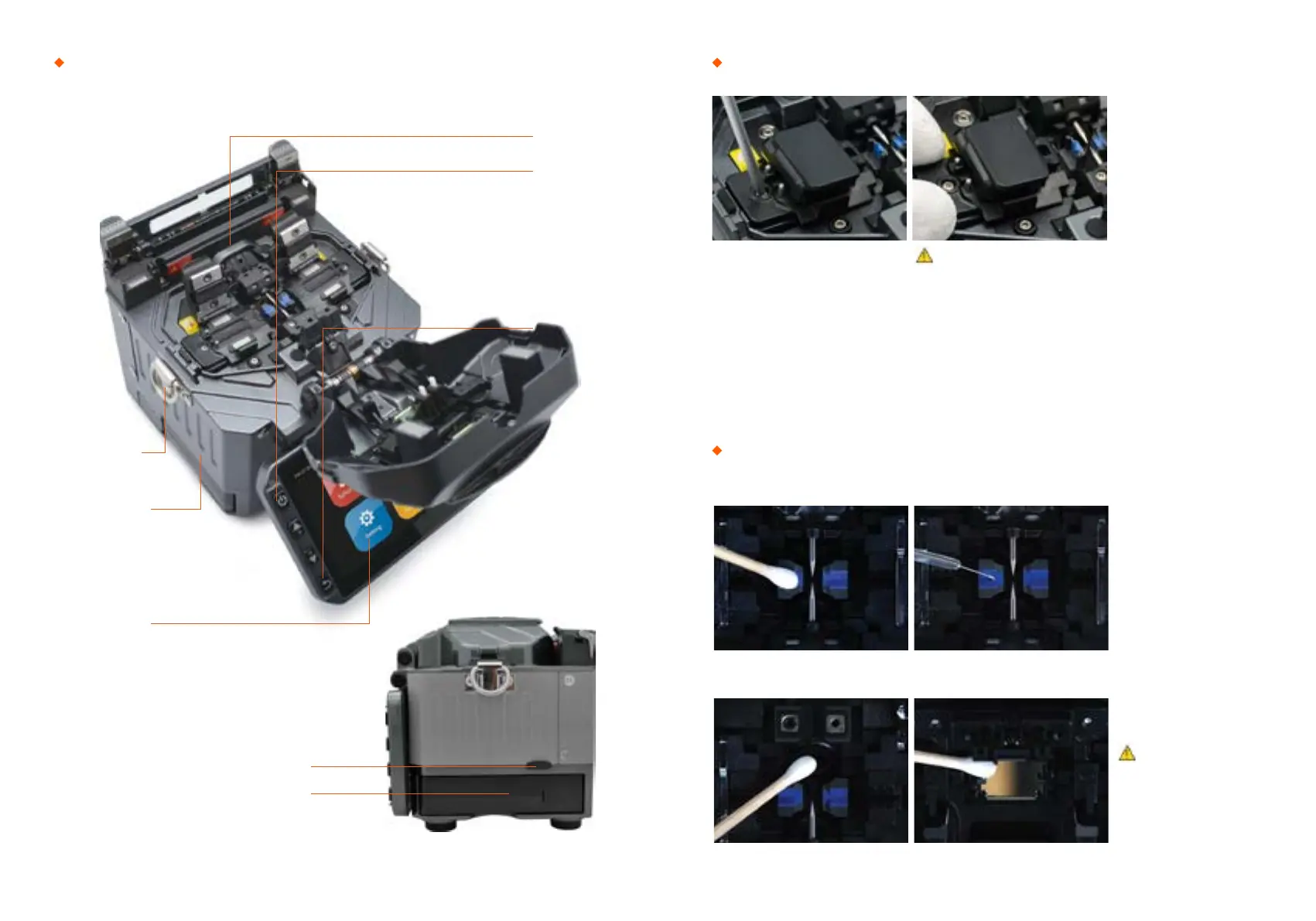
Splicer description & part name How to replace the fiber holder
Cleaning
1) Unscrew the bolt
2) Take out the worn holder
3) Replace it by new one
4) Tighten up the screw
V-Grooves
Checking with fiber after
cleaning with cotton swab
1) Do not disturb
the electrode tips
2) Use only 99% or better
purity alcohol
Lens Mirrors
Caution
1) The unscrewd bolts remains in the
holder (Do not take the bolts out)
2) Do not screw down the holder too tight
Loop
Power Supply / Battery
Serial Port
Connenctor for Charging Battery
Return Button
ON/OFF button
Heat Oven
Display
Caution


 To Next Page