- 12 -
- 13 -
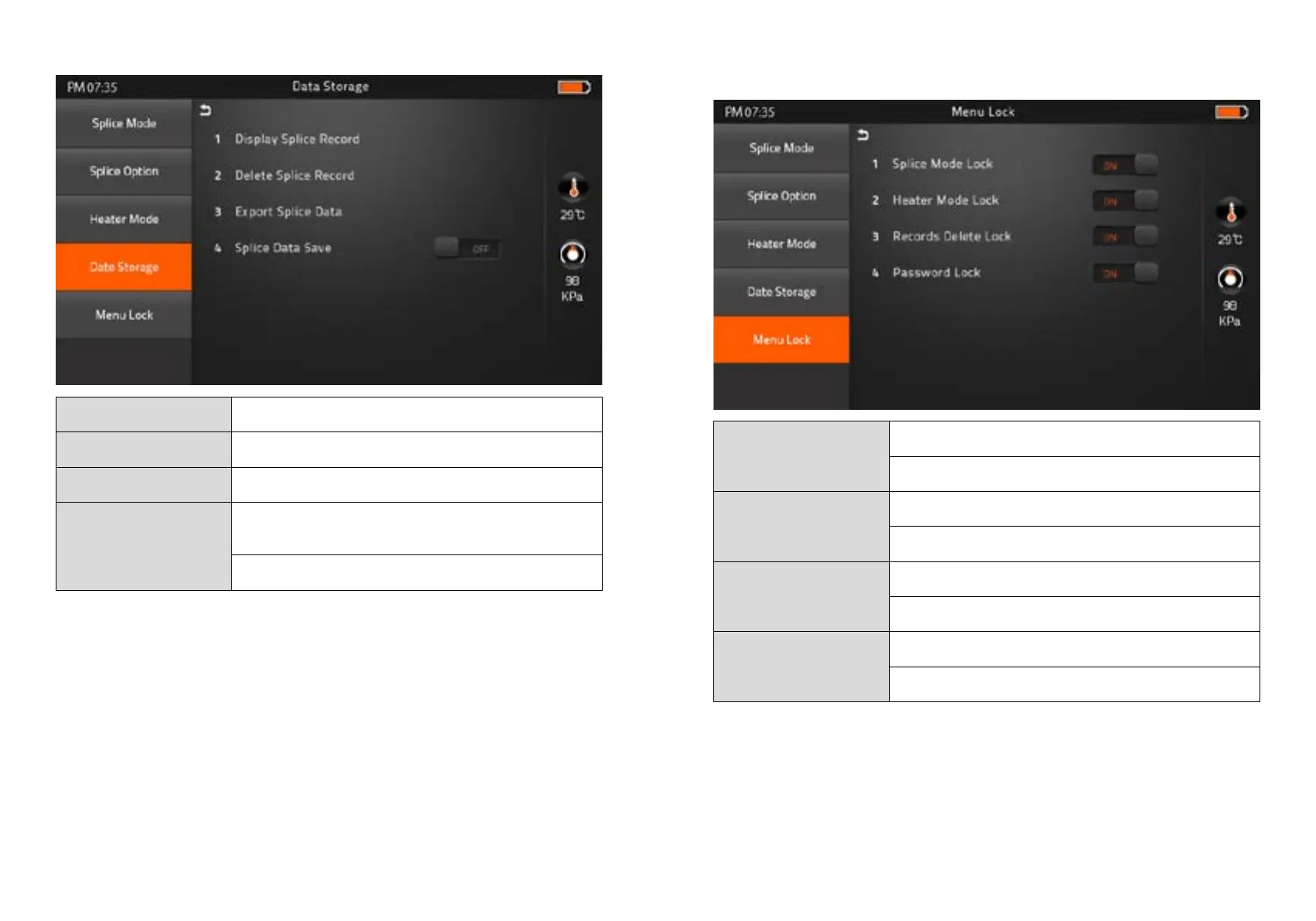
4) Data Storage
Display Splice Record Displaying your detailed splice record
Delete Splice Record -
Export Splice Data Downloading saved data (Splice record or Image)
Splice Data Save
ON : Automatic data save
* Image data is saved manually *
OFF : Do not save splice record
5) Menu Lock
Input password to access the sub-menus
Splice Mode Lock
ON : Disable ‘Splice mode’ edit
OFF : Ensable ‘Splice mode’ edit
Heater Mode Lock
ON : Disable ‘Heater mode’ edit
OFF : Enable ‘Heater mode’ edit
Recordes Delete Lock
ON : Disable ‘Record mode’ edit
OFF : Enable ‘Heater mode’ edit
Password Lock
ON : Disable to change the password
OFF : Enable to change the password


 To Next Page