27
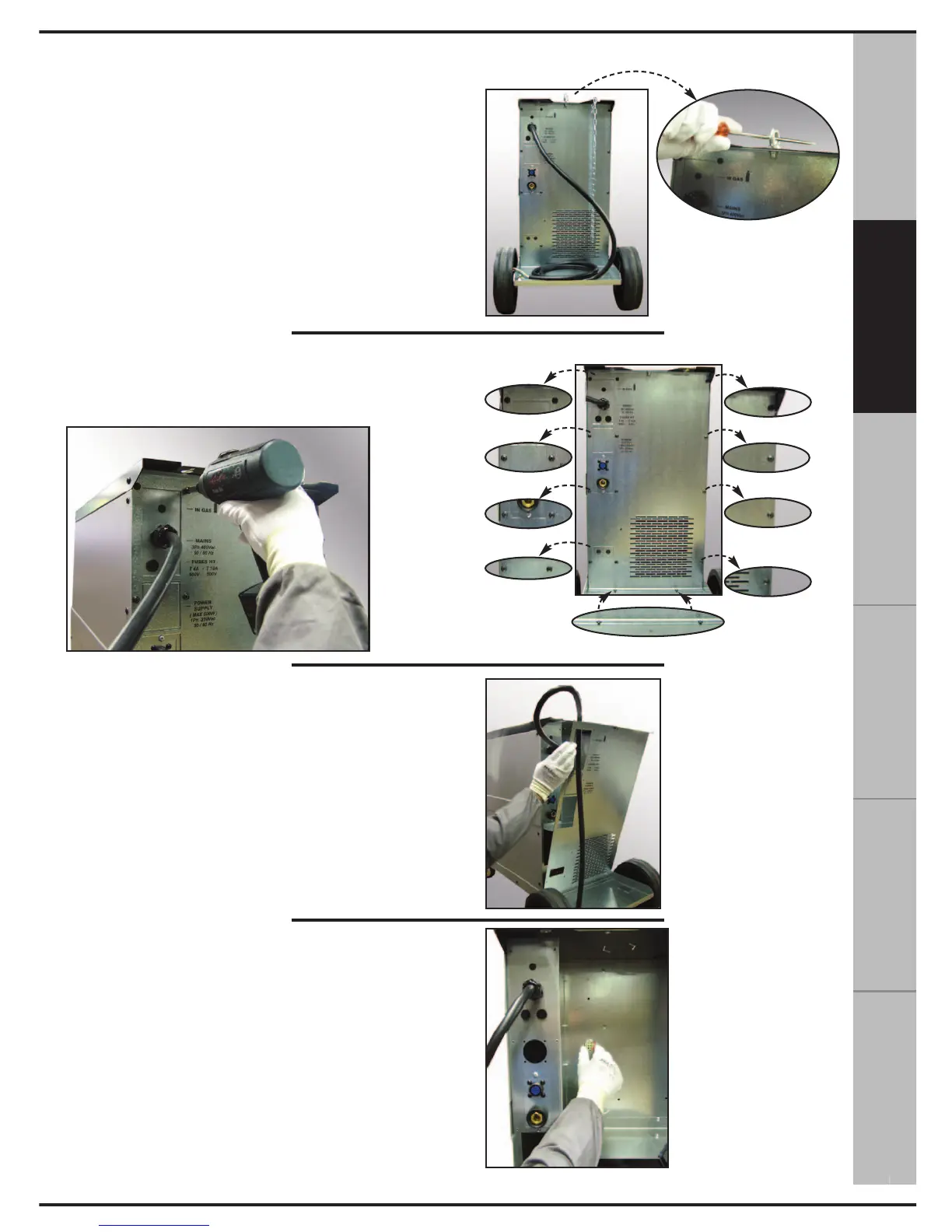
1. Using a screwdriver, remove the eyebolt on
the back of the appliance.
2. Remove the 14 black cross-head screws
which fasten the back wall.
3. Slide off the back wall.
4. Remove the MATE-N-LOCK connector posi-
tioned on the back.
15. INSTALLATION INSTRUCTIONS FOR INDOOR WATER COOLING SYTEM
РУССКИЙ
ESPAÑOL
FRANÇAIS DEUTSCH
ENGLISH
ITALIANO



 To Next Page