EasyManua.ls Logo

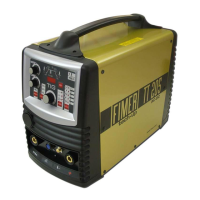
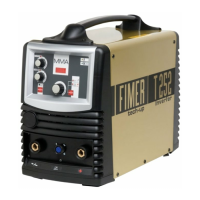
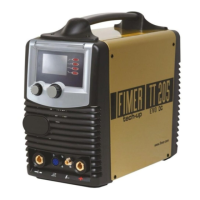
Fimer TT205 DC - User Manual

Fimer TT205 DC
116 pages
Go to English
Print Icon
To Next Page IconTo Next Page
Loading...
Cod. 910.100.466 REV00
TT205 DC
Manuale d’Istruzione Instruction Manual
Manuel d’emploi Bedienungsanleitung
Manual de instrucciones

Table of Contents

Questions and Answers

  • J
    Judy HensonAug 3, 2025
    Why is the welding seam porous when using the Fimer TT205 DC Welding System?
    • O
      owilliamsAug 4, 2025
      A porous welding seam can occur due to several reasons. Check that the distance between the electrode and the workpiece is approximately equal to the diameter of the electrode core. For basic electrodes, the rule is L=diam. X 0.5, and the inclination must not be excessive. Replace the electrodes, and ensure you keep them following the manufacturer’s/supplier’s instructions, as the presence of hydrogen due to humidity in the coatings of the electrodes, or erroneous conservation of electrodes can cause this issue. Also, maintain the correct distance between the electrode and the piece, because a welding arc that is too long can also cause this problem.
  • M
    Michael GrossAug 9, 2025
    What to do if my Fimer Welding System displays [display:antisticking]?
    • A
      Andre PetersAug 9, 2025
      If the Fimer Welding System displays 'antisticking', it means the electrode is in contact with the mass. To resolve this, remove the electrode from the workpiece.
  • S
    stevenarroyoAug 13, 2025
    Why am I getting a network error on my Fimer TT205 DC Welding System?
    • B
      benjaminmurrayAug 13, 2025
      A network error with your Fimer Welding System can happen for a couple of reasons. First, a failure of one mains power supply phase. To fix this, check the connection to the power supply and check that the fuses are intact. Second, it could be due to mains overvoltage or undervoltage. Verify that the mains has a value in the range from 360Vrms to 440Vrms.
  • G
    gblakeAug 19, 2025
    What to do if there is no fusion when using my Fimer TT205 DC?
    • G
      Glenda BakerSep 12, 2025
      No fusion during welding with the Fimer Welding System can occur due to several factors. Ensure you are using the correct electrical parameters and reduce the welding speed if it's too high. Prepare the joint correctly by opening the angle of the caulker, and correct the welding position to ensure it is appropriate for the task.
  • P
    Paul GibsonAug 25, 2025
    How to troubleshoot failure to strike an arc on the Fimer TT205 DC Welding System?
    • D
      Dr. Luke BenderAug 25, 2025
      If your Fimer Welding System fails to strike an arc, several issues could be the cause. First, check that both the pincer and earth clamps are correctly connected. Next, check the cables for any interruptions. Ensure there's good contact between the earth clamp and the workpiece, as well as between the pincer and the electrode. Verify that the welding parameter settings are correct. Finally, check the welder itself to ensure it is producing current.
  • T
    Tonya JohnsonAug 28, 2025
    Why does my Fimer Welding System switch off [display: off]?
    • B
      Bradley MartinAug 28, 2025
      If the Fimer Welding System switches off and the display is off, it indicates a lack of tension on the supply grid. Refresh the power supply tension to resolve this issue.

Summary

Declaration of Conformity CE

CE Declaration of Conformity

Formal statement of compliance with EU directives for CE marking.

Technical Data Plate

Nominal Data and Specifications

Machine's technical specifications, ratings, and standards on the data plate.

Safety Information

Warning Symbols and General Safety

Identifies hazard symbols and fundamental safety precautions for operators.

Specific Operational and Electrical Safety

Covers safety during operation, installation, and electrical risks.

Equipment Overview and Operation

General Specifications and Manual Notes

Overview of machine features and guidance on using the manual.

Equipment Description and Controls

Identifies machine components, interface, and operational controls.

Welding Procedures

MMA Welding

Setting up and performing MMA welding, including manual mode.

MMA Welding Table and Arc Ignition

Guidance on current settings, connections, and initiating the MMA arc.

TIG Welding Overview and Modes

Introduction to TIG welding, parameter trends, and modes like Pulsed and Lift-Arc.

TIG Spot Welding and HF TIG

Operation of automatic spot welding and HF TIG welding functions.

Connections, Settings, and Maintenance

TIG Welding Connections

Proper connection of TIG torch, earth cable, and gas supply.

Power, Remote, and Gas Connections

Information on power supply, remote control, and gas cylinder connections.

Machine Settings and Maintenance

How to save settings, perform maintenance, and understand symbols.

Troubleshooting and Technical Information

Error Codes

Detailed list of error codes and their descriptions for troubleshooting.

Troubleshooting Common Problems

Guidance on identifying and resolving frequent welding malfunctions.

Block Diagram and Spare Parts

Electrical schematic and identification of replaceable parts for the machine.

Disposal Information

Environmental Disposal Guidelines

Instructions for proper disposal of electrical and electronic equipment.

Fimer TT205 DC Specifications

General IconGeneral
Input voltage230V
Maximum welding current200A
Efficiency85%
Protection ClassIP23
Hot StartYes
Arc Force ControlYes
Welding processTIG, MMA
Output Current Range10A - 200A
TIG IgnitionLift Arc

Related product manuals