EasyManua.ls Logo

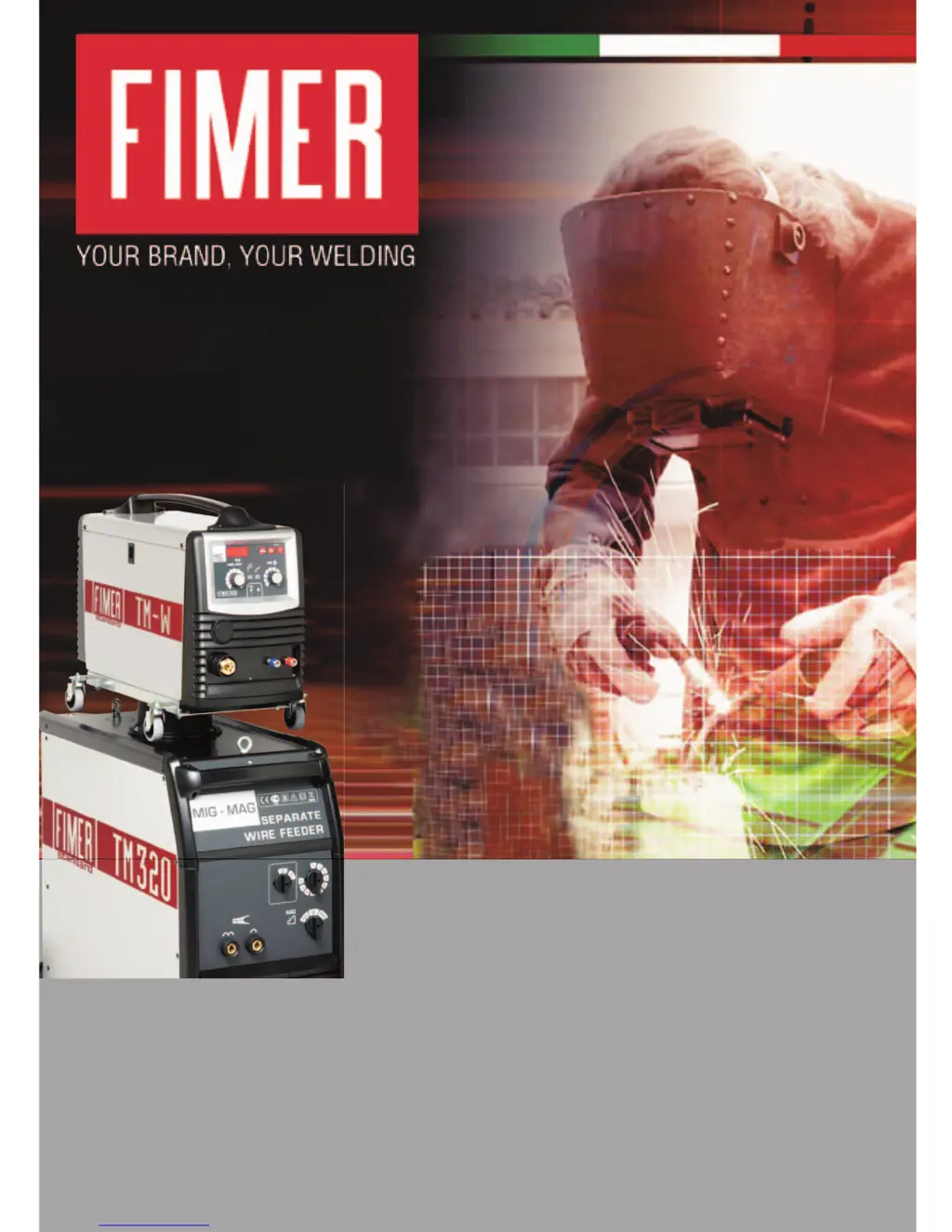
Fimer TM320W - User Manual

Fimer TM320W
40 pages
Print Icon
To Next Page IconTo Next Page
Loading...
TM 230 - TM 260 - TM 300 - TM 350 - TM 320W
TM 360W - TM 420W - TM 500W - TM 650W
Instruction Manual

Questions and Answers

  • A
    alicia88Aug 17, 2025
    What to do if my Fimer TM320W cuts out after prolonged use?
    • S
      Steven ColemanAug 17, 2025
      If the welder cuts out after prolonged use, it might have overheated, activating the thermal protection device. Allow the unit to cool down for at least 1-20 minutes.
  • O
    owenskevinAug 19, 2025
    Why are my welds porous with Fimer TM320W Welding System?
    • J
      Jamie MillerAug 20, 2025
      Porous welds can occur due to several reasons: * A build-up in the gas nozzle causing a lack of shielding gas, clean away build-up. * Incorrect torch angle. The air gap between the torch and the workpiece must be 5-10 mm. Ensure 60° torch angle. * Gas shortage, increase gas flow. * Damp workpieces, dry workpieces with hot-air gun or suchlike. * Welding Arc too long, shorten the arc.
  • K
    Karen WarnerAug 22, 2025
    What to do if arc cut-out occurs with Fimer TM320W?
    • J
      Jennifer IbarraAug 22, 2025
      Arc cut-out can be caused by: * Loose earth clamp grip, tighten clamp grip. * Short circuit between contact nozzle and gas hose, clean or replace contact nozzle and wire-feed nozzle.
  • C
    carolherreraAug 25, 2025
    How to reduce excessive splashes from Fimer TM320W?
    • D
      David HamiltonAug 26, 2025
      Excessive splashes can be due to: * Current being too high, decrease the current value. * Non-optimized inductance value, increase the inductance value. * Torch being too inclined, straighten the torch.
  • D
    Dennis BurtonAug 28, 2025
    How to fix jerky wire feed on Fimer Welding System?
    • A
      Amanda SchneiderAug 28, 2025
      Jerky or intermittent wire-feed can be caused by: * Faulty gas nozzle, replace it. * Scorched gas nozzle, replace it. * Dirt in wire-feeder roller groove, clean it. * Worn wire-feeder roller groove, replace it.
  • B
    Brandon CordovaAug 30, 2025
    How to improve penetration with Fimer Welding System?
    • R
      rhodesangelaAug 30, 2025
      Insufficient penetration can happen if: * The current is too low, increase the current. * There is inconstant wire feeding, see the above paragraph. * Edges are too apart from each other. * Bevel is too small.
  • D
    Deanna BennettSep 2, 2025
    How to prevent hot cracks when welding with Fimer TM320W Welding System?
    • T
      tiffany31Sep 2, 2025
      Hot cracks can be caused by: * Damp workpieces, clean them. * Welding with very high heat supply, decrease the welding current. * Impure welding wire, change the welding wire. * Base material with high content of carbon, sulphur and other impurities.
  • T
    Tracy MartinezSep 5, 2025
    What to do if the wire does not feed on my Fimer TM320W?
    • J
      Jimmy FrazierSep 5, 2025
      If the wire does not feed when the wire-feeder roller rotates, check for: * Dirt on the tip of the wire-feeder, blow with compressed air, replace nozzle. * Excessive spool torque, loosen it. * Faulty torch, check wire-feeder liner.
  • R
    Ruben HullSep 8, 2025
    How to resolve insufficient melting with Fimer Welding System?
    • S
      Steven RogersSep 8, 2025
      Insufficient melting can occur due to: * Abrupt movements of the torch, move the torch smoothly. * Non-optimized inductance value, change the inductance value. * Oxidized workpieces, clean them.
  • S
    Sherry ReyesSep 12, 2025
    What causes breakages when using Fimer Welding System?
    • C
      Colton WalshSep 12, 2025
      Breakages can be caused by: * Unsuitable wire, change the type of wire. * Bad quality of the workpieces.

Summary

Declaration of Conformity

Directive Compliance

Statement of compliance with relevant European directives.

Normative Compliance

Statement of compliance with applicable norms and standards.

Safety Information

Hazard Symbols and General Warnings

Explains warning symbols and general safety advice for electric shock, fire, and gases.

Operational, Environmental, and Repair Safety

Covers handling, installation, environment, maintenance, and repair safety guidelines.

Welding Operation and Gas Safety

Details personal protection, PPE, ventilation, fumes, high voltage, gas cylinder, and workplace safety.

MIG Welding and Connections

MIG Welding Process Overview

Description of MIG welding, components, and performance tips.

Power Supply and Output Connections

Instructions for connecting the machine to power and outputting welding cables.

Machine Unit Description and Controls

Front Panel Controls and Functions

Explains the functions of timer, display, mode selector, and current adjustment controls.

Side Panel Components and Connections

Identifies side-mounted components like connectors, feeders, and cooling system parts.

Installation and Setup Procedures

Welding Wire Installation

Step-by-step guide for installing welding wire and adjusting tension.

Trolley, Gas, and Torch Connections

Procedures for connecting the trolley, gas cylinder, regulator, and torch.

Pre-Welding Preparations

Essential checks and maintenance before starting welding.

Welding Process and Optimization

Selecting Welding Current

Guide for choosing the correct welding current based on material thickness and wire.

Achieving Best Welding Results

Tips for torch angle, movement, and wire cleanliness.

Regulating Machine Parameters

Guidance on adjusting arc length and wire speed.

Troubleshooting Common Issues

Welder Start and Wire Feed Problems

Solutions for issues with welder not starting or wire feed malfunctions.

Arc, Weld Quality, and Penetration Issues

Addresses arc cut-out, porous welds, cracks, splashes, and penetration problems.

Wire Liner Replacement

Liner Removal and Installation

Step-by-step guide for replacing the wire liner on the torch and connector sides.

Water Cooling System Installation and Operation

Cooling Unit Installation Steps

Detailed procedures for accessing, connecting, and securing the water cooling unit.

Operating the Cooling System

Instructions for powering on, filling, and checking the cooling system's status.

Spare Parts Identification

Key Component Identification

Identification of major internal components like control cards, transformers, motors, and feeders.

Electrical System Block Diagrams

Block Diagrams for TM230-TM300 Series

Schematic diagrams of electrical circuits for TM230-TM260 and TM300 models.

Block Diagrams for TM320 W-TM650 W Series

Schematic diagrams of electrical circuits for TM350, TM320W, TM360W, TM420W, TM500W, TM650W models.

Disposal and Environmental Compliance

Waste Electrical Equipment (RAEE) Handling

Guidance on proper disposal of waste electrical and electronic equipment.

European Waste Disposal Regulations

Information on adhering to EU directives for recycling electrical tools.

Fimer TM320W Specifications

General IconGeneral
BrandFimer
ModelTM320W
CategoryWelding System
LanguageEnglish

Related product manuals