31
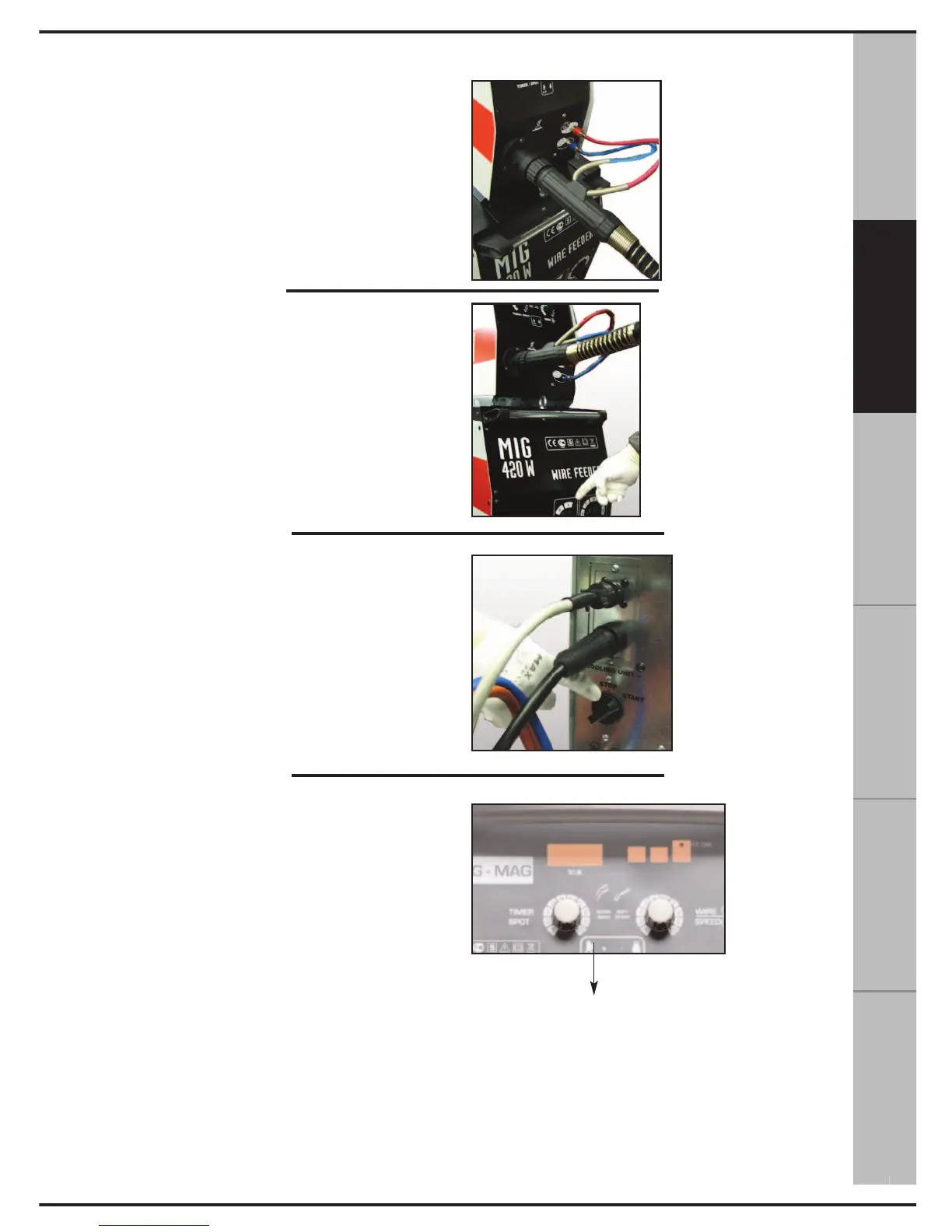
18. Connect the torch supplied with the
unit. Make sure the cooling tubes are
closed correctly.
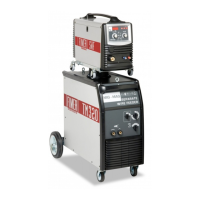
19. Turn on the appliance via the switch posi-
tioned on the front of the machine. “0” indicates
that the machine is OFF, and “1” indicates that
the machine is ON.
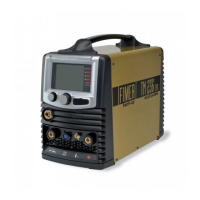
20. Turn on the control unit by turning the switch
from “STOP” to “START”.
21. Wait for the tubes to be filled with the cooling
liquid, check the tank level, if necessary, add
more liquid.
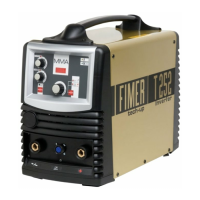
22. Wait for the yellow LED located on the front
of the trolley to turn off.
If the yellow LED does not turn off:
- Check the level of the cooling liquid inside the
tank
- Make sure the cable band is not tangled, there-
by preventing the liquid from circulating.
- Make sure the internal tubes are not crushed.
If so, repeat the operations described in point 10.
N.B. If the problem persists, contact an
Authorised Service Centre.
РУССКИЙ
ESPAÑOL
FRANÇAIS DEUTSCH
ENGLISH
ITALIANO
11



 To Next Page