11
Orbit
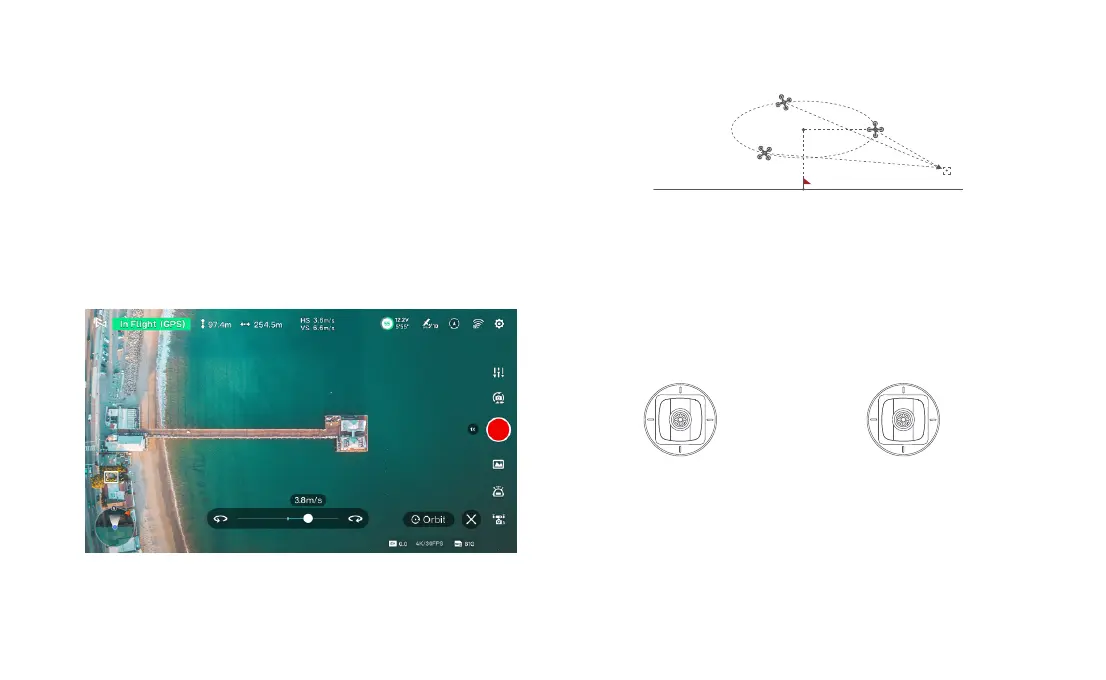
The user can select Orbit mode in the App. when a central point and a radius are
set, the drone will fly around the central point at a default speed. If a point of
interest is set, the camera will be locked at the POI.
• Fly to a central point to set the central point.
• Fly away from the central point to set radius.
• Set flight speed, move direction and heading.
• After setting the parameters, click "GO".
During Orbit mode, you can set the direction and speed of the Orbit flight in the Fimi
Navi 3.0 app. Click on the "X" button to exit the Orbit mode.
POI
Central point
Ascend
Descend
Radius zoom out
Radius zoom in
Counter-
clockwise
Clockwise Direction&Speed Direction&Speed
Left stick Right stick
If sticks are moved in flight, the flight altitude or radius will be changed. Taking
Mode 2 as example:



 To Next Page