12
Spiral Mode
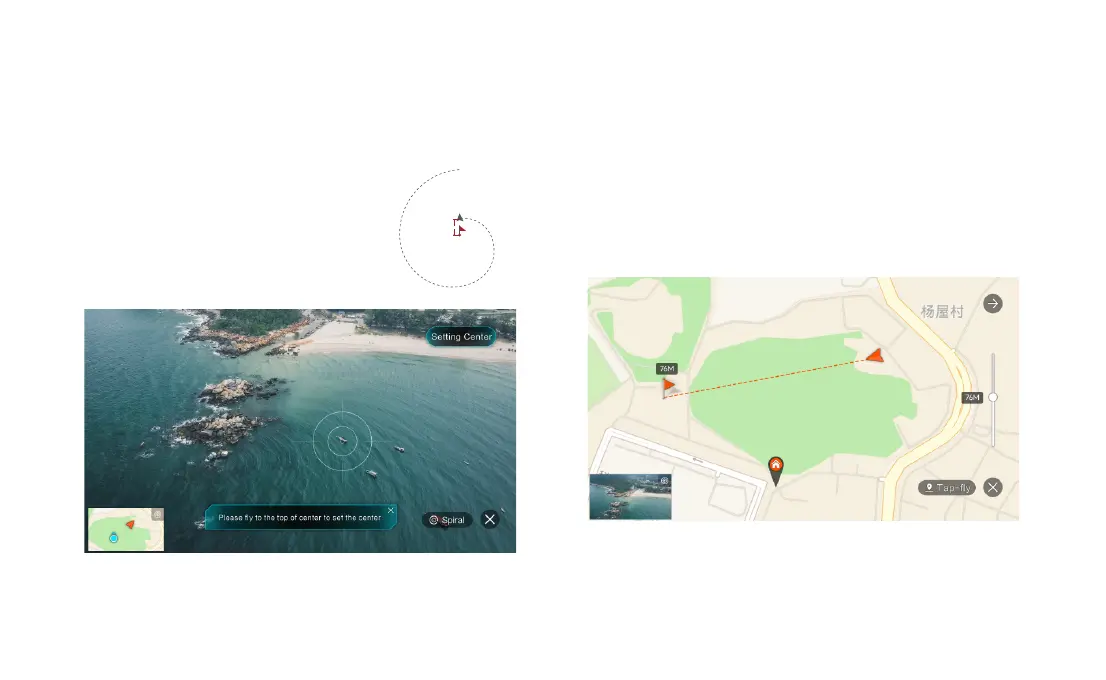
The user can select Spiral Mode in the App. Set the central point and radius,
the drone will spirally fly upward and shoot a video simultaneously, showing a
sense of space.
• Fly to a point to set as the central point.
• Fly away the central point to set radius.
• Set spiral direction and flight distance.
• After setting the parameters, click "GO".
During Spiral mode, click on the "X" button to exit Spiral mode.
central point
radius
Tap-f ly
The user can select Tap-fly in the App. Tap map to choose a destination and
set flight speed, the drone will fly over there at a default speed in a straight
line. If a point of interest is set, the camera will be locked at the POI
• Tap map to choose a destination
• Switch to image interface to drag a rectangle around the POI
• Set flight altitude and speed
During Tap-fly mode, click on the "X" button to exit Tap-fly mode.



 To Next Page