14
Waypoint
Choosing waypoint and drawing route both are available at map. The drone
flies along waypoint route at a default speed. If a point of interest is set,
the camera will be locked at the POI. The user can select a way to set
waypoints, including choosing points in flight or on the map, historial routes.
Choosing points in flight:
•
Control the drone to a point to set as a waypoint
• Using sticks to set flight altitude and heading direction, dials to set gimbal angle, and
actions when reaching the waypoint
• When all waypoints ready, please set waypoints routes attribute, incuding flight speed,
heading direction, action at the destination
• POI is enabled when executing waypoints
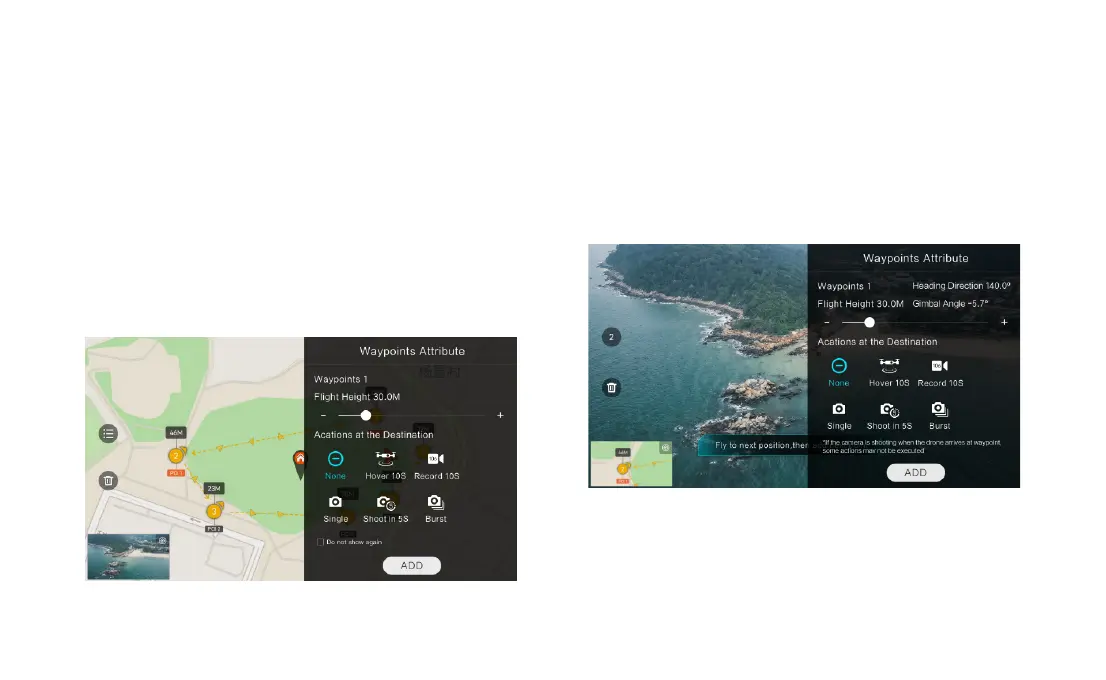
Choosing points on the map
• Tap map to add waypoint
• Set waypoint attribute, including flight altitude, action at the destination, rotate direction
• Drag the POI icon to the map, and set its a;titude and relate waypoints
• When all waypoints ready, please set flight speed, failsafe action, and action at the
• POI is enabled when executing waypoints
Historical routes
• preview the waypoints and its attribute by entering Favorite list
• tap to start and show the real-time waypoints trace



 To Next Page