
 Need help?
Do you have a question about the FIP FLS M9.50 Series and is the answer not in the manual?
General safety guidelines for product usage and installation by qualified staff.
Safety instructions for product installation, wiring, and cleaning procedures.
Verification of included items for the M9.50 batch controller.
Overview of general technical specifications for the M9.50 batch controller.
Electrical specifications including supply voltage, current, and output details.
Environmental operating and storage conditions for the batch controller.
List of certifications and standards the product complies with.
Dimensions and mounting details for panel installation of the M9.50.
Dimensions and mounting details for wall installation of the M9.50.
Describes the mechanical installation process for panel or wall mounting.
Step-by-step guide for installing the unit on a panel.
Steps for installing the unit using a wall mounting kit.
General guidelines for safe and effective wiring connections.
Rear terminal view and power wiring diagram for the batch controller.
Diagrams for Relay 2, Remote Control, USB Port, and Relay 1 options.
Wiring diagrams for solid-state relay configurations.
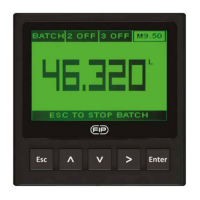
Step-by-step guide for performing batch operations and viewing status.
Overview of the menu structure for system configuration and operation.
Accessing and configuring various settings like flow units, calibration, and outputs.
Describes how to use the push buttons for editing and saving settings.
Steps to configure and set operating modes for enabled digital outputs.
Describes the Two Stage Shutdown mode with green backlight indication.
Describes the Overrun Alarm mode with red backlight indication.
Explains the SSW warning for critical remaining volume, no batch stop.
Describes the NOS alarm for no flow detected after a set timing period.
Procedure to update software on already installed M9.50 units.
Procedure to update software for new M9.50 units.
Table listing part numbers, descriptions, power, sensor, and output details.
List of available accessories for the M9.50 batch controller.
List of available spare parts, including fixing snails.
 General
| Brand | FIP |
|---|---|
| Model | FLS M9.50 Series |
| Category | Controller |
| Language | English |

 To Next Page