GD13 OPERATING INSTRUCTIONS
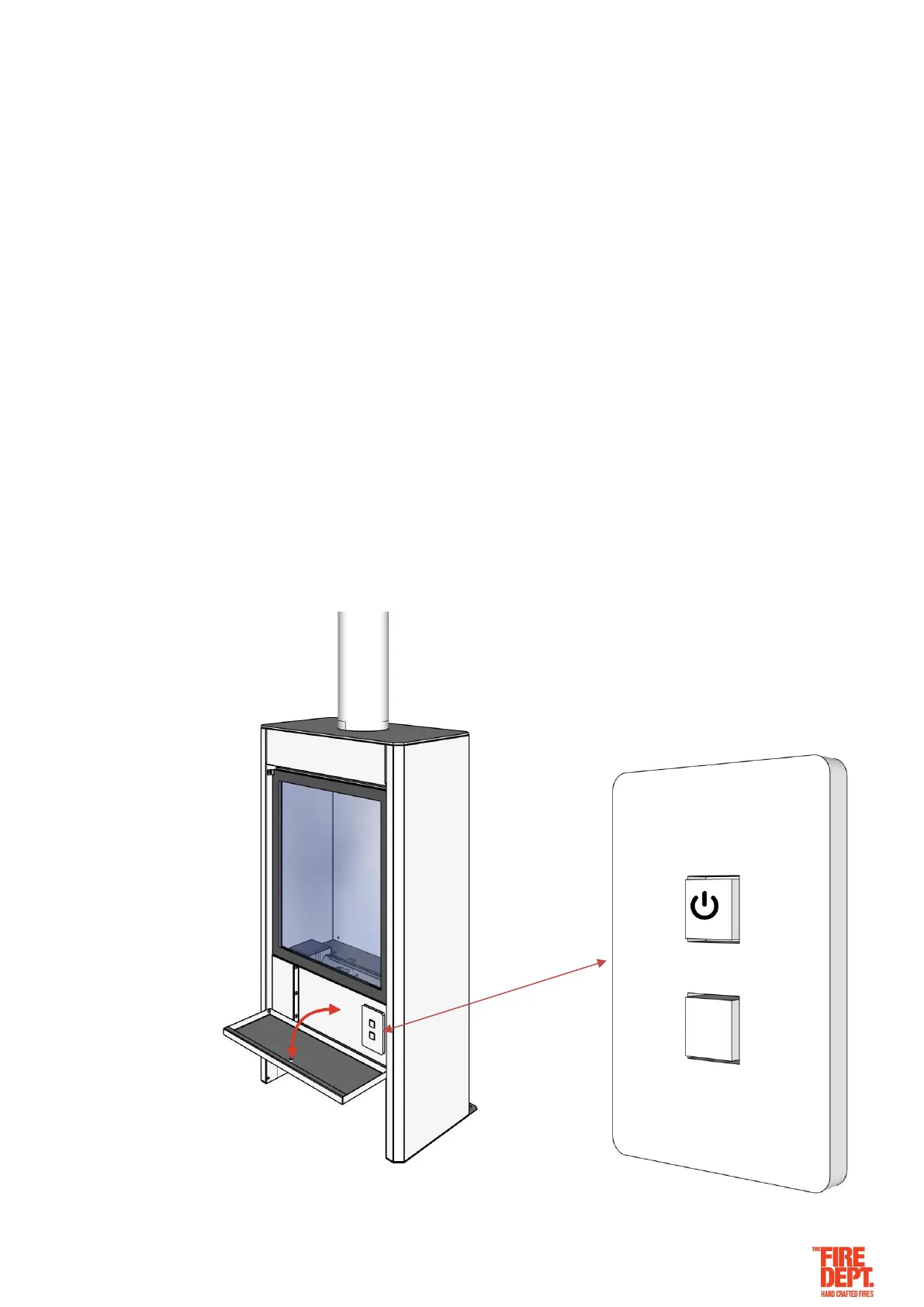
This GD13 appliance has been designed to be simple to use. It is controlled by a switch (located behind the
front door on the appliance) it can also be controlled wirelessly by Bluetooth (optional extra).
To start appliance:
• Bluetooth option: Download and configure the Wiser Room App.
• Appliance switch option: Open the appliance door to access the switch.
• Press the on/off switch to the ON position.
• Press the high/low switch to the HIGH position.
• The electronic solenoid pack will start to click.
• Gas will then be released and ignited at the pilot valve.
• The safety sensor will allow the main burner pipe to ignite and flames will appear. The whole process
will take between 10-20 seconds.
• Once the flame appears, it can be turned down to the low setting by pressing the high/low switch to LOW.
To shut down appliance:
• Press the on/off switch to the OFF position.
• The gas will automatically be shut off to the pilot and the burner. The flame will then extinguish.


 To Next Page