Page 07
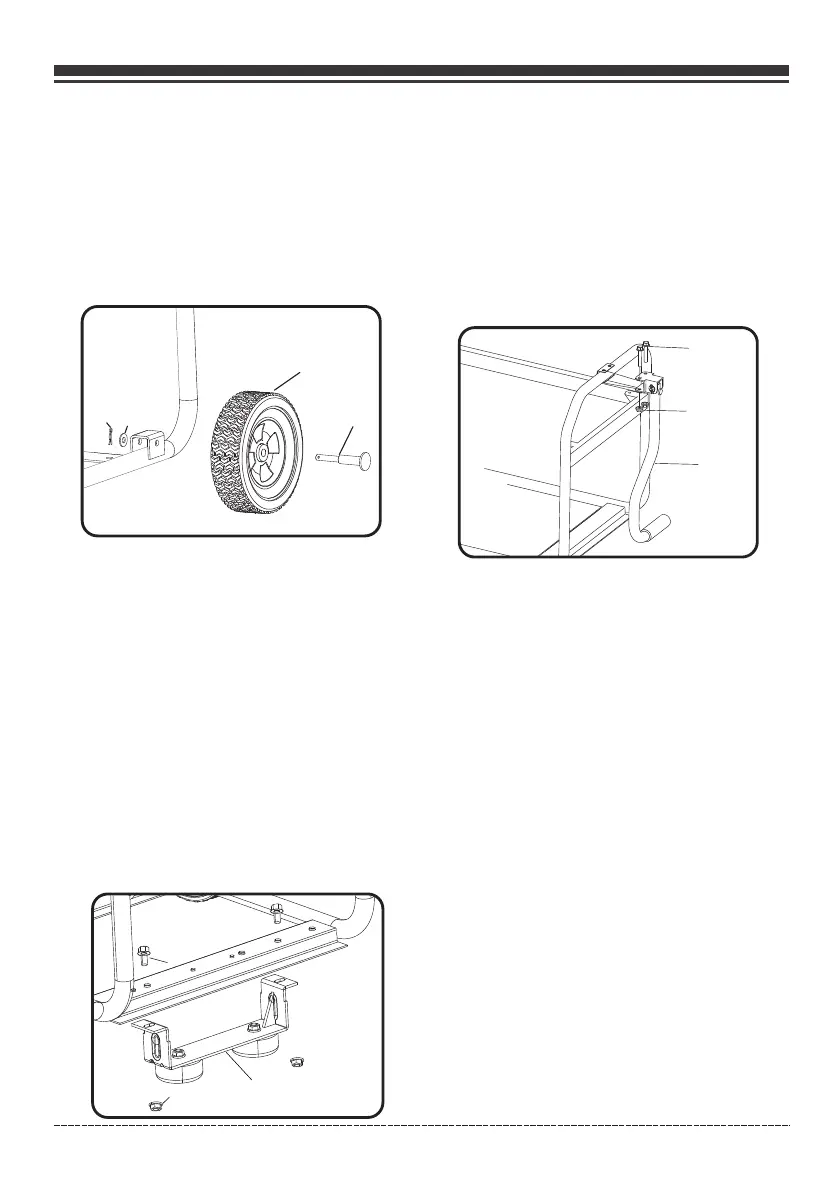
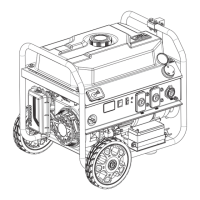
Install the Wheel Kit
The wheel kit is not intended for over-the-road
use.
Install the Support Leg
ASSEMBLY
Install the Handle
1. Place the handle K over the mounting channel
on the frame.
2. Secure the handle to the frame using the two
handle flange bolts H(M8x50).
3. Place a flange nut F (M8) on the end of each
bolt and fasten securely with provided
wrenches.
DO NOT over tighten the flange nuts.
F
The generator requires some assembly prior to
usage. If problems arise when assembling the
generator, call 1-844-347-6261.
F
E
G
H
K
1. Before adding wheels, tip the generator on
its side.
2. Slide the axle pin A through the wheel B.
3. Slide the axle pin A through the mount point
on the frame and flat washer D.
4. Secure the wheel and axle pin with the cotter
pin C.
5. Repeat steps 2-4 to attach another wheel.
1. Attach the support leg G to the generator
frame with flange bolts E (M8x16) and flange
lock nuts F(M8).
2. Tip the generator slowly so that it rests
on the wheels and support leg.
3.Tighten bolt E and nut F with provide
wrenches.
English Customer Service: 1-844-FIRMAN1
A
B
C
D
NOTICE


 To Next Page