Page 15
English Customer Service: 1-844-FIRMAN1
Economy Control Switch
The Economy Control switch can be activated in
order to minimize fuel consumption and noise
while operating the unit during times of reduced
electrical output, allowing the engine speed to
idle during periods of non-use. The engine speed
returns to normal when an electrical load is
connected. When the economy switch is off, the
engine runs at normal speed continuously.
For periods of high electrical load or momentary
fluctuations, the Economy Control Switch should
be turned OFF.
NOTICE:
Stopping the Engine
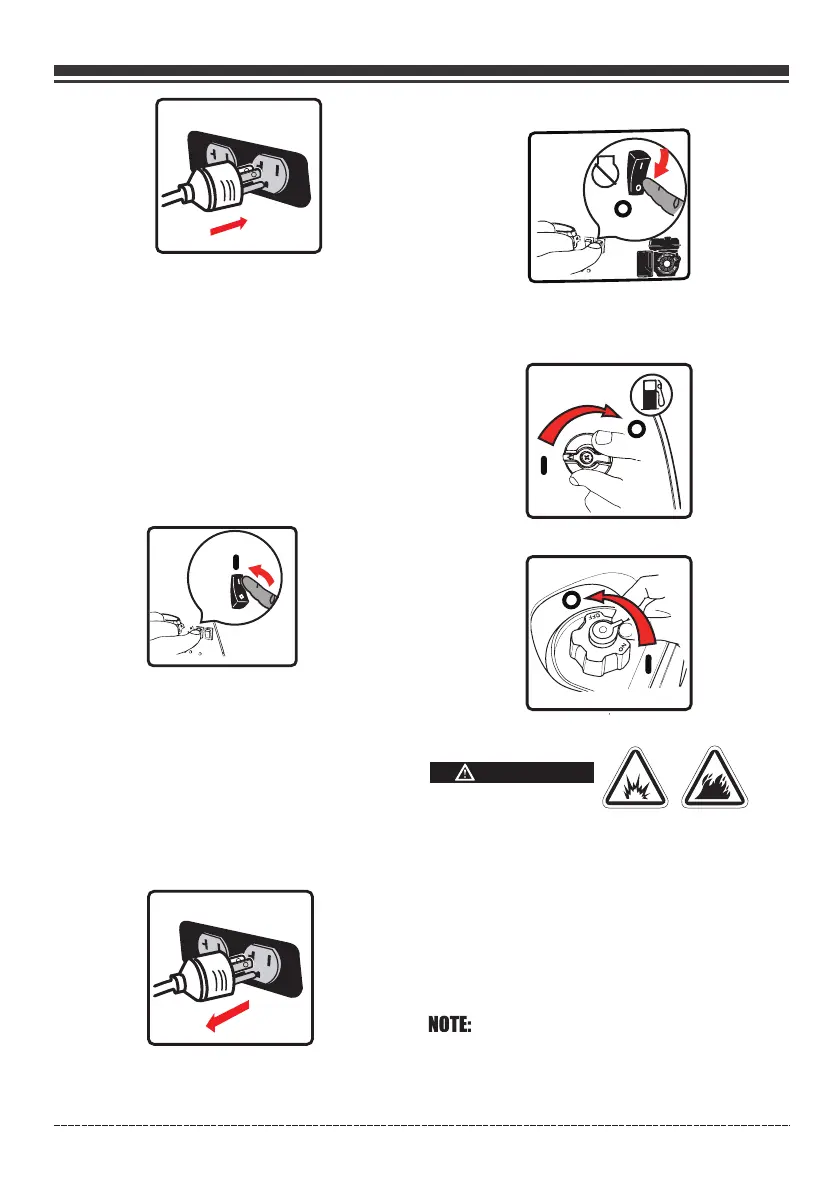
1. Turn off and remove entire electrical loads.
Never start or stop the generator with
electrical devices plugged in or turned on.
Let the generator run at no-load for two
minutes to stabilize internal temperatures
of the engine and generator.
2. Press the engine switch to the “OFF”(O) position.
WARNING
If a cover is used, do not install until unit has cooled.
Fuel and its vapors are extremely flammable and
explosive which could cause burns, fire or
explosion resulting in death, serious injury.
3. Turn the fuel valve to the “OFF”(O) position.
Do not leave the generator until it has
completely stopped.
4. Turn the fuel cap vent lever to the “O ”(O) position.FF
DO NOT stop engine by moving choke control
to “START” position.
Important: Always ensure that the Fuel Valve
and the Engine Switch are in the “OFF” position
when the engine is not in use.
If the engine will not be used for a period of two
weeks or longer, please see the Storage section
for proper engine and fuel storage.


 To Next Page