–
9
–
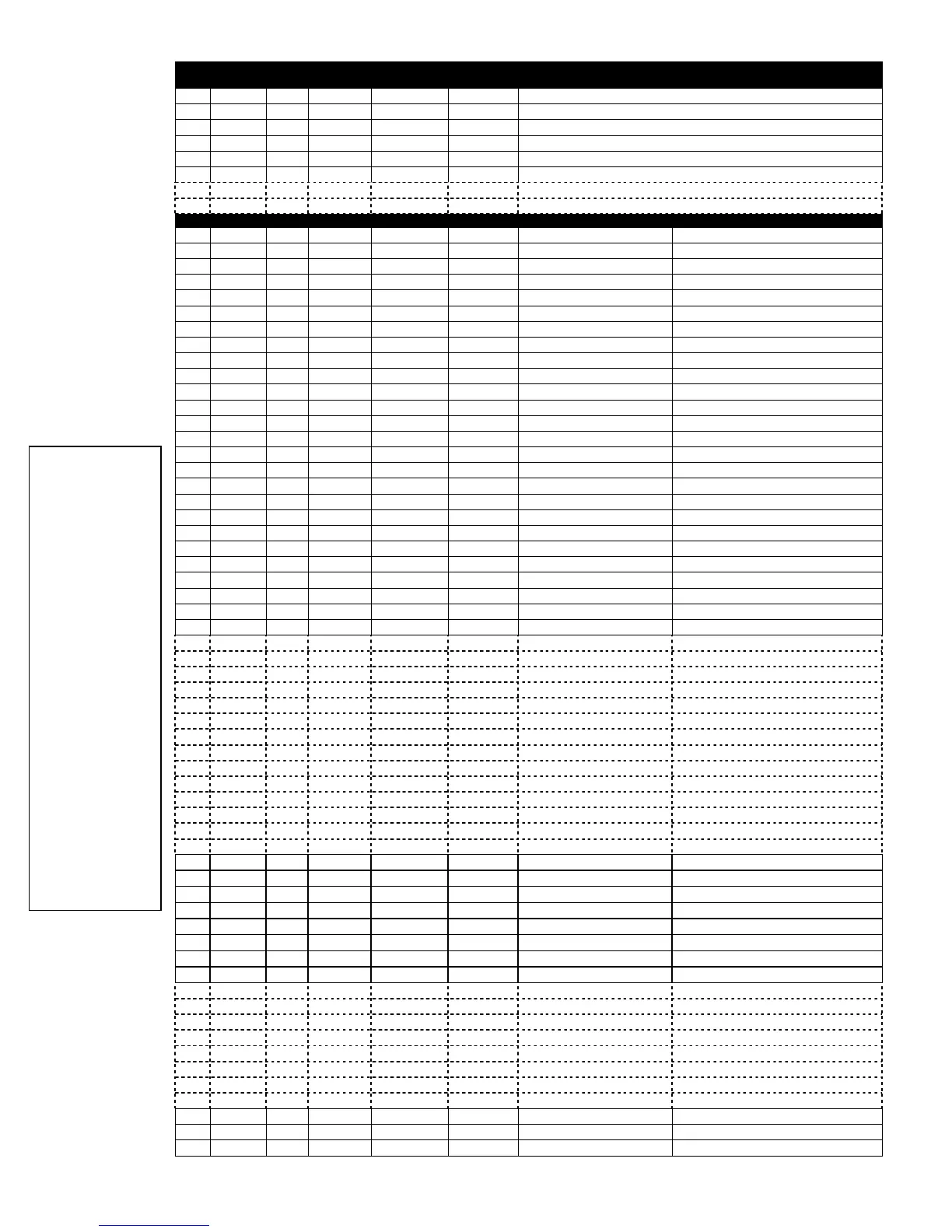
*56 ZONE PROGRAMMING WORKSHEET
(FA148CP supports up to 32 zones: 1-6, 9-34, 49-56) [default shown in brackets]
Zone Zn Type Part. Report Hardwire
Type
Rsp. Time Location
1
[09] [1]
[EOL] [1]
2
[01]
[1]
[EOL]
[1]
3
[03]
[1]
[EOL]
[1]
4
[03]
[1]
[EOL]
[1]
5
[03]
[1]
[EOL]
[1]
6
[03]
[1]
[EOL]
[1]
7
[03]
[1]
[EOL]
[1]
8
[03]
[1]
[EOL]
[1]
Zone Zn Type Part. Report Input Type Loop Serial No. Location
9
10
11
12
13
14
15
16
17
18
19
20
21
22
23
24
25
26
27
28
29
30
31
32
33
34
35
36
37
38
39
40
41
42
43
44
45
46
47
48
49
[1]
[BR]
50
[1]
[BR]
51
[1]
[BR]
52
[1]
[BR]
53
[1]
[BR]
54
[1]
[BR]
55
[1]
[BR]
56
[1]
[BR]
57
[1]
[BR]
58
[1]
[BR]
59
[1]
[BR]
60
[1]
[BR]
61
[1]
[BR]
62
[1]
[BR]
63
[1]
[BR]
64
[1]
[BR]
95
[00]
N/A N/A N/A
keypad [1] / [
∗
]
96
[00]
N/A N/A N/A keypad [3] / [#]
99
[06]
N/A N/A N/A
keypad [
∗
] / [#]
NOTES:
Zone Type: see chart on
page 12;
Report Code: enabled if
any digit entered as 1st
digit;
Hardwire Type (zns 1-8):
0 = EOL 3 = ZD
1 = NC 4 = DB
2 = NO
Input Type:
2 = AW (zones 9-48)
3 = RF (zones 9-48)
4 = UR (zones 9-48)
5 = BR (zones 49-64)
NOTE:
Zones 9-16 not
available if zone
doubling enabled.
Response Time:
0 = 10msec
1 = 350msec
2 = 700msec
3 = 1.2 sec
Reserved Zones
91 =
addressable device
report enable/disable
default zone type =
[05].
92 =
Duress report
enable/disable





 To Next Page