Page 30
VIEW LAYOUT
VIDEO OPERATION
View Layout
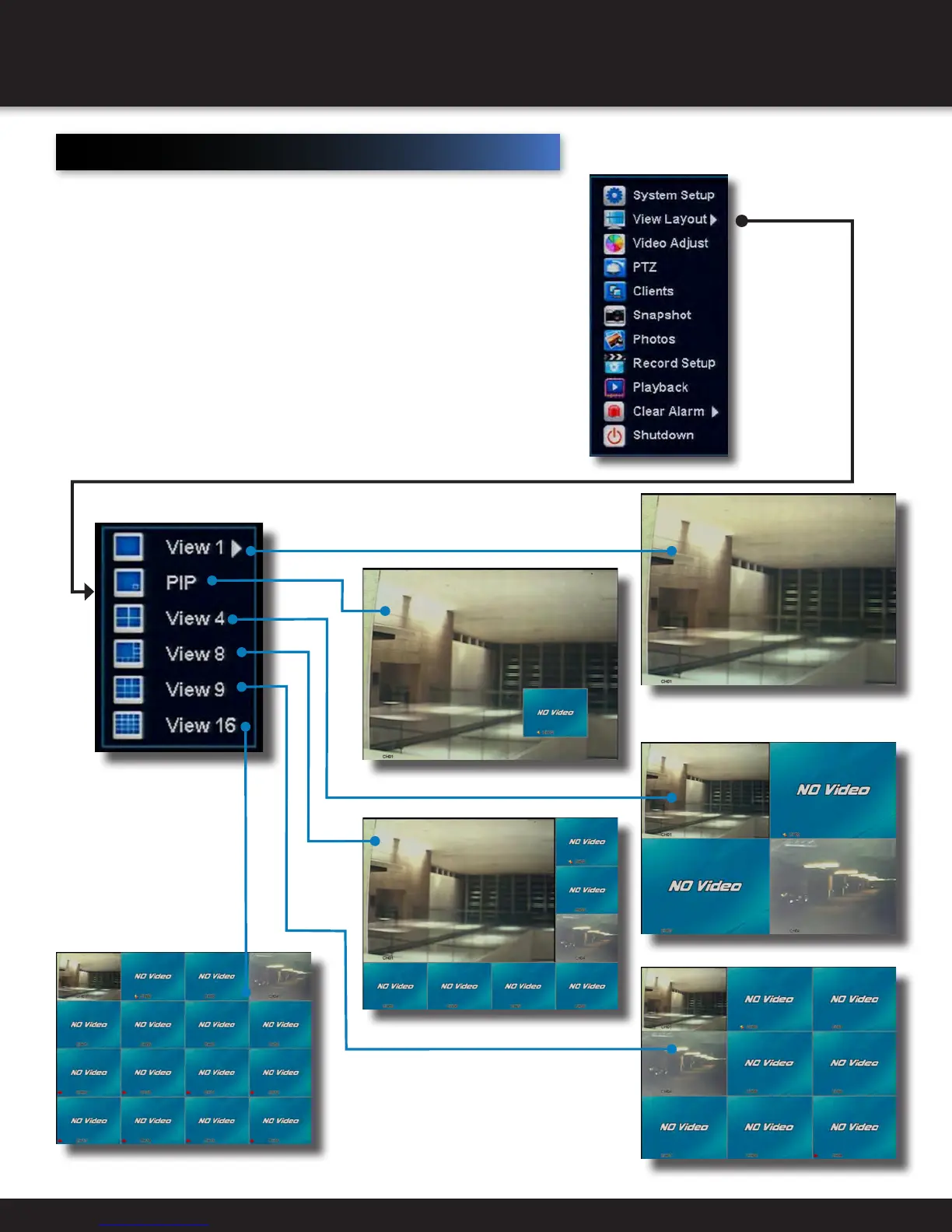
The number of channels displayed can be controlled from this menu.
One camera channel can be selected to fill the whole display, or a number of
different channels can subdivide the display.
• View 1
Select which Channel to fill entire display
• PIP
Channel 1 and 2 will be displayed. Channel 2 will display as a PIP.
• View 4
Channels 1,2,3,4 wil be displayed
• View 8
Eight channels will be displayed, with the sequence determined by which
channel was previously selected
• View 9
Nine channels will be displayed, with the sequence determined by which
channel was previously selected
• View 16
All sixteen channels will be displayed
VIEW 1
VIEW PIP
VIEW 4
VIEW 8
VIEW 16
VIEW 9


 To Next Page