Page 34
SNAPSHOT & PHOTO
RECORDING OPERATION
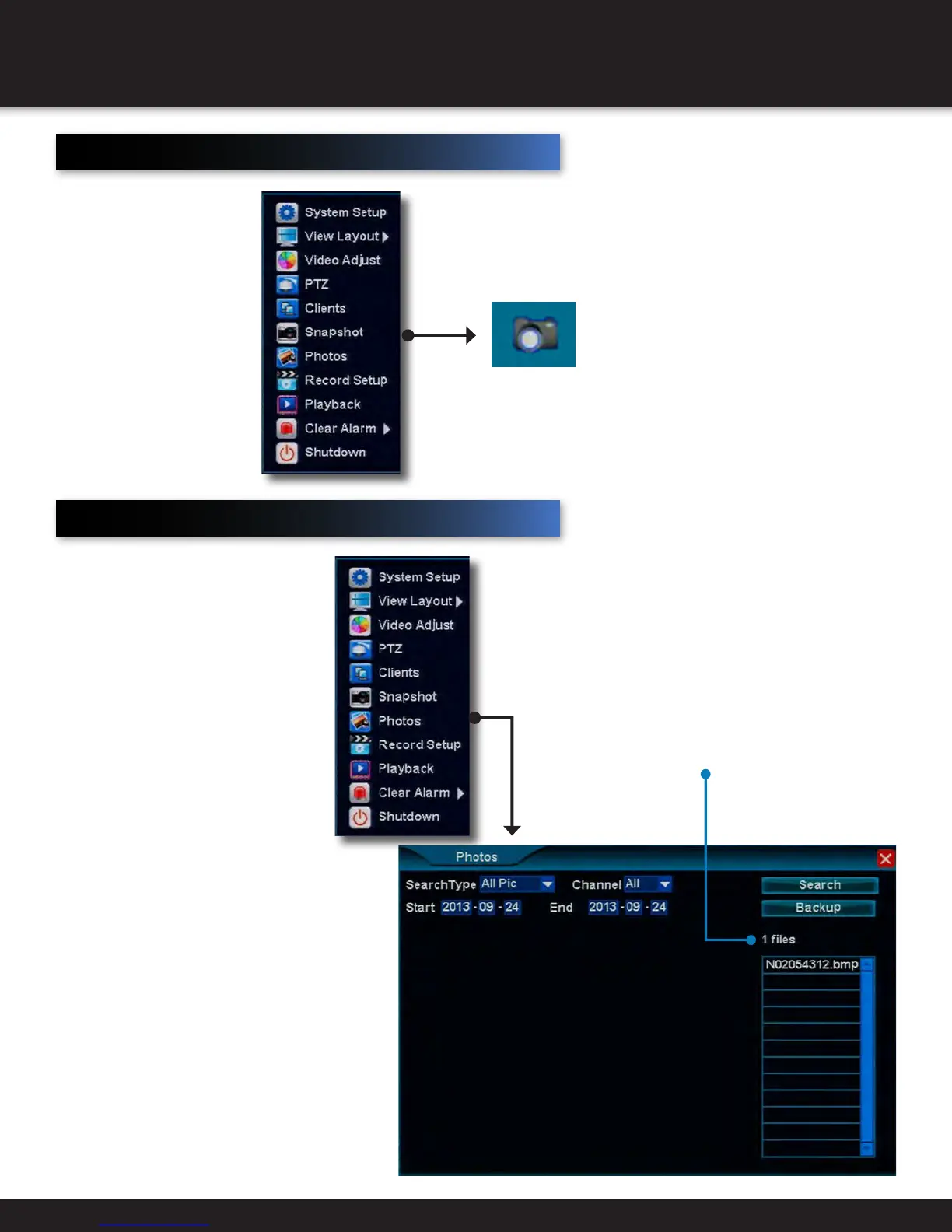
Snapshot
Snapshot is used to take
a photo of a particular
channel
• Taking a Snapshot
Using the mouse, left-click
on a channel display to
take and save a snapshot
• Exiting Snapshot
Using the mouse, right-
click to exit snapshot
Photos
Photo is used to review photos
taken by the snapshot tool
• Search Type
Use the dropdown menu to
narrow the results to how the
photo was recorded
• Channel
Use the dropdown menu to
narrow the results to one
channel’s photos
• Start/End
Use the fields to narrow search
between two specific dates
• Backup
Select to store files to an external
USB drive
Files are
displayed here



 To Next Page