Page 49
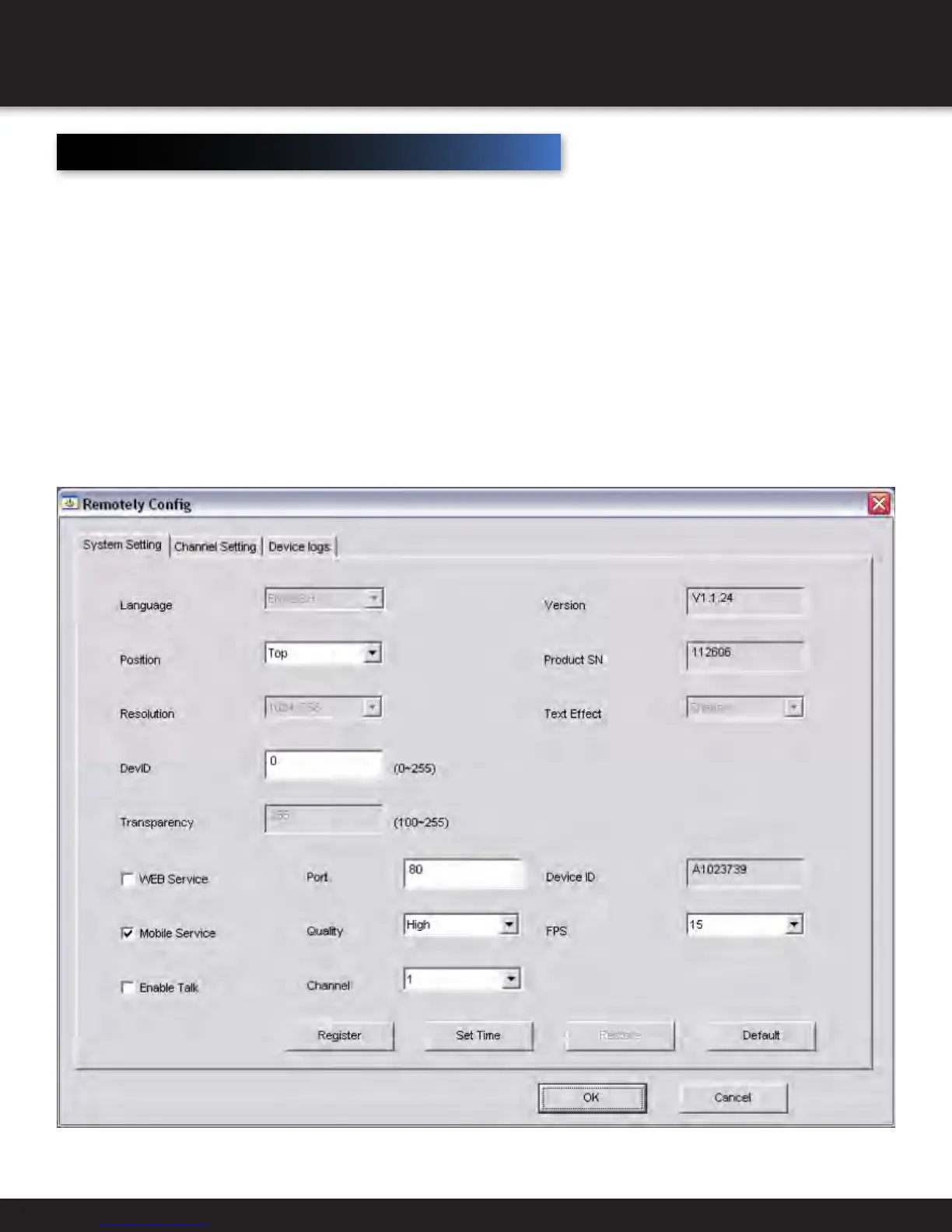
Web service - currently not function
Mobile service - to enable mobile browsing
Port - this is the web port which should always be at 80
Quality- selects the quality of the streaming video
Channel - select channel you would like to apply settings to
Device ID - shows your DVR ID number
FPS - frames per second. The higher the fps, the better
Register- No function
Set time- set date and time
With the Smartbridge software, you are able to configure camera settings remotely. To do this, right
click on any camera source that has a camera connected and select set remotely. (Note, for this
feature to be enabled, you must select the enable devices management box in settings – Advanced.
Remote Configuration
REMOTE ACCESS
CAMERA SETTINGS


 To Next Page