Page 39
CLEAR ALARM & SHUTDOWN
SYSTEM OPERATION
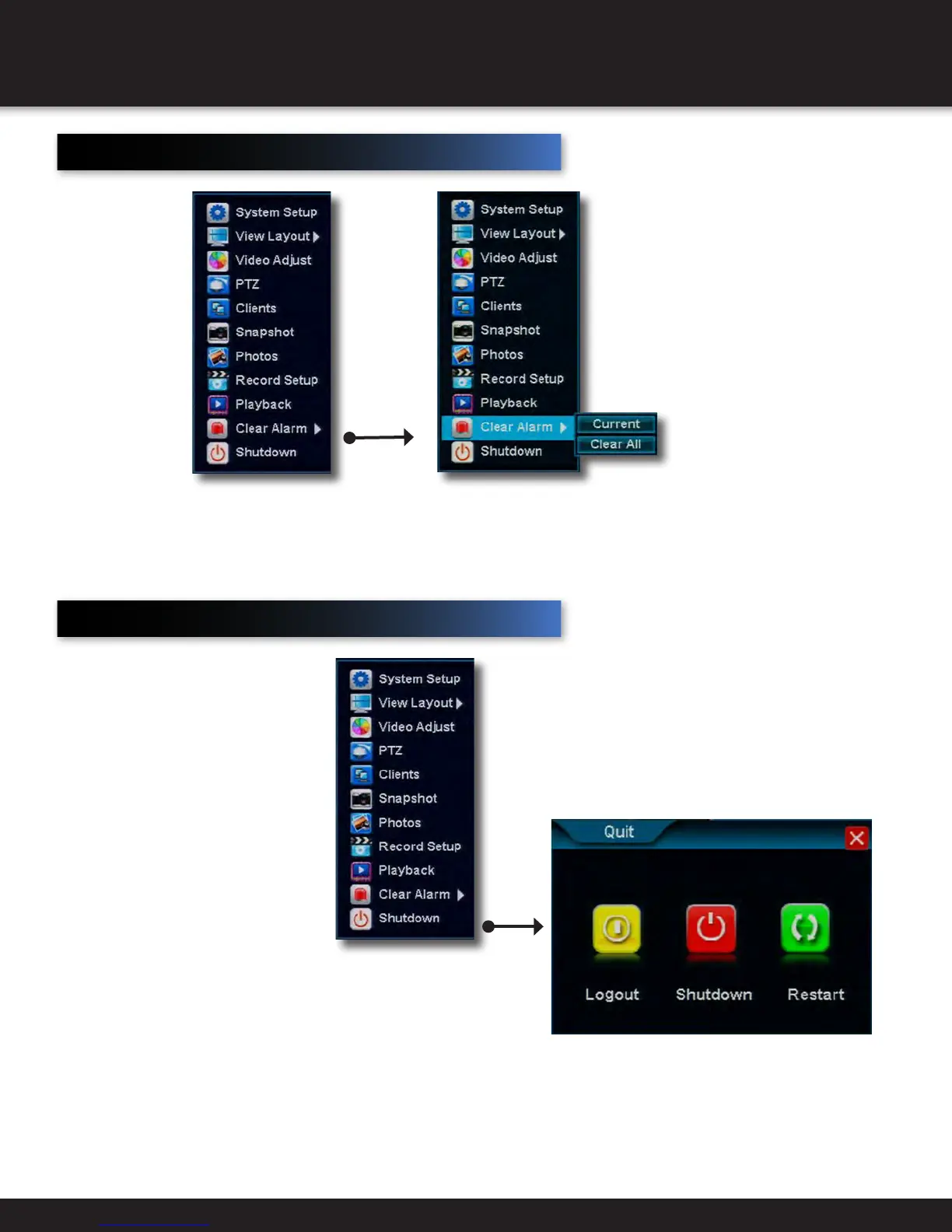
Clear Alarm
Clears and
cancels current
channel alarms
• Current
Cancels current
alarm on a
channel
• Clear All
Clears all alarms
on all channels
Shutdown
The system provides the ability
with a controlled shut down,
through a power down or with a
Restart. To access the shut down
system menu, right click the
mouse to see the drop down quick
menu and then select Shutdown.
The following screen appears.
Logout: Logs the user out. A request
activity to the DVR from any user will
require a login and password to gain
access to the system.
Power off: Power Off shuts the
system down in a controlled manner.
The hard drive is kept running. If user
wants to shutdown fully, user needs
to turn off the button on back panel of
DVR.
Restart: Provides the user with a
restart. The system will shut down and
restart in a controlled way.


 To Next Page