Page 41
REMOTE ACCESS
NETWORK SETUP
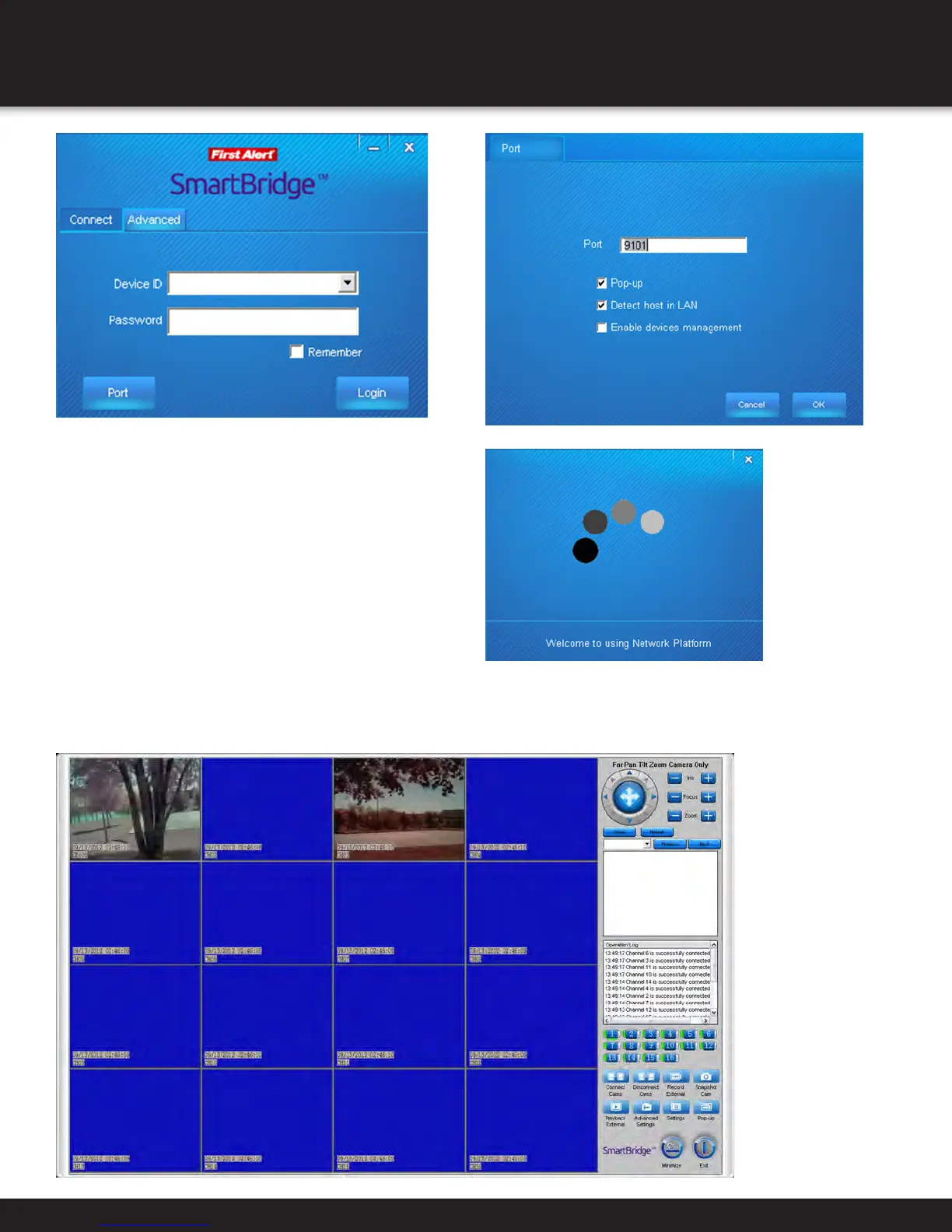
1. The connect tab is for connecting to one
SmartBridge DVR only. Use the advanced Tab
when connecting to multiple Smartbridge DVR’s
at once. (Group). See adding groups section.
• Click Port to enter the port settings. This is
to assign a router port that is open. Typically,
this is set to 9101 (recommended)
2. The Device ID is the ID number found on your DVR system.
This will be the letter A followed by a series of numbers.
Enter your device ID. The default password is 123.
3. Click login.
1. You are now connected to the SmartBridge DVR remotely. All cameras that are connected to
your SmartBridge system should now be shown on the Smartbridge software screen.


 To Next Page