819091D
45
10 WATER DISPENSER
10.1 PRESSURE DISPENSING PAD
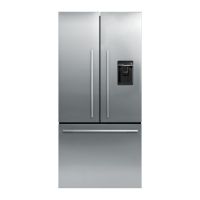
This pad is located at the rear of the dispensing area, and is used to dispense water. Water can be dispensed
using a measured fill option on the display, or free flow. The display will light up and the water fill icon will
appear when the water is dispensed.
The dispenser will not operate while the PC door is open.
10.2 INITIAL USE
Press the glass or container into the pressure-dispensing pad.
Note: Pressing very hard against the water dispensing pad will NOT make the water dispenser operate any
faster or produce greater quantities of water.
Initially allow approximately a one-minute delay from when the pressure-dispensing pad is pushed until the
water is dispensed. While the tank is filling, no water sign will appear.
It is important to flush the tank, discarding around 3 Litres/Quarts of water immediately after the first fill. This
may also be necessary after extended periods of non-use.
10.3 MEASURED FILL USE (Products before January 2009)
Select the desired amount to be dispensed.
Activate the pressure-dispensing pad to start dispensing.
Water flow will stop when either the pre-selected amount has been dispensed, or the dispensing pad is
released.
During measured fill, the amount of water dispensed will be counted and displayed on the screen.
10.4 TO CHANGE MEASURED FILL (Products before January 2009)
Press the MEASURED FILL button. The default quantity is 250 mls/8flozs.
To change the quantity, press the MEASURED FILL button again. This will change the quantity to
300mls/10flozs.
Pressing the button once more will change to the jug icon 1litre/1quart.
The water-dispensing icon will animate when the water is being dispensed.
Note: After dispensing, the measured fill will return to its default position of 8flozs.
10.5 WATER FILTER AND CARTRIDGE
The product is supplied with a water filter and cartridge. It is recommended that the filter be mounted in a
vertical position. Where the filter is positioned is at the discretion of the customer, however, closer to the
product is recommended. Water pressure may be reduced if the filter is installed too far from the product.
The replacement icon will appear and blink when the filter needs to be replaced. This is approximately every
2800 litres of water or 6 months.
10.6 CHANGING THE WATER FILTER
Turn the water off. It is also recommended that the pressure be released by dispensing water with the tap off.
Grasp and firmly twist the cartridge in an anticlockwise direction (to the left when installed in the recommended
orientation).
Pull the cartridge away from the filter head (down when installed in the recommended orientation).
Discard the old filter.
Remove the protective cap on the spigot on the head of the new cartridge.
Push the cartridge upwards towards the head while rotating it in a clockwise direction (to the right when
installed in the recommended orientation).
Reset the filter icon on the display (this will be set to remind the customer the filter is due to be replaced).



 To Next Page
 Loading...