
 Need help?
Do you have a question about the Fisher Research Labs F11 and is the answer not in the manual?
The detector's ability to emit different tones for different metals, allowing users to ignore trash.
The process of finding the exact location of a buried object, which can be hard to isolate from soil.
Ability to ignore naturally occurring minerals in the earth, preventing false signals.
Refers to the detector not emitting a tone or displaying Target-ID for certain metals.
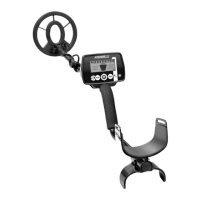
The main unit containing the display and controls, secured with screws.
Component for user comfort and stability during operation.
The primary component that detects metal objects in the ground.
Part of the shaft assembly connecting the control housing to the lower stem.
Step to detach the armrest, likely for initial assembly adjustments.
Procedure for securing the control unit to the main shaft.
Warning about potential damage to the cam lock if the middle stem is forced.
Initial step for assembling the detector shaft components.
Step for connecting the middle stem to the S-rod, noting button orientation.
Guidance on setting the shaft length for optimal user comfort and ergonomics.
Final connection step to link the searchcoil to the control housing.
Critical warning against using specific battery types that may not function correctly.
Important instruction to avoid using 'Heavy Duty' batteries for optimal performance.
Explanation of the battery icon and its segments indicating voltage levels.
Details on expected operational life for alkaline and rechargeable batteries.
List of items required for performing the quick-start demonstration.
Instructions on how to set up and position the metal detector for the demo.
Guide on showcasing the different operating modes like Artifact and Jewelry.
Guide to demonstrating the pinpoint mode for precise target location.
Explanation of how ground minerals affect detection and the detector's compensation.
Guidance on identifying and ignoring unwanted metal objects like nails and foil.
How metal objects are identified using conductivity graphic symbols and Target-ID.
Explanation of the 6-segment graphic that indicates the relative depth of detected objects.
Information on how electromagnetic interference affects the detector and how to mitigate it.
Instructions on the proper technique for sweeping the searchcoil over the ground.
Information about the searchcoil's waterproof capabilities and limitations.
Procedure for turning the metal detector on and its default settings.
Overview of the control panel and how to use each button and function.
Guide on using the MENU button to navigate through different settings.
Instructions on using the MODE button to switch between search modes.
Explanation of the 6-segment graphic that shows the relative depth of detected objects.
Description of overload conditions and how to resolve them.
Details on how the detector identifies metal objects based on conductivity.
Explanation of the audio tones used to identify different types of metal.
A chart showing conductivity ranges for different metals and target types.
Detailed guide on interpreting the information presented on the detector's display.
A list mapping numerical IDs and icons to specific types of metal objects.
A reference table linking Target-IDs to specific coins and their estimated depths.
Instructions on how to adjust the audio volume output of the detector.
Guidance on adjusting the sensitivity level and troubleshooting erratic signals.
Explanation of how to use the Notch control to accept or reject specific target categories.
Instructions on how to activate and use the Pinpoint mode for precise target location.
Method to refine the detection field in Pinpoint mode for better accuracy.
Guide on using pinpointing techniques to precisely locate buried targets.
A technique to mark the target location by sweeping in perpendicular directions.
Method of using multiple intersecting sweeps to verify target repeatability and nature.
Information about the detector's headphone jack, its compatibility, and benefits.
Details on the searchcoil's waterproof feature and limitations of the control housing.
Information on how severe soil conditions and mineralized soils can affect performance.
Factors affecting Target-ID accuracy, including soil, distance, and target proximity.
Explanation of why and when to reduce sensitivity due to EMI interference.
Troubleshooting steps for erratic signals or low sensitivity, including causes and solutions.
Diagnosis and solutions for low speaker volume issues, often related to battery.
Troubleshooting for unstable target identification and multiple tones.
Solutions for the detector not powering on or producing any sound, usually battery or connection issues.
Highlights the necessity of obtaining permission before searching on private land.
Advocates for responsible digging practices, restoring the site after searching.
Crucial directive to preserve historical and archaeological finds.
Promotes leaving sites cleaner by removing and properly disposing of litter.
Information on how to register the product warranty and a promotional offer.
Details the duration and scope of the limited warranty against manufacturing defects.
Specifies that proof of purchase is necessary for warranty claims.
Procedure for returning the detector for service, requiring an RA number.
Description of a padded bag designed for carrying and protecting the detector.
Information on compatible headphones for enhanced audio and battery saving.
Listing of available searchcoils for replacement or enhanced performance.
Information on different kits designed for gold prospecting applications.
 General
| Brand | Fisher Research Labs |
|---|---|
| Model | F11 |
| Category | Metal Detector |
| Language | English |




 To Next Page