EasyManua.ls Logo

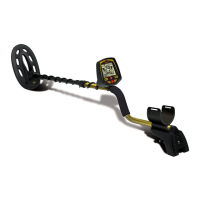
Fisher Research Labs F44 - User Manual

Fisher Research Labs F44
28 pages
Print Icon
To Next Page IconTo Next Page
Loading...
OWNERS MANUAL
Uses two AA ALKALINE batteries only.
Do not use “Heavy Duty” batteries.
Do not use ordinary Zinc Carbon batteries.
Not for Underwater Use
DO NOT SUBMERGE

Other manuals for Fisher Research Labs F44

Question and Answer IconNeed help?

Do you have a question about the Fisher Research Labs F44 and is the answer not in the manual?

Summary

Terminology

Contents of Box

Assembly

Batteries

Quick-Start Demonstration

The Basics of Metal Detecting

Using the Detector

Sweep Method

Describes the side-to-side sweeping motion of the searchcoil over the ground for effective target detection.

11 Waterproof Searchcoil

Details the features and capabilities of the detector's 11-inch triangulated elliptical waterproof searchcoil.

Operation and Controls

The Display

Depth Indicator

Explains the 6-segment graphic indicating the relative depth of a buried metal object detected by the detector.

Overload Warning

Warns about overload conditions and how to respond when a metal object is too close or soil is highly magnetic.

Menu

Volume

Adjusts the speaker volume from 0 to 20, with specific settings for iron and non-ferrous targets.

Sensitivity

Controls the detector's sensitivity from 1 to 20, crucial for reducing interference and detecting faint signals.

Notch

Allows acceptance or rejection of different metal types for each target category group (Jewelry, Coin, Artifact, Custom).

Ground

Enables manual adjustment of the detector's internal ground setting from 0 to 99 for optimal performance.

Backlight

Controls the brightness of the display backlight, adjustable from 0 to 5 to manage battery life.

Operating Modes

Details the four discrimination modes (Jewelry, Coin, Artifact, Custom) and the All Metal (A/M) mode.

Factory Reset

Instructions on how to reset the F44 detector to its default factory settings, erasing custom configurations.

Pinpoint

Activates the Pinpoint mode to precisely locate the center of a detected metal target.

Pinpoint as follows;

Step-by-step guide on how to use the Pinpoint feature to identify the target's exact location and shape.

Pinpoint Retuning:

Explains how to retune the detector in Pinpoint mode to narrow down the location of a target for better accuracy.

Coil Drift

Addresses coil drift in Pinpoint mode and the need for periodic retuning to maintain sensitivity.

Pinpointing Using Motion Modes (without using PP)

Alternative method for pinpointing targets using sweeping patterns without engaging the dedicated Pinpoint mode.

Target Identification

Target-ID

Explains how the detector identifies metal targets using Target ID numbers and category icons based on conductivity.

4-Tone Target Identification

Describes the four distinct audio tones used to identify different types of detected metal objects.

Target-ID Coin Reference

Provides a reference table for common coin Target-IDs, aiding in the identification of unearthed items.

Custom Mode Programmable Tones

Guides users on programming custom audio tones for each target category in the Custom mode.

Depth & Target Display

Reading the Display

Details how to interpret the display, including target identification, conductivity, and depth indications for various objects.

Ground Cancelation

What is Ground Cancelation

Explains the purpose of Ground Cancelation in eliminating unwanted signals from ground minerals for better detection.

Ground Grab GE Computerized Ground Cancelation:

Describes the automatic Ground Grab feature for calibrating the detector's ground setting to the soil conditions.

Ground Balance Error Indicator

Explains the indicators that signal when the detector's ground balance needs to be readjusted.

Manual Ground Adjustment

Provides instructions for manually adjusting the Ground setting, including methods for fine-tuning the response.

Headphone Jack

Characteristics & Limitations

Notes

Troubleshooting Guide

Treasure Hunters Code of Ethics:

5-Year Limited Warranty

Notice to Customers Outside the U.S.A.

Provides warranty information specific to customers located outside the United States, including potential variations.

Accessories

Fisher Padded Carry Bag

Describes the padded carry bag, its construction, and its utility for storing accessories and batteries.

Fisher Camo Pouch

Details the camo pouch with inside pockets and belt for convenient carrying of small items.

Stereo Headphones

Information on stereo headphones compatible with Fisher metal detectors, highlighting features and benefits.

Metal Sand Scoop

Describes the large galvanized metal sand scoop with filtering holes and a rubberized grip.

Lesche Knife

Details the Lesche Knife, made of tempered steel with a serrated blade and sheath, for digging.

Fisher Baseball Cap

Describes the Fisher baseball cap, noting it comes in one size fitting all.

Fisher T-Shirt

Details the Fisher T-shirt made of 100% cotton, available in various sizes.

Replacement;Accessory Search Coils

Lists available replacement and accessory search coils for the metal detector, with sizes and types.

Coil Covers

Information on coil covers designed to protect the searchcoil from abrasion and damage.

Rain Cover

Details neoprene protective covers available for the F11, F22, or F44 detectors.

Gold Prospecting Kits

Lists the contents of various gold prospecting kits, including pans, vials, and magnets.

Summary

Terminology

Contents of Box

Assembly

Batteries

Quick-Start Demonstration

The Basics of Metal Detecting

Using the Detector

Sweep Method

Describes the side-to-side sweeping motion of the searchcoil over the ground for effective target detection.

11 Waterproof Searchcoil

Details the features and capabilities of the detector's 11-inch triangulated elliptical waterproof searchcoil.

Operation and Controls

The Display

Depth Indicator

Explains the 6-segment graphic indicating the relative depth of a buried metal object detected by the detector.

Overload Warning

Warns about overload conditions and how to respond when a metal object is too close or soil is highly magnetic.

Menu

Volume

Adjusts the speaker volume from 0 to 20, with specific settings for iron and non-ferrous targets.

Sensitivity

Controls the detector's sensitivity from 1 to 20, crucial for reducing interference and detecting faint signals.

Notch

Allows acceptance or rejection of different metal types for each target category group (Jewelry, Coin, Artifact, Custom).

Ground

Enables manual adjustment of the detector's internal ground setting from 0 to 99 for optimal performance.

Backlight

Controls the brightness of the display backlight, adjustable from 0 to 5 to manage battery life.

Operating Modes

Details the four discrimination modes (Jewelry, Coin, Artifact, Custom) and the All Metal (A/M) mode.

Factory Reset

Instructions on how to reset the F44 detector to its default factory settings, erasing custom configurations.

Pinpoint

Activates the Pinpoint mode to precisely locate the center of a detected metal target.

Pinpoint as follows;

Step-by-step guide on how to use the Pinpoint feature to identify the target's exact location and shape.

Pinpoint Retuning:

Explains how to retune the detector in Pinpoint mode to narrow down the location of a target for better accuracy.

Coil Drift

Addresses coil drift in Pinpoint mode and the need for periodic retuning to maintain sensitivity.

Pinpointing Using Motion Modes (without using PP)

Alternative method for pinpointing targets using sweeping patterns without engaging the dedicated Pinpoint mode.

Target Identification

Target-ID

Explains how the detector identifies metal targets using Target ID numbers and category icons based on conductivity.

4-Tone Target Identification

Describes the four distinct audio tones used to identify different types of detected metal objects.

Target-ID Coin Reference

Provides a reference table for common coin Target-IDs, aiding in the identification of unearthed items.

Custom Mode Programmable Tones

Guides users on programming custom audio tones for each target category in the Custom mode.

Depth & Target Display

Reading the Display

Details how to interpret the display, including target identification, conductivity, and depth indications for various objects.

Ground Cancelation

What is Ground Cancelation

Explains the purpose of Ground Cancelation in eliminating unwanted signals from ground minerals for better detection.

Ground Grab GE Computerized Ground Cancelation:

Describes the automatic Ground Grab feature for calibrating the detector's ground setting to the soil conditions.

Ground Balance Error Indicator

Explains the indicators that signal when the detector's ground balance needs to be readjusted.

Manual Ground Adjustment

Provides instructions for manually adjusting the Ground setting, including methods for fine-tuning the response.

Headphone Jack

Characteristics & Limitations

Notes

Troubleshooting Guide

Treasure Hunters Code of Ethics:

5-Year Limited Warranty

Notice to Customers Outside the U.S.A.

Provides warranty information specific to customers located outside the United States, including potential variations.

Accessories

Fisher Padded Carry Bag

Describes the padded carry bag, its construction, and its utility for storing accessories and batteries.

Fisher Camo Pouch

Details the camo pouch with inside pockets and belt for convenient carrying of small items.

Stereo Headphones

Information on stereo headphones compatible with Fisher metal detectors, highlighting features and benefits.

Metal Sand Scoop

Describes the large galvanized metal sand scoop with filtering holes and a rubberized grip.

Lesche Knife

Details the Lesche Knife, made of tempered steel with a serrated blade and sheath, for digging.

Fisher Baseball Cap

Describes the Fisher baseball cap, noting it comes in one size fitting all.

Fisher T-Shirt

Details the Fisher T-shirt made of 100% cotton, available in various sizes.

Replacement;Accessory Search Coils

Lists available replacement and accessory search coils for the metal detector, with sizes and types.

Coil Covers

Information on coil covers designed to protect the searchcoil from abrasion and damage.

Rain Cover

Details neoprene protective covers available for the F11, F22, or F44 detectors.

Gold Prospecting Kits

Lists the contents of various gold prospecting kits, including pans, vials, and magnets.

Fisher Research Labs F44 Specifications

General IconGeneral
BrandFisher Research Labs
ModelF44
CategoryMetal Detector
LanguageEnglish

Related product manuals